

For decades, PRI (ISDN30e) has been the backbone of business telephony in the UK, offering reliable fixed-line connectivity for voice services. But with BT set to retire the ISDN network entirely by 2027, organisations now face a critical turning point: whether to continue investing in outdated infrastructure or move towards the flexibility of SIP trunking.
This isn’t just a question of SIP trunking vs PRI on technical grounds. The reality is that PRI will soon no longer be available, meaning every business that still relies on ISDN must plan a PRI to SIP migration or risk losing vital communications capability. For many, this shift isn’t about if they will move but how and when they will do it. – See more about the switch off on BT’s website.
Fortunately, SIP trunks provide a natural ISDN30 replacement in the UK, combining lower costs with greater scalability, resilience, and future-proofing. As more organisations embrace cloud and hosted VoIP solutions, SIP has become the obvious path forward—ensuring that business communication remains agile, reliable, and ready for what comes next.
Before the rise of internet-based telephony, many UK businesses relied on ISDN30 PRI (Primary Rate Interface) lines to power their phone systems. A PRI circuit delivered up to 30 individual channels over a single digital line, making it a robust and scalable option for companies with heavy call volumes or on-site PBX systems. For years, PRI lines in the UK set the standard for enterprise-grade communications, offering predictable performance, high reliability, and consistent call quality.
In its time, ISDN30e was seen as cutting-edge, enabling larger organisations to consolidate their voice traffic while maintaining control over their phone networks. However, technology has moved on, and so has the way businesses communicate. With cloud platforms, remote working, and mobile-first strategies becoming the norm, ISDN-based services now look increasingly outdated.
That’s why BT has confirmed that all ISDN and PSTN services will be switched off in January 2027, leaving PRI customers with no choice but to migrate. The good news is that modern solutions like SIP trunking offer a direct ISDN30 replacement in the UK, providing more flexibility, cost savings, and future-ready connectivity.
SIP trunks are the modern digital equivalent of traditional PRI lines, but instead of relying on physical ISDN circuits, they use the internet to deliver voice connectivity. In practical terms, SIP (Session Initiation Protocol) allows businesses to make and receive calls over their broadband or leased line connection, providing the same core functionality as ISDN—only with far more flexibility.
One of the key advantages is compatibility. Businesses that have invested heavily in on-site PBX systems don’t need to rip and replace. With a SIP-enabled PBX or a suitable gateway, existing phone systems can be connected directly to SIP trunks, making the shift from PRI to SIP migration smooth and cost-effective.
Scalability is another major benefit. While PRI lines in the UK were fixed in 30-channel blocks, SIP trunks can be scaled up or down instantly to match business needs—whether you need five channels or fifty. This flexibility makes it easier to support seasonal demand, business growth, or even a move to hybrid working without the expense and delay of ordering new circuits.
Crucially, SIP trunks are often significantly cheaper than maintaining legacy ISDN services. With lower call charges, reduced line rental, and simplified infrastructure, many organisations find SIP a natural step towards modernisation. For companies weighing up SIP trunking vs PRI, SIP delivers a future-proof, cost-efficient, and resilient ISDN30 replacement in the UK.
When weighing up SIP vs PRI, it helps to see the differences side by side. Both technologies were designed to deliver reliable business voice services, but their underlying infrastructure and capabilities couldn’t be more different. PRI (ISDN30) was built for an era of fixed office lines, while SIP trunking benefits from the flexibility of internet-based delivery.
Below is a simple comparison of the two approaches:
| Feature | PRI (ISDN30) | SIP Trunking |
|---|---|---|
| Infrastructure | Runs over physical copper ISDN circuits, tied to a single location. | Delivered over the internet or dedicated IP connections; not bound to one site. |
| Scalability | Fixed in 30-channel blocks; growth is inflexible and costly. | Add or remove channels instantly to match demand. |
| Costs | Line rental and on-site hardware; typically higher call charges. | IP-based pricing with lower setup, rental, and call costs. |
| Reliability | Dependent on copper; single faults can impact an entire site. | Supports redundancy/failover across multiple links and locations. |
| Flexibility | Restricted to the premises where lines are installed. | Works from any location with a reliable internet connection. |
This table highlights why so many organisations are already planning their PRI to SIP migration. SIP not only removes the limitations of physical infrastructure but also introduces cost savings, agility, and future-proof resilience.
In short, SIP trunking benefits businesses by delivering scalable, flexible, and cost-effective communication compared to the rigid structure of PRI. So on paper, SIP is the clear successor to PRI — but the market is moving even further.
While SIP trunks are often positioned as the natural upgrade path from ISDN, they are not without limitations. At their core, SIP trunks still connect into an on-premises PBX, meaning your business remains tied to local hardware. This setup can be perfectly adequate in the short term, but it does come with ongoing responsibilities.
Maintaining a PBX requires regular upgrades, patches, and technical expertise. If the hardware fails or your office suffers an outage, resilience is limited to whatever redundancy you’ve built into your own infrastructure. Unlike cloud-based services, SIP trunks don’t automatically provide geo-redundancy or disaster recovery — those protections are only as strong as the systems you put in place locally.
For many organisations, SIP is a good transitional step in a PRI to SIP migration strategy, extending the life of existing PBX investments while reducing the costs associated with ISDN. However, it’s not truly “future-proof.” Businesses still shoulder the burden of hardware maintenance, and scaling across multiple sites or remote workers can quickly become complex and expensive.
This is why an increasing number of companies are choosing to bypass SIP trunks altogether and move straight to hosted VoIP. With no on-premises equipment to maintain, hosted services offer greater flexibility, built-in resilience, and a communications platform designed for the cloud era.
As businesses plan how to migrate from ISDN to VoIP, one solution is standing out as the clear long-term winner: Hosted VoIP. Also known as a cloud PBX or hosted PBX, this model removes the need for on-premises telephone hardware altogether. Instead, all call handling, routing, and management are delivered via secure data centres in the cloud, with users connecting through desk phones, mobiles, or softphone apps.
The benefits are immediate. With hosted VoIP in the UK, there’s no PBX to maintain, no hardware upgrades to schedule, and no risk of local equipment failure disrupting your business. For companies embracing hybrid or remote working, a hosted system is particularly compelling: employees can make and receive calls anywhere with an internet connection, while managers retain centralised visibility and control.
Hosted solutions also integrate seamlessly with modern business tools. From CRM platforms to Microsoft Teams and collaboration apps, cloud PBX UK services ensure telephony is no longer an isolated system but part of a unified communication strategy. Scalability is effortless too. Instead of adding physical channels, you simply add or remove users as needed — an ideal fit for growing teams, seasonal demand, or distributed offices.
Cost is another driver. Without the burden of on-site PBX hardware and its associated upkeep, many organisations find hosted VoIP delivers a lower total cost of ownership over time. You pay only for what you need, with predictable subscription pricing and no surprise maintenance bills.
When comparing hosted VoIP vs SIP trunks, the difference becomes clear. SIP trunks are an evolutionary step — extending the life of legacy PBXs and easing the transition away from ISDN. Hosted VoIP, however, is revolutionary. It eliminates the PBX entirely, replacing outdated infrastructure with a cloud-native model built for agility, resilience, and long-term scalability.
With the UK rapidly moving to an all-IP future, hosted VoIP isn’t just another option on the table — it’s the natural end-point for business communications. For organisations still weighing up whether to move from PRI to SIP migration or go further, the message is simple: SIP can buy you time, but hosted VoIP is where the journey ultimately leads.
With the UK’s ISDN and PSTN switch-off looming in 2027, the real decision for businesses is no longer PRI vs SIP, but SIP trunks vs Hosted VoIP. Each has its place, and the right choice depends on your current infrastructure and long-term goals.
If your organisation has recently invested in a modern PBX system, SIP trunks may provide the best short- to medium-term option. They allow you to sweat that asset for a few more years while still gaining many of the cost and scalability advantages of IP-based communications. For some businesses, this is a sensible way to protect past investment while bridging the gap from legacy technology.
However, if your priority is to future-proof communications, cut costs, and support hybrid or remote teams, then Hosted VoIP is the smarter long-term move. By removing the PBX entirely, you gain a system that scales instantly, integrates with cloud apps, and delivers resilience without on-site maintenance. It’s a platform designed for today’s all-IP, mobile-first workplace.
What’s certain is that PRI is disappearing. Waiting until the final months before the 2027 deadline risks rushed decisions, limited availability of migration services, and potential downtime. The safest strategy is to start evaluating your options now, map out your migration path, and make the transition in good time.
Whether you take an interim step with SIP trunks or move directly to a hosted solution, one thing is clear: the sooner you act, the better positioned your business will be.
The message for UK businesses is clear: PRI is reaching its end of life. By January 2027, ISDN30 and all legacy PSTN services will be switched off, and organisations that haven’t migrated will be left without a working phone system. The question is no longer if you should move, but how.
For some, SIP trunks will provide a practical bridge — especially if you’ve recently invested in a PBX and want to extend its lifespan for a few more years. But ultimately, the market is moving toward Hosted VoIP, the cloud-first solution that removes on-site hardware, reduces costs, and supports the modern way we all work: mobile, remote, and connected.
The smartest move right now is to audit your current setup, explore the options for SIP or hosted VoIP, and plan your migration well before the 2027 deadline. Acting early avoids last-minute disruption and ensures your business communications are ready for the all-IP future.
Talk to Plexatalk about future-proofing your phone system today.
ISDN30, also known as PRI (Primary Rate Interface), is a digital telephony service that provides up to 30 voice channels over a single circuit. It has traditionally been used by larger businesses to connect PBX phone systems.
BT will retire all ISDN and PSTN services — including ISDN30 — in January 2027. After this date, PRI lines will no longer work.
ISDN runs on copper networks that are costly to maintain and not suited to modern digital communication. The UK is moving to an all-IP infrastructure, making ISDN services obsolete.
Businesses must migrate to IP-based solutions. The two main options are SIP trunks, which connect existing PBXs to the internet, and Hosted VoIP (cloud PBX), which removes on-premises hardware entirely.
Yes. During a PRI to SIP migration or a move to hosted VoIP, you can usually port your existing business numbers to the new system.
If you have a recent PBX investment, SIP trunks may make sense as a short-term step. For long-term cost savings, flexibility, and future-proofing, Hosted VoIP is the better choice.

The way UK businesses connect is about to change forever. BT has confirmed that both the PSTN (Public Switched Telephone Network) and ISDN (Integrated Services Digital Network) will be permanently retired. Originally scheduled for December 2025, the final deadline for the BT ISDN switch off has now been extended to January 2027 – but the impact remains the same.
This isn’t just a technical upgrade. The PSTN switch off UK 2027 affects every organisation still relying on analogue or digital ISDN lines, whether for voice calls, fax, payment terminals, alarms, or broadband access. In other words, if your business hasn’t yet prepared for the ISDN end of life UK, time is running out.
The legacy networks that powered business communications for decades are no longer fit for the demands of a digital-first economy. To stay connected, organisations must start planning their migration to modern IP-based solutions like VoIP, SIP, and hosted services. Those who delay risk service disruption, increased costs, and a rushed transition when the cut-off finally arrives.
In this guide, we’ll explain what the switch-off means for UK businesses, the risks of waiting, and the practical steps to ensure a smooth migration before 2027.
The UK’s communications infrastructure is undergoing its biggest change in decades. BT has announced that all legacy voice services running over the copper network — known as Wholesale Line Rental (WLR) — are being withdrawn. This includes the PSTN and a range of services built on top of it, such as ISDN2e, ISDN30e/PRI, and Centrex/Featureline.
The Public Switched Telephone Network (PSTN) is the analogue phone system that has underpinned UK business and residential telephony for generations. On top of this, ISDN (Integrated Services Digital Network) introduced digital lines, offering clearer voice calls and the ability to handle multiple connections. Smaller firms often used ISDN2e (two digital channels), while larger organisations deployed ISDN30e/PRI (up to 30 channels) for switchboards and call centres. Meanwhile, BT’s Centrex and Featureline services provided hosted telephony features delivered directly from the network.
All of these technologies, however, rely on copper wiring and hardware that is expensive to maintain and increasingly out of step with modern digital communications. That’s why BT has set a firm timeline for change. A nationwide stop-sell came into effect in September 2023, which means no new orders, line transfers, or feature changes are allowed on PSTN or ISDN services. The complete switch-off — the official BT ISDN switch off date — is scheduled for January 2027.
From that point forward, ISDN lines are being retired entirely, and businesses must adopt an ISDN replacement UK solution such as VoIP, SIP trunking, or hosted telephony. The transition is not optional: every organisation still running on PSTN or ISDN needs to plan its migration now to avoid disruption when the cutover arrives.
The retirement of ISDN and PSTN is not just a business decision by BT — it’s a technological necessity. The copper-based infrastructure that underpins these services is decades old, costly to maintain, and increasingly unreliable. As usage declines and digital demand grows, continuing to invest in legacy systems makes little sense.
Instead, the UK is moving to an all-IP communications environment, where voice is delivered over the internet using modern, flexible services. Businesses can now replace legacy PRI (ISDN30e) circuits with SIP trunks, or adopt fully hosted solutions such as cloud PBXs and hosted VoIP UK platforms. These alternatives offer the same functionality as traditional lines — often far more — but without the physical limitations of copper wiring.
The benefits of VoIP migration UK go beyond cost savings. IP-based systems are highly scalable, allowing businesses to add or remove users in minutes. They’re also designed for mobility, supporting remote workforces and hybrid teams without additional infrastructure. Perhaps most importantly, they integrate with wider business applications — from CRM and collaboration tools to contact centre platforms — delivering a unified communications experience that ISDN and PSTN simply cannot provide.
In short, the shift from SIP vs PRI is less about losing old services and more about gaining access to faster, smarter, and more flexible communications. The switch-off represents a chance for businesses to modernise and future-proof their communications before 2027.
The PSTN switch-off will impact far more than just traditional phone lines. Any service that relies on the old copper network will be withdrawn by January 2027, meaning organisations must plan their PSTN replacement for business now.
For voice, this includes standard analogue lines used by small offices and legacy systems, along with ISDN2e and ISDN30e/PRI connections that provide multiple channels for larger businesses, switchboards, and call centres. BT’s hosted telephony products, such as Centrex and Featureline, are also being retired, making it essential for organisations still using them to evaluate a suitable BT Featureline replacement.
But the changes go beyond voice services. Many critical business functions still depend on analogue connectivity. Fax machines, alarm systems, payment terminals (PDQ machines), lift emergency lines, and door entry systems all use PSTN or ISDN in some form. Without a clear migration plan, these devices will stop working once the copper network is decommissioned. For example, companies using card machines will need to adopt IP-enabled payment solutions as their PDQ machines PSTN replacement, while security and alarm systems will require digital-ready alternatives.
Another major consideration is telephony hardware. Many businesses still operate legacy PBX systems that are designed to work only with ISDN connections. Once those ISDN circuits are withdrawn, these PBXs will no longer function unless they are adapted with SIP gateways or migrated entirely to an IP-based system such as hosted VoIP or cloud PBX. Organisations that delay may face rushed, costly upgrades if they fail to address this before the deadline.
In short, the move from analogue phone lines to digital will affect almost every aspect of business communications. Understanding which services are at risk now gives organisations the time to plan their transition, ensuring continuity across voice, payments, safety systems, and beyond.
With the ISDN and PSTN switch-off drawing closer, UK organisations cannot afford to wait until the last minute. Every business must prepare for the transition to digital communications. The following steps provide a clear framework for action.
The first step is understanding what you have today. Many companies still don’t realise they are running services on legacy connections. Check if your organisation uses ISDN2e, ISDN30e/PRI, Centrex, Featureline, or analogue PSTN lines. Don’t forget to include supporting services such as fax machines, PDQ payment terminals, lift phones, and alarm lines.
Once you know what’s in place, you can explore ISDN alternatives for business:
Don’t overlook non-voice services. Fax, alarm lines, payment terminals, and lift lines all need to be adapted for IP. Most suppliers now provide digital-ready options, but early planning is key to avoid service disruption.
Organisations using BT Centrex or Featureline will need to act quickly. These hosted legacy services will cease alongside ISDN, meaning a move to modern hosted VoIP or cloud PBX is the only viable option.
Finally, businesses should engage with a telecoms partner (like Plexatalk) that understands the challenges of migration. An experienced provider can map out a timeline, recommend the right solution, and ensure a smooth transition without downtime.
No. Your existing numbers can be ported during the ISDN replacement UK process, whether you move to SIP trunks or a hosted solution. This ensures continuity for customers and suppliers. Number portability is standard practice in all UK VoIP migrations.
Yes, broadband is affected. ADSL and FTTC run on the PSTN copper network, which is being retired. As part of the PSTN migration to VoIP, businesses must upgrade to fibre-based services such as FTTP or SoGEA to maintain connectivity.
Migrating usually reduces costs long-term. While there may be upfront setup or hardware expenses, VoIP and hosted PBX replacement for Centrex services typically offer lower call charges, no line rental, and reduced maintenance. Most businesses see savings after migration.
Possibly. Legacy PBXs built for ISDN need either a SIP gateway or replacement with an IP-based system. Many organisations use the switch-off as an opportunity to upgrade to modern handsets, softphones, or cloud-based apps that work seamlessly with hosted VoIP platforms.
The BT ISDN switch off and PSTN switch off UK 2027 may feel distant, but waiting until the deadline is risky. Businesses that delay could face service disruption, limited supplier availability, and a rushed, more expensive transition. Acting now ensures a smoother and more strategic migration.
A simple action plan can keep you ahead of the curve:
The switch-off is not just about replacing old lines — it’s about upgrading to a communications platform that supports growth, remote working, and digital transformation. Don’t leave it until the last minute. Start planning today and future-proof your business.
The ISDN end of life UK marks a turning point for every organisation still relying on analogue or digital lines. With the PSTN switch off UK finalised for January 2027, businesses cannot afford to ignore the change. The risks of waiting are clear: potential downtime, higher costs, and last-minute migrations that leave no room for careful planning.
The good news is that alternatives are already proven and widely available. Whether you choose SIP trunking to extend the life of your existing PBX or decide to migrate from ISDN to VoIP with a hosted cloud solution, the move will unlock flexibility, scalability, and cost efficiency that legacy services simply cannot match.
Now is the time to audit your systems, explore your options, and start your migration journey with confidence. By acting early, you can turn a mandatory change into a strategic upgrade that benefits your business long before the final deadline.
Don’t wait until 2027. Start preparing today and ensure your communications are ready for the future.

Before deciding which type is right for your business, it’s important to understand the difference between local and national phone numbers and what they signal to your customers. Today in our Local vs National Phone Numbers post, we’ll delve into the depths of costs, how numbers are perceived and which numbers are best for different cases.
Local phone numbers are tied to a specific geographic area in the UK. For example, a London-based business might use an 020 number, while a Manchester company could have an 0161 number. These numbers create an immediate sense of location and community—customers instantly know where you’re based and may feel reassured that they’re dealing with a nearby business.
Unlike local numbers, national numbers aren’t tied to any one region. Instead, they’re classed as non-geographic.
Put simply: local numbers anchor your business to a place, while national numbers free you from location.
When choosing a business number, cost is one of the first things customers think about. Misunderstandings around “free” numbers can affect whether someone picks up the phone, so it’s important to get the facts straight.
No—0330 numbers are not free. However, they are charged at the same rate as standard UK landline numbers (01 or 02). For most callers, this means:
In other words, calling a 0330 number usually costs nothing extra for most customers.
See more on 0330 calling costs.
Yes—0800 numbers are free to call from both landlines and mobiles. That hasn’t always been the case: until 2015, some mobile networks charged for 0800 calls. Today, the rule is simple—whether you’re calling from a mobile or landline, you won’t be charged.
The caveat?
It’s not just callers who need to think about costs. If you’re setting up a business number, pricing works differently depending on whether you choose a local, national, or freephone number.
Local numbers (01 / 02) are a natural fit for businesses that want to emphasise their connection to a specific area. They carry clear benefits, but there are also trade-offs to consider.
In short: Local numbers are perfect if you want to emphasise trust and community, but may hold you back if your ambitions are national.
National numbers give your business a presence that isn’t tied to a single region. They’re especially useful for companies serving customers across the UK or those that want to project a more established, professional image.
In short: National numbers are great for scale, flexibility, and professionalism. But for smaller, locally rooted businesses, they may feel too corporate—or too costly in the case of 0800.
There’s no one-size-fits-all answer to the question of the best phone number for business in the UK—it depends on your size, goals, and the customers you serve. Here’s how to think about it by scenario:
Whether you want to keep things local with an 01/02 number, go nationwide with a 0330, or encourage more calls with a free 0800, Plexatalk makes it simple to set up the right option for your business.
With our cloud-based system, you can:
👉 Ready to get started? Talk to Plexatalk today
0330 numbers are not free, but they cost the same as calling a standard UK landline (01/02). They’re usually included in mobile and landline call bundles, so most people pay nothing extra when calling a 0330 number.
Yes, 0800 numbers are free to call from both landlines and mobiles in the UK. This has been the case since 2015. If you’re calling from abroad, however, charges may still apply depending on your provider.
Yes, many customers trust local numbers because they suggest a nearby, community-based business. A local code (01/02) can make advertising more effective in regional markets. National numbers (0330/0800) are better for businesses that want to project scale.
Yes, you can get a VoIP local number. Services like Plexatalk let you choose an 01/02 number that works over the internet, so you keep the local presence but gain flexibility to route calls anywhere.
Local phone numbers (01/02) are linked to a specific geographic area. National numbers (0330/0333/0800) are non-geographic, meaning they are not tied to one location and can be used by businesses serving customers nationwide.
Yes, calls to 0330 numbers are normally included in the free minutes provided in most mobile and landline packages. If you don’t have free minutes, you’ll just pay the standard landline rate.
Yes. When a customer calls an 0800 number, the business pays for the call instead of the caller. This makes 0800 numbers more expensive for businesses but can increase inbound calls since customers know they won’t be charged.
For a small local business, a geographic number (01/02) is usually best as it builds trust with local customers. If you’re aiming to grow beyond one area, a 0330 number is a cost-effective choice. For high call volumes or customer service, an 0800 works well.
BT, along with the wider UK telecoms industry, is retiring the old analogue Public Switched Telephone Network (PSTN) and moving customers to digital “landlines” delivered over broadband, often branded as Digital Voice. The national PSTN switch-off is scheduled for completion by January 2027. In practice, calls will still be made and received as usual, but instead of travelling over the copper voice network, they will run through an internet connection.
A major milestone in this transition has already taken place: the national stop-sell of legacy PSTN products such as Wholesale Line Rental (WLR) and ISDN. Since 5 September 2023, providers have been unable to order new traditional landlines or make certain changes to existing ones. This step is designed to accelerate migration and reduce reliance on ageing infrastructure that is becoming increasingly costly to maintain.
The core reason for the change is that the PSTN is reaching end of life. It has served the UK for decades, but running both analogue and digital networks side by side is expensive and inefficient. By moving all voice traffic to IP (internet protocol), telecoms providers can simplify the network, lower maintenance costs, and introduce modern features such as improved call quality, remote working support, and easier integration with cloud services.
In short, the copper landline is being phased out — not the concept of a landline itself. By 2027, BT expects the vast majority of homes and businesses to be using digital voice services over broadband. With the stop-sell already in effect, now is the time for households and SMEs to understand what this means, plan ahead, and explore the options available before the final switch-off.
The decision to phase out traditional landlines is rooted in the limitations of the copper network. The Public Switched Telephone Network (PSTN) was built decades ago, long before today’s digital demands, and while it has been remarkably reliable, it is now both outdated and costly to maintain. With millions of miles of copper cabling, constant upkeep is required to keep the service stable. As parts wear out, replacement parts and technical expertise are becoming harder to source, making the system increasingly unsustainable.
When the PSTN was designed, its purpose was straightforward: to carry voice calls. Internet access came much later, using copper lines for dial-up and later broadband. But internet over copper was essentially an afterthought, layered onto a network never intended to carry large volumes of digital data. Technologies like ADSL and VDSL squeezed more performance from the old infrastructure, but speeds were limited, and reliability often depended on how close a customer was to the local exchange.
Today, those limitations are clear. Streaming, video calls, cloud applications, and remote working have transformed the way both households and businesses use connectivity. Copper lines simply cannot keep up with the demand for speed, stability, and bandwidth. In contrast, full fibre (FTTP) provides ultra-fast, consistent connections, and when combined with VoIP (Voice over Internet Protocol), it offers a more modern, future-proof way to deliver landline services.
In short, BT is not getting rid of landlines as a concept, people will still be able to have a home or business phone. What’s changing is the underlying technology: the outdated copper PSTN is being retired in favour of digital voice over fibre, a solution built for the way we live and work today.
Traditional copper landlines aren’t disappearing without a replacement. Instead, they’re being upgraded to BT Digital Voice — a phone service that works over broadband rather than the old PSTN network. For existing BT customers, this means that once their copper line is switched off, they’ll make and receive calls through their BT broadband router instead.
At its core, Digital Voice is simply VoIP (Voice over Internet Protocol). VoIP technology has been around for years, and it allows voice calls to be carried over any internet connection. That means while BT’s version of Digital Voice is tied to BT broadband, the wider VoIP market offers much more flexibility.
For many households and SMEs, this flexibility is key. Not everyone wants or needs to stay with BT for their broadband. If full fibre (FTTP) isn’t available yet, VoIP still works perfectly well with alternatives like Starlink satellite broadband or 5G home broadband. And for those who want to save money or get faster speeds, pairing VoIP with newer fibre providers such as Cuckoo, Trooli, or Toob can be a great option.
The benefit of VoIP is that you can keep the concept of a “landline” — complete with your existing phone number — without being tied to outdated copper lines or locked into a single provider. Calls are clearer, the service is more resilient, and you’re free to choose the broadband supplier that best suits your budget and coverage.
In short, BT Digital Voice is the default replacement for BT customers, but it’s not the only path forward. With VoIP available from a wide range of providers, households and SMEs have more choice than ever in how they replace their old landlines.
While BT Digital Voice is the default replacement for traditional landlines, its rollout hasn’t been without criticism. For many customers, the biggest issue is that Digital Voice only works if you also have BT broadband. This ties households and SMEs into a single provider, limiting the freedom to shop around for cheaper or faster broadband packages. At a time when new full fibre providers are offering competitive deals, being locked into BT can feel restrictive.
Another problem is limited flexibility. BT’s model is based on bundles and contracts, which don’t always align with what smaller businesses or cost-conscious households need. Alternatives in the wider VoIP market often come with shorter commitments, clearer pricing, and the ability to integrate with other services — something that BT’s one-size-fits-all approach doesn’t always deliver.
Customer feedback also highlights practical challenges with BT Digital Voice. Some reviews mention difficulties during the setup process, such as needing new handsets or adapters that don’t always arrive on time. Others raise concerns about call reliability, particularly in areas with patchy broadband coverage. Unlike the old copper system, where a landline would work even during a power cut, Digital Voice depends entirely on your internet connection and electricity supply. Without backup options, this can be a major drawback for vulnerable customers, telecare systems, or businesses that rely on 24/7 phone access.
Finally, there are mixed reviews around customer support. Some users report smooth migrations, but others describe long wait times or a lack of clear guidance on what Digital Voice means for their existing setup. Combined, these factors show why many people are looking beyond BT and considering independent VoIP providers that offer greater choice, transparency, and flexibility.
The good news is that the end of traditional copper landlines doesn’t mean the end of having a reliable home or business phone. While BT Digital Voice is the default option for BT broadband customers, there are many alternatives to BT landlines that give households and SMEs greater freedom, flexibility, and control.
Independent VoIP providers like Plexatalk offer a simple way to move away from the restrictions of BT bundles. Because VoIP works over any broadband connection, you’re free to choose the internet provider that suits you best — whether that’s a big name like Virgin, a challenger like Cuckoo, or even Starlink or 5G broadband in harder-to-reach areas. This flexibility makes VoIP a more future-proof option, especially as more full fibre networks roll out across the UK.
Another advantage is that you can keep your existing landline number when switching to VoIP. Number porting ensures continuity, so your customers, clients, or relatives can still reach you without disruption. Unlike BT Digital Voice, which ties your phone service to BT broadband, independent VoIP gives you a landline number that moves with you, wherever you choose to take your internet service.
Independent VoIP providers also tend to offer clearer pricing and shorter contracts, along with advanced features such as voicemail-to-email, call recording, and mobile apps — often included as standard rather than as costly add-ons. For SMEs in particular, this can mean a better balance of affordability and functionality compared to being tied into BT’s model.
In short, you don’t have to accept being locked into BT broadband to keep a landline. By choosing a VoIP provider like Plexatalk, you can enjoy all the benefits of modern digital telephony while keeping your options open.
Moving away from traditional landlines — or from BT Digital Voice — to an independent VoIP provider is much simpler than many households and SMEs expect. The process is designed to keep your existing number active and minimise any disruption.
The key step is number porting. This allows you to transfer your current landline number from BT (or another provider) to your new VoIP service. Once ported, calls to your old number will automatically route through your new provider, meaning your customers, clients, or family can keep contacting you exactly as before. There’s no need to change business cards, signage, or marketing materials.
Because VoIP works over the internet, your phone service will run seamlessly alongside any broadband connection. That means you can choose whichever internet provider offers the best deal or coverage for your area — whether that’s BT, Virgin, or newer challengers like Trooli, Toob, or Cuckoo. Even alternative connections such as Starlink satellite or 5G broadband can support VoIP with ease. This flexibility ensures you’re never locked in to one supplier for both phone and broadband.
The switch itself is straightforward. Typically, you sign up with your chosen VoIP provider, request number porting, and connect either an adapter to your existing handset or use a VoIP-compatible phone or app. During the porting process, your line will continue to work, and once the switchover is complete, your calls will automatically move over to the new system.
In practice, switching can be as quick as a few days, with minimal downtime. For SMEs and households alike, it’s a hassle-free way to modernise your phone setup, reduce costs, and gain flexibility long before the 2027 landline switch-off deadline.
BT may be retiring the UK’s traditional copper landlines, but that doesn’t mean you have to lose the familiarity or reliability of having a home or business phone number. The PSTN switch-off is about replacing outdated infrastructure, not removing the option of a landline altogether. The good news is that modern VoIP services make it easy to keep your number, gain new features, and stay connected — without being tied into BT broadband.
Independent providers such as Plexatalk give households and SMEs the flexibility that many feel is missing from BT’s approach. With simple number porting, you can move your existing landline number onto a VoIP service that works over any internet connection — whether that’s fibre, 5G, or even satellite broadband. Unlike the copper network, which is costly and difficult to maintain, VoIP is designed for the future, offering clearer call quality, mobile apps, voicemail-to-email, and the freedom to choose the broadband provider that best suits your needs.
For SMEs, the benefits go even further: lower costs, transparent pricing, shorter contracts, and customer support that understands the importance of uptime and responsiveness.
So while BT may be getting rid of traditional landlines, you don’t have to lose your number or your independence. By making the switch now, you can get ahead of the 2027 deadline, avoid last-minute disruption, and modernise your communications on your own terms.
BT may be getting rid of traditional landlines, but you don’t have to lose your number. Plexatalk is a flexible alternative.
BT is getting rid of traditional copper landlines because the PSTN is outdated, costly to maintain, and unable to support modern internet speeds. By 2027, all calls will be delivered digitally over broadband.
The UK’s PSTN switch-off is scheduled for January 2027. From that point, all households and businesses will use digital services such as BT Digital Voice or independent VoIP providers.
BT landlines are being replaced by BT Digital Voice, which is a VoIP service that works over broadband. Independent VoIP alternatives, such as Plexatalk, also let you keep your landline number without being tied to BT broadband.
Yes, BT Digital Voice only works with BT broadband. If you want flexibility to choose another internet provider, you can use an independent VoIP service that works over any broadband, 5G, or satellite connection.
Yes. You can port your existing number to BT Digital Voice or to an independent VoIP provider. This ensures you don’t lose continuity with clients, customers, or family.
Alternatives include independent VoIP providers like Plexatalk. These services work with any broadband provider, offer clearer pricing, and provide features such as mobile apps and voicemail-to-email.
Unlike copper landlines, digital services need power and an internet connection. If a power cut happens, phones connected to VoIP may stop working unless you have a backup such as a battery unit or mobile phone.
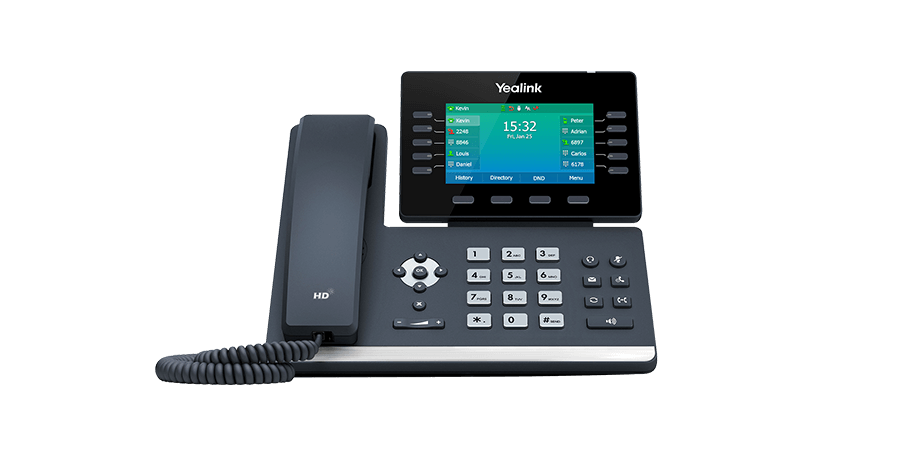
Many business owners stick with providers like 4Com for years, partly because switching feels risky, partly because inertia is powerful. But over time, it’s common to find yourself locked into long contracts, facing unexpected price increases, or frustrated with service limitations. If your looking to switch from 4Com or specifically how to switch from 4Com to Plexatalk, you’ve come to the right place!
In fact, online reviews highlight recurring themes: lengthy contracts, rising monthly bills, and customer service frustrations. And this isn’t just anecdotal — a recent BBC investigation reported on small businesses tied into finance agreements for phone systems that ended up costing tens of thousands of pounds over several years, leaving some owners feeling trapped or struggling to stay afloat.
Of course, not every 4Com customer has the same experience. But if any of these pain points sound familiar, you should know there are alternatives.
Here’s the good news: you can switch — and keep your business continuity intact. You can move your number, reuse your phones (in many cases), and avoid a service blackout. Switching from 4Com to Plexatalk can be done smoothly — and often more affordably than you might expect.
Here’s a polished “Why Businesses Consider Switching” section (≈ 350 words) that draws on online feedback and keeps the tone constructive:
When you dig into reviews and feedback about 4Com from sites like Trustpilot and Google, a few recurring themes consistently come up. It’s worth emphasising: not every customer reports these issues, but they occur frequently enough to be part of the conversation.
1. Cost creep and surprise billing
Many users report that the monthly costs rise after initial contracts expire or promotional periods end. Some say the amount they end up paying is significantly higher than what they were shown during the sales pitch.
2. Long contract terms & inflexible commitments
A common complaint is being tied into lengthy 5- or 7-year contracts. Several reviews suggest that customers feel locked in, with high exit fees or limited options for renegotiation.
3. Hidden fees and unclear terms
Some business owners say their invoices include charges not clearly explained in the original agreement, or optional services that were bundled without their full awareness.
4. Service, support, or aftercare frustrations
While many reviews applaud individual engineers or installation staff for being professional and helpful, others express dissatisfaction with post-installation support, slow responses, or difficulty resolving issues.
5. Perception of mis-selling or lack of clarity
In forums and comment threads, some business owners suggest they were encouraged to sign quickly, without time to read contract fine print. There are claims that the full implications of finance and leasing agreements weren’t made clear during the sales process.
Again: these are not universal criticisms, but they do surface often enough in open feedback that any business considering 4Com (or any telecom supplier) should read carefully, ask direct questions, and scrutinise the contract.
If you’ve been weighing up whether to stick with your current provider or make the move, it helps to know exactly what you stand to gain. At Plexatalk, we’ve built our service to address the very concerns business owners often raise about traditional telecom contracts — things like long tie-ins, surprise fees, and complicated setups. Here’s what sets us apart:
| Feature | 4Com | Plexatalk |
|---|---|---|
| Contract minimum term | Minimum Term applies (length varies by agreement) | 30-day rolling |
| Auto-renewal after minimum term | Typically auto-extends in 12-month periods unless notice given | No auto-renew beyond 30-day rolling |
| Early termination charges | Charges for remainder of term if cancelled early | No early termination charges beyond 30 days’ notice |
| Annual price adjustment | Reserves right to increase annually (e.g., inflation-linked) | Transparent pricing, no CPI+ increases |
| Hardware / equipment leasing | Separate finance/lease may continue even if numbers are ported | Reuse SIP phones, buy-outright optional, adapters available |
We believe in earning your trust month after month. That’s why Plexatalk operates on flexible, rolling agreements instead of locking you into a 5- or 7-year commitment. If your needs change, you can scale up, scale down, or switch without penalty.
Our pricing is designed to be straightforward and competitive:
There are no hidden extras or surprise uplifts after the first year — what you see is what you pay.
When you need help, you don’t want to wait in endless queues or deal with scripted responses. Plexatalk’s support team is based right here in the UK, ready to answer questions quickly and clearly. Many of our customers say this is one of the biggest differences they notice compared to larger providers.
With Plexatalk, the essentials are built in — no upselling required. Every plan includes:
1) Check your current contract
2) Request number porting (we handle it)
3) Set up phones or adapters
4) Test, then go live with Plexatalk
5) Cancel your old service once the port is complete
Short version: check your terms, let us port your numbers, get your handsets/apps ready, go live on the agreed date, then close the old account. Smooth, structured, and continuity-friendly.
Switch from 4Com to Plexatalk Today
If you’re frustrated with your current phone provider, here’s the reality: you’re not stuck.
Switching to a better VoIP service is far simpler than most business owners realise — and it could save you thousands of pounds each year in reduced costs, fairer contracts, and built-in features.
With Plexatalk, the process is smooth, your business continuity is protected, and you’ll finally have a phone system that grows with you, not against you.
Yes. Plexatalk handles number porting for you, so you can keep your existing business numbers with no disruption to customers.
4Com contracts are often 5–7 years long with early exit fees. You’ll need to check your paperwork for notice periods and costs, but you are free to port your numbers to a new provider like Plexatalk at any time.
Plexatalk pricing starts from £4/month for residential plans or around £10/month per business user. This is typically far lower than the long-term leasing costs and monthly service fees many businesses report with 4Com.
No, number porting is scheduled in advance, and Plexatalk prepares your phones or apps before the switchover date. That means a seamless transition with minimal or no downtime.
Not necessarily. If your current handsets are SIP-compatible, they can often be reused. If not, Plexatalk provides cost-effective IP phones or adapters so you can move away from finance-heavy lease deals.
Online reviews often mention long contracts, rising costs, and support frustrations. Not every customer has this experience, but it’s a common theme that leads many small businesses to explore more flexible, transparent providers.
Yes. All Plexatalk customer support is based in the UK, with fast response times and a personal approach — no long call queues or scripted replies.
Disclaimer: Plexatalk has never purchased a contract or service directly from 4Com.
The information in this article is based on publicly available sources including customer reviews,
independent news reports, and 4Com’s published terms and conditions.
Reviews can sometimes be inaccurate or falsified, so we encourage all businesses to do their own research, read contracts carefully, and seek independent advice before making any decision to switch providers.
Yes, but how depends on timing.
If you already have a landline number, you can usually keep it when you switch to full fibre (FTTP). Instead of running over the old copper network, calls are now delivered using VoIP (Voice over Internet Protocol). That means your phone connects through your broadband router rather than a wall socket.
What you can’t do anymore is order a brand-new copper-based landline. Openreach has introduced a nationwide “stop-sell,” so no new copper services are being installed. And from 2027 onwards, the copper landline network will be completely switched off, with all voice services moving to VoIP.
For most homes and businesses, this is actually an opportunity: you can keep your landline number, continue using your existing handset, and benefit from the flexibility of VoIP. Whether it’s a simple home phone line or a more advanced business phone setup, VoIP provides the same reliability as a landline but with extra features and often better value.
Looking to switch to VoIP and want to know how? See our guide here.
In simple terms, the copper landline system is being phased out. That means every household and business that still relies on a landline will eventually need to move to VoIP (Voice over Internet Protocol).
If you already have a landline number, the process is straightforward: you can port your number to a VoIP service. Your calls will then run through your broadband connection rather than the copper line in the wall. In most cases, you can keep using your existing phone handset — you’ll just plug it into your router or an adapter.
If you don’t already have a landline and still want a “landline-style” service (for example, for a family home phone or a business reception line), the only option now is VoIP. New copper-based lines are no longer available, so VoIP is the standard replacement.
For home users, VoIP simply replaces the old line with minimal fuss. For businesses, it can also open the door to advanced features like call routing, voicemail-to-email, and multiple extensions — all without the costs and limitations of copper.
The key takeaway: landlines aren’t disappearing, but the technology behind them is changing. Whether at home or at work, VoIP is now the way to stay connected.
The move from copper landlines to VoIP (Voice over Internet Protocol) isn’t just about shutting down old infrastructure — it’s about creating a more reliable, flexible, and future-proof way of making calls.
VoIP runs directly over your broadband connection, which means it takes full advantage of the speed and stability of fibre. With an adapter (often supplied by your provider), you can usually keep using your existing home phone or desk handset. To you, it still feels like a “normal” landline — but under the hood, the call is transmitted digitally across the internet.
One of the biggest advantages is flexibility. Calls to your VoIP number don’t have to ring on just one phone in one location. They can be forwarded to a mobile, shared across multiple handsets, or even accessed via an app on your laptop or smartphone. For families, that means staying reachable on the home number wherever you are. For businesses, it means powerful features like call routing, voicemail-to-email, and the ability to scale up or down without new lines being installed.
Yes. You can transfer (port) your landline number to VoIP when switching to fibre. Your number stays the same, but calls run through your broadband instead of copper.
Usually not. Most handsets work with VoIP if plugged into your router or an adapter. Some people choose IP phones, but they’re optional.
VoIP relies on broadband, so your phone won’t work if the internet drops. Many providers offer call forwarding to a mobile to keep you reachable.
No. VoIP can be included as an extra with some fibre packages or purchased through a 3rd party like Plexatalk and is usually cheaper than copper lines. Business VoIP plans can add extra features at good value.
Openreach has stopped selling new copper-based services. By 2027, the copper network will be switched off, and all landlines will run over VoIP.
Yes. VoIP delivers clear, reliable calls over fibre. It also adds features like call routing, mobile apps, and voicemail-to-email, making it more flexible than copper lines.
Now you know the answer to Can You Still Have a Landline with Full Fibre? – the next step is to port your number to VoIP. That way, you keep the number everyone knows, while upgrading to a future-proof service that works over your broadband connection.
If you don’t have a landline but still want a “landline-style” service at home or in your business, you’ll need VoIP from the start. It’s the modern replacement for copper lines, offering flexibility, reliability, and often lower costs.
👉 Explore our Home VoIP and Business VoIP solutions to see which option suits you best.
And if you’d like the full step-by-step breakdown of how to switch to FTTP and keep your landline, you can see our guide here.
In short: don’t wait until the 2027 deadline. Switching to VoIP now ensures a smoother transition, keeps your number safe, and puts you ahead of the change.

Read More About Our Phone Systems for Restaurants
In the restaurant business, communication isn’t just important — it’s the lifeline of daily operations. Whether it’s taking reservations, managing takeaway orders, coordinating deliveries with drivers, or answering customer questions, every call matters. A single missed ring could mean a lost booking, a frustrated diner, or revenue that slips away to a competitor. On the other hand, smooth phone interactions can create repeat customers and strengthen loyalty.
This is where a reliable restaurant phone system comes in. Gone are the days when a single landline at the front desk was enough. Modern restaurant phone systems are built to handle the fast pace of today’s hospitality industry. They do more than connect calls — they can route inquiries to the right staff, integrate with reservation platforms, record voicemails during peak hours, and even provide call analytics to help managers see when demand is highest.
But when it comes to upgrading or investing in a system, one of the first questions owners ask is: How much do restaurant phone systems cost? The answer depends on several factors, from the size of your operation to the features you need most. In this guide, we’ll break down the costs, explore different system types, and help you choose a solution that balances budget with performance — so your restaurant can focus on what it does best: serving great food and happy customers.
When asking how much do restaurant phone systems cost, it’s important to understand that the answer varies based on several key factors. No two restaurants operate the same way, so the right system — and the investment required — will depend on your setup.
System type is one of the biggest cost drivers. A traditional landline may seem simple, but it lacks flexibility and often comes with higher long-term expenses. In contrast, VoIP and cloud-based phone systems are usually more affordable, offering lower calling rates, easier scalability, and features that landlines can’t match — making them the preferred choice for many restaurants.
The number of users or extensions also plays a major role. A small, independent café might only need one or two lines, while a multi-location chain could require call routing, centralized management, and dozens of extensions. The larger the network, the higher the cost.
Next, think about the features you need. Basic systems cover incoming and outgoing calls, but many restaurants now rely on advanced tools like reservation management, voicemail-to-email, call recording for disputes or missed orders, and call forwarding to staff mobiles during busy hours. Each additional feature can impact monthly fees.
Finally, contracts and support should be factored in. Some providers charge upfront setup costs, while others use subscription pricing. Ongoing support and maintenance may be included or billed separately, so it’s important to compare packages carefully.
Once you understand the factors that influence costs, the next step is looking at what restaurants typically pay for different types of systems.
Traditional landline systems often come with high upfront expenses. Hardware installation, wiring, and equipment can easily run into the thousands. On top of that, monthly service fees don’t include many of the features modern restaurants need, such as voicemail-to-email or call routing. For many owners, this makes landlines less cost-effective in the long run.
Cloud and VoIP phone systems, on the other hand, use a subscription model. Instead of heavy setup costs, you pay a predictable monthly fee per user. Most providers charge between £15–£30 per user, per month, making it easier for restaurants to budget. VoIP also eliminates many of the hidden costs of landlines, such as maintenance and upgrades.
To put this into perspective, let’s look at an example. A busy restaurant with three staff members handling calls could pay around £45–£90 each month with a standard VoIP provider. With Plexatalk, however, that same setup would cost just £10 per user per month, meaning only £30 total — a significant saving compared to both traditional systems and other cloud providers.
This is why many restaurant owners are moving away from outdated landlines and adopting VoIP solutions that scale with their business and keep costs predictable.
When researching how much restaurant phone systems cost, it’s easy to focus on the headline monthly fee and overlook the extras that can quickly add up. Many restaurants are caught off guard by these hidden expenses, which can make an otherwise affordable system much more costly over time.
One common issue is international calls or out-of-bundle minutes. While most VoIP plans include unlimited local and national calls, charges for overseas calls or going over your allowance can be surprisingly high. If your restaurant often deals with international suppliers or customers, this is something to check.
Another hidden cost comes from paid add-ons. Features such as reservation system integrations, call analytics, or SMS confirmations may not be included in the base package. These extras can be incredibly useful but also push up monthly costs.
Don’t forget about hardware either. While VoIP systems can work on existing smartphones or computers, many restaurants still prefer desk phones or cordless handsets at the front of house. These devices often need to be purchased separately, adding to the initial spend.
Finally, be aware of contracts and exit fees. Some providers lock restaurants into long-term agreements with steep penalties for leaving early. Flexibility matters, especially in a fast-changing industry. Choosing a provider with transparent pricing and no hidden fees helps ensure your phone system stays an asset rather than a financial burden.
When weighing up how much restaurant phone systems cost, it’s tempting to choose the cheapest option on the market. After all, margins in hospitality can be tight, and cutting expenses feels like the sensible move. But in reality, going for the lowest upfront price can cost a restaurant far more in the long run.
Consider the impact of missed bookings or poor call quality. A phone line that drops calls during the Friday night dinner rush doesn’t just frustrate customers — it directly translates to lost revenue. Even one or two missed tables per week can add up to hundreds, if not thousands, in lost sales over a year.
Cheaper systems also tend to lack the reliability, uptime guarantees, and responsive support that hospitality businesses rely on. When phones go down during peak service, restaurants can’t afford to wait days for a fix. A robust system with reliable support ensures staff can focus on service, not troubleshooting.
It’s also worth thinking beyond today. A system that looks “cheap” now may not scale as your business grows, meaning another round of disruption and costs down the line. Choosing a provider that balances affordability with strong performance, features, and customer service offers far better long-term value.
In short: the right restaurant phone system isn’t necessarily the cheapest — it’s the one that prevents lost revenue and keeps operations running smoothly.
By now, it’s clear that the real question isn’t just how much do restaurant phone systems cost, but what kind of value you get for the price. The best providers make costs easy to understand and ensure restaurants aren’t hit with surprise fees or complicated contracts. So, what does a fair and transparent plan actually look like?
First, there should be no setup fees. Restaurants shouldn’t have to pay hundreds just to get started, especially when cloud and VoIP systems can be deployed quickly. A simple sign-up and go-live process keeps things cost-effective.
Next is clear per-user monthly pricing. Instead of hidden charges for features or usage, you should know exactly what each line will cost you every month. This makes it easier to budget, whether you’re running a single café or managing a multi-location chain.
A fair plan also includes essential restaurant-friendly features as standard. Mobile apps, for example, allow managers to answer calls when they’re offsite, while built-in call forwarding or voicemail-to-email ensures no customer query is missed during busy service. These tools should be part of the package — not expensive add-ons.
Finally, flexible contract terms matter. Restaurants often experience seasonal shifts in staffing and demand, so the ability to scale lines up or down without penalty is invaluable. A provider that offers this flexibility shows they understand the realities of hospitality.
Most providers charge between £15–£30 per user, per month. Plexatalk makes it simple: just £10 per user, per month, so a restaurant with three staff on the phones pays only £30 total. That’s predictable, transparent pricing with no hidden extras.
Every user also gets 500 outbound minutes included, keeping you connected to suppliers, delivery drivers, and customers. For restaurants, this covers the majority of daily call needs without surprise bills.
Some features come as standard, at no extra cost. Call forwarding is built in, so calls can be redirected to mobiles if front-of-house staff are busy. The system also works seamlessly with popular third-party VoIP apps like Zoiper and Grandstream, giving managers the flexibility to answer calls on their smartphones without additional software costs.
Optional extras are available if you need them. Call recording can be added for handling disputes or tracking special requests, and for restaurants running older systems, CRM integrations may require a one-off adapter fee of £50. This ensures Plexatalk can still connect smoothly with legacy reservation or delivery platforms.
Whether you operate a single outlet or manage multiple sites, Plexatalk scales with your business. With no setup fees, no lock-ins, and no hidden charges, it’s a modern, cost-effective phone solution designed with restaurants in mind.
| System Type | Upfront Costs (Hardware / Setup) | Monthly Cost (Per User / Line) | Key Features / Considerations |
|---|---|---|---|
| Traditional Landline | ~ £200–£1,000+ depending on lines, wiring, and installation (can be higher with infrastructure changes). | Line rental + call charges (often £20–£40 per line/month). | Limited flexibility; expensive to scale; fewer modern features; PSTN/ISDN phase-out increases long-term costs. |
| Typical VoIP Provider | Low to moderate: minimal if using softphones; desk phones/headsets/adapters typically £50–£300 per unit; occasional setup fees for larger installs. | £15–£30 depending on features, minutes, and add-ons. | Flexible and scalable; rich features (IVR, call routing, voicemail-to-email); many providers charge extra for add-ons. |
| Plexatalk for Restaurants | £0 if using existing SIP-compatible devices; optional desk phone bundles may require a contract; legacy CRM adapters typically £50 one-off. | £10 per user/month bundle (1 extension + 1 number + 500 outbound minutes). | Call forwarding included; works with third-party VoIP apps (e.g., Zoiper, Grandstream); call recording available as a paid add-on; transparent pricing with no hidden extras in the base bundle. |
Notes: Figures are typical UK-market ranges. Verify any current promos or contract terms. For Plexatalk, confirm add-on pricing (e.g., call recording) and any site-specific requirements before publishing.
For restaurants, the phone isn’t just a utility — it’s a revenue driver. Every call could mean a new booking, a repeat customer, or a large takeaway order. That’s why a reliable phone system should be seen as an investment, not an expense. The right setup doesn’t just keep the lines open; it directly supports customer satisfaction, loyalty, and long-term growth.
Value is the key factor here. A reliable, scalable, restaurant-focused system pays for itself many times over by reducing missed calls, preventing lost bookings, and ensuring smooth communication between front-of-house, the kitchen, and delivery teams. Cheap, bare-bones systems may save money in the short term, but if calls drop or customers can’t get through at peak times, the hidden cost to your reputation and revenue can be huge.
That’s where Plexatalk comes in. With clear, simple pricing and no nasty surprises, our system is designed specifically to meet the demands of busy hospitality businesses. For just £10 per user, per month, you get transparent costs, essential features, and the flexibility to scale as your restaurant grows. No expensive setup fees. No complicated contracts. Just an affordable, reliable solution that helps your phones work as hard as your staff.
When communication is this vital, settling for less simply isn’t an option.
Most VoIP providers charge £15–£30 per user per month. Plexatalk offers a flat £10 per user per month, including 500 outbound minutes, making it one of the most affordable options for restaurants.
Not always. VoIP systems work on existing smartphones, tablets, or computers using softphone apps. If you prefer desk or cordless phones for front-of-house, you can purchase SIP-compatible handsets — but they’re optional, not a requirement.
With Plexatalk, there are no setup fees when using existing devices. If you want bundled hardware (like a desk phone), some plans may involve a contract, but there are no hidden one-off installation costs.
Yes. VoIP systems are highly scalable. You can add new lines, numbers, or extensions in minutes — ideal for multi-site restaurants and growing chains.
Absolutely. Plexatalk works with third-party VoIP apps such as Zoiper or Grandstream, so managers can take calls wherever they are.
Traditional landlines can cost thousands upfront plus £20–£40 per line/month. Switching to VoIP often cuts monthly bills by 30–60% — and with Plexatalk’s £10 pricing, savings are even greater.
Read more about out phone systems for restaurants or get in touch today for a quote.
For many UK households, the landline is still a vital part of everyday life. Even in an age of smartphones, having a traditional home phone number provides familiarity, reliability, and in many cases, necessity. Elderly relatives often prefer calling a landline, businesses may have your number saved, and it’s often the contact point for schools, doctors, or local services. In short, the landline still holds value, even if broadband no longer feels worth the rising monthly costs.
Over the last few years, broadband prices in the UK have steadily increased, often bundled together with services people don’t want or need. Many providers push packages that tie broadband, TV, and phone into one deal, making it difficult to separate them. If you only want to keep your landline number, you may feel like you’re being forced into paying for broadband you barely use. This has left many customers asking a straightforward question: “Can I cancel broadband but still keep my landline?”
The short answer is: not in the traditional copper-wire sense. The old Public Switched Telephone Network (PSTN) is being phased out, and BT has already announced that all analogue landline services will switch to digital by 2025 (now 2027). That means the classic standalone landline is disappearing — but that doesn’t mean you have to lose your number.
Instead, the modern solution is digital telephony, often called VoIP (Voice over Internet Protocol). With VoIP, your landline number is hosted online, not tied to a physical copper line. This gives you far more flexibility: you can keep your number, use it through a simple handset adapter, or even route calls through a mobile app. Most importantly, you can cancel your broadband contract with your current provider and still retain your landline identity, usually at a much lower cost.
So while the traditional setup is changing, there are clear ways to keep your landline without being stuck in a broadband bundle.
The UK’s traditional phone system is being phased out. For decades, households and businesses have relied on the copper-based PSTN (Public Switched Telephone Network) and ISDN (Integrated Services Digital Network). But these legacy services are no longer fit for purpose, and Openreach is retiring them. The official landline switch-off date is now set for 31 January 2027, following a delay from the original 2025 deadline.
That doesn’t mean it’s business as usual until then. Since September 2023, Openreach has enforced a nationwide stop-sell on all new PSTN and ISDN services. In practice, this means customers can no longer order new analogue phone lines or traditional “landline only” packages. If you already have one, you can keep it for now, but no new connections are available.
This stop-sell has major implications. Historically, services like ADSL broadband or simple line rental were delivered over copper lines, tied directly to the PSTN. With the network being retired, providers are no longer allowed to sell these options. Instead, they must offer fibre-based services such as FTTP (Fibre to the Premises) or SoGEA (Single Order Generic Ethernet Access). These products don’t rely on a separate landline — they’re designed for an all-IP future where voice calls are delivered digitally.
For customers, this means that the traditional “landline only” option is disappearing. You can’t simply take out a new line for phone calls without broadband. Even those still on ADSL or FTTC (VDSL) will eventually be migrated, as analogue services are withdrawn exchange by exchange in the run-up to 2027.
The good news is that this doesn’t mean you have to lose your phone number. Instead, numbers can be ported to digital solutions such as VoIP (Voice over Internet Protocol). These services allow you to keep your landline identity, even as the underlying copper network is switched off.
So while the PSTN switch-off marks the end of the traditional analogue landline, modern replacements are already in place — and understanding them is key if you want to keep your number without being tied into unwanted broadband bundles.
For many households, the landline and broadband have always felt like separate services. You paid line rental for your home phone, and broadband was just an optional add-on. But in practice, the two have been tied together for years — and that’s where the problem starts if you’re hoping to cancel broadband but keep your landline.
Traditional landline services in the UK were delivered over the PSTN copper network, the same infrastructure that carried ADSL or FTTC (VDSL) broadband. Your “phone line” was the foundation, and broadband ran on top of it. That’s why line rental was bundled into every broadband package: the two services were technically inseparable.
Now that the copper network is being retired, the relationship has flipped. Instead of your phone line being the primary service, providers are building everything around broadband. Today’s fibre products such as FTTP (Fibre to the Premises) and SoGEA (Single Order Generic Ethernet Access) no longer come with a traditional analogue line at all. If you want a home phone number, it has to run digitally — usually via a VoIP service layered on top of your broadband connection.
This is why cancelling broadband almost always means losing your landline and its number. Once you tell your provider you want to stop broadband, the system automatically closes the line, and the attached landline ceases to exist. In the past, you might have been able to “unbundle” services and keep a phone-only plan. But under the stop-sell rules now in place, providers are no longer allowed to offer standalone copper-based lines.
The net effect is that landline services are now locked into the digital future. You can’t just strip away broadband and expect the phone line to stay active — the technology that supported that setup is going offline.
For customers who only want to keep their number without paying for an expensive fibre package, the answer lies in porting their landline to a dedicated VoIP service. This modern alternative lets you retain your number without being forced to pay for broadband you don’t use.
If you want to cancel broadband but still keep your landline, the first step is always the same: port your number to a VoIP service. Once your number has been moved off the copper network and into the cloud, you’re no longer tied to broadband bundles or line rental charges. From there, you can decide how you actually want to use your number. With our service, you’ve got three flexible options:
Option 1: Use It Like a Normal Landline (via app or extension)
Once your number is hosted on VoIP, you can carry on using it just like a traditional landline — only smarter. Calls can ring through to a simple desk phone, or you can pick them up on a mobile app or laptop. It feels like the landline you’ve always had, but with extra benefits such as voicemail-to-email, call history, and portability. This setup is ideal if you still want to answer calls directly but don’t want the baggage of a broadband contract.
Option 2: Forward Calls to Your Mobile
Prefer not to install an app or use extra devices? No problem. Once your landline number is on VoIP, we can set it to automatically forward all calls to your mobile. That way, friends, family, or customers can keep dialling your landline, but you’ll receive the call wherever you are. You don’t need to change your habits, and callers won’t even know the difference.
Option 3: Voicemail-to-Email Only
Sometimes, you just want to keep your landline number alive for reputation and familiarity. Maybe it’s on old paperwork, business cards, or online listings. In that case, you can set it up as a voicemail-only line, where every call goes straight to voicemail and the message is delivered instantly to your email inbox. You’ll never miss important messages, and your number remains active at a fraction of the cost of a broadband package.
No matter which option you choose, the crucial point is this: you can only keep your landline in today’s market by moving it to VoIP first. From there, you’re free to use it the way that best fits your needs.
One of the biggest frustrations for UK households is that the major broadband providers tie everything together. If you want to keep your landline, you’re often forced to keep paying for a broadband package you don’t really need — and in many cases, you’ll end up with a TV or mobile bundle thrown in as well. At Plexatalk, we do things differently.
We believe you shouldn’t have to pay for services you don’t use. That’s why our solution is simple: we separate the landline from broadband entirely. By porting your landline number to Plexatalk’s VoIP service, you can keep your number without being locked into a broadband contract.
Here’s how it works:
Whether you want to answer calls directly, forward them to your mobile, or just keep your number alive with voicemail-to-email, Plexatalk gives you the flexibility to choose. Most importantly, you’ll only pay for the service you actually need — not an expensive broadband bundle you’ll never use.
In short: if you’ve been asking “Can I cancel broadband but still keep my landline?” — Plexatalk is the answer.
If you’re ready to cut the cord on expensive broadband bundles but still want to keep your landline number, timing is everything. Cancel too soon and you could lose your number forever. Follow this step-by-step process to make sure the transition goes smoothly:
It’s tempting to call your provider straight away and cut costs, but hold off. If you cancel your broadband before your number is safely ported, the provider will usually shut down both services — broadband and landline together. Once that happens, your number may be unrecoverable.
The first real step is to begin a number porting request. Plexatalk will handle the process of moving your landline number off the old copper network and onto our digital VoIP platform. This ensures your number remains active, even after the PSTN is switched off. Porting normally takes a few working days, during which your service continues as usual.
Once the porting process is finalised, your number is now hosted by Plexatalk. At this point, you’ll be able to pick up calls using your chosen method — whether that’s our mobile app, a VoIP desk phone, or simply forwarding calls to your mobile.
Only after your number is safely ported should you contact your broadband provider to cancel your contract. At this stage, you no longer need their service to keep your landline. Your old provider will close the account, but your number will stay active through Plexatalk.
From now on, your landline number works entirely independently of broadband. You can take calls on your mobile, PC, or VoIP handset — whichever setup suits you best. And because the number is hosted digitally, you’re fully prepared for the 2027 PSTN switch-off.
By following this process, you can cancel broadband with confidence, protect your landline number, and enjoy a simpler, cheaper setup that works on your terms.
Yes. By porting your number to a VoIP service, you can keep it active without home broadband. Calls can reach you via a mobile app, desk phone, or be forwarded to your mobile.
No. VoIP works with any internet connection — mobile data, office WiFi, or even forwarding calls to your mobile. You don’t need fibre broadband at home.
Many alarms and careline systems won’t work on VoIP. Check with your provider for digital-compatible equipment or an upgrade before switching.
No. Once ported to VoIP, your number is future-proof. The PSTN switch-off won’t affect it.
Often yes, with an adapter that connects your traditional handset to VoIP. Or you can use a VoIP desk phone or mobile app instead.
VoIP relies on power and internet. During an outage, calls won’t work unless you have backup power or forwarding enabled to your mobile.
Yes. Broadband with a landline often costs £30–£50/month. VoIP plans to keep your number active typically start from £4/month.
The writing is on the wall for traditional landlines. The old copper network is being retired, and providers no longer allow you to separate your phone line from broadband. That means the familiar “landline only” package is disappearing, and by 2027, the PSTN will be switched off completely.
But losing your broadband doesn’t have to mean losing your number. The only way to cancel broadband and keep your landline is to move it to a VoIP service. Once your number is hosted digitally, you’re no longer tied to a broadband bundle or line rental fee. You can choose exactly how you want to use your number — answering calls on a mobile app, redirecting them to your mobile, or keeping a voicemail-only line for recognition and trust.
That’s exactly what Plexatalk offers. We make the process simple: we handle the porting, we set up your preferred call option, and we ensure your number is ready for the 2027 switch-off well in advance. No copper, no forced broadband, no hidden extras — just a landline that works on your terms.
So if you’ve been asking “Can I cancel broadband but still keep my landline?”, the answer is yes — with Plexatalk.
Want to cancel broadband but keep your landline? See our home pricing here and business pricing here.
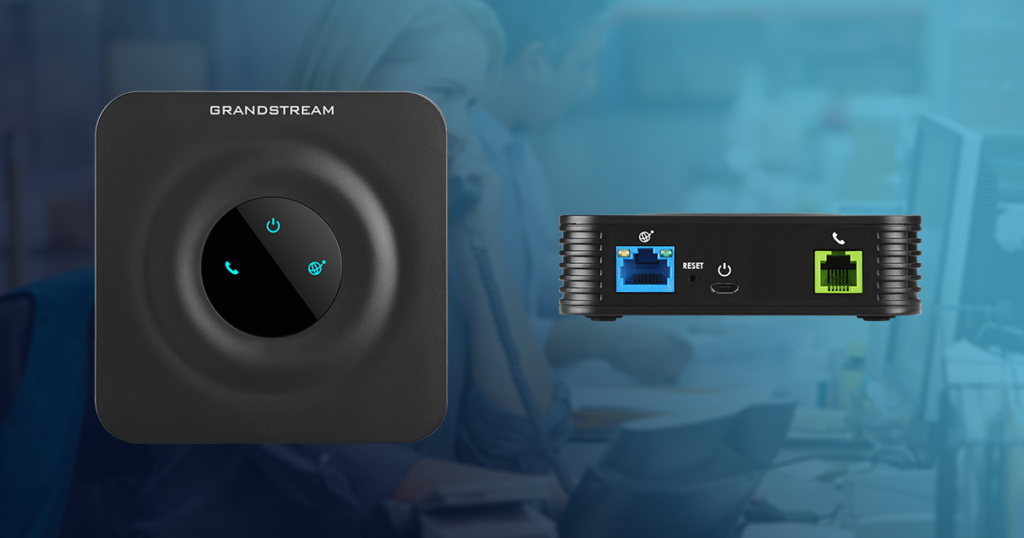
Have you ever wondered how to get two landline numbers on one phone? For families, freelancers, and small businesses, having separate numbers for personal and professional calls makes life simpler and more organised. The problem is, with traditional landlines this usually meant paying for—and maintaining—a second physical line, which quickly became costly and inconvenient.
But things are changing. By 2027, the UK’s copper landline network is being switched off, meaning every household and business will need to move to digital calling. That’s where VoIP (Voice over Internet Protocol) comes in. With VoIP services like Plexatalk, you can run multiple numbers on a single handset, making call management smarter, more flexible, and far more affordable.
With the old copper landline system, the rule was simple: one line, one number. If you wanted an extra number, you had to install and pay for a completely separate line. For families and businesses alike, that meant higher costs, extra hardware, and unnecessary hassle.
VoIP changes the game. Instead of being tied to physical copper, numbers are delivered digitally. This means you can have multiple DIDs (Direct Inward Dialling numbers) all pointing to the same phone, VoIP adapter, or even a smartphone app. In practice, it’s just like having two—or more—landline numbers ringing the same device.
So whether you need a dedicated work number alongside your personal line, or want a family number and a private one, VoIP makes it seamless and affordable.
There are plenty of reasons why having more than one landline number on the same phone just makes sense:
With traditional landlines, achieving this flexibility was either expensive or impossible. With VoIP, it’s simple—multiple numbers, one phone, no extra hassle.
The UK’s Public Switched Telephone Network (PSTN) is being permanently switched off by December 2027. That means the copper landlines we’ve relied on for decades will no longer work—every call will instead travel over the internet using digital voice, also known as VoIP.
So if you’re considering adding multiple landline numbers, it doesn’t make sense to keep paying for outdated line rental. By moving to VoIP now, you’ll not only be ready for the switch-off but also unlock a range of advantages:
VoIP isn’t just a replacement for the landline—it’s an upgrade. With providers like Plexatalk, you can set up two or more numbers on one phone quickly and cost-effectively, knowing you’re ready for the future of calling.
VoIP makes it simple to manage multiple landline numbers without the hassle or cost of extra physical lines. Here’s how it works for different users:
For home users
For business users
Getting set up with two (or more) landline numbers on one phone is easier than you might think. With VoIP, you can mix and match the setup that works best for you:
Many households and businesses use a combination—perhaps a VoIP phone in the office, an adapter for the living room handset, and an app on mobile for when you’re out. With Plexatalk, all three can work together seamlessly.
Getting started is quick and straightforward. Here’s how it works:
Step 1: Choose the right home or business package for your needs.
Step 2: Add a brand-new number or port your existing landline across to Plexatalk.
Step 3: Add any extra numbers you need—just £1 per month each.
Step 4: Configure your chosen device (VoIP phone, adapter, or app) with help from our friendly support team.
Step 5: Start using two numbers on one phone—seamlessly managing business, family, or rental calls.
With Plexatalk, what used to require multiple lines and costly hardware is now simple, flexible, and future-proof.
Yes. You can port your current landline number to Plexatalk and continue using it just as before.
Absolutely. We offer a wide range of local numbers across the UK, so you can choose one that suits you.
Yes! You’re not limited to two—add as many numbers as you need, from just £1 per month each.
Your phone or app will show which number is being called, so you’ll always know if it’s a personal, business, or rental enquiry.
Yes, but only if you switch to VoIP. With the UK landline switch-off, traditional copper lines will stop working. Plexatalk ensures your number works long after 2027.
By 2027, every UK landline will run on VoIP — so if you’re thinking about adding another number, now is the perfect time to switch. With Plexatalk, it’s simple, affordable, and future-proof.
Not sure which package is right for you? Contact us
For many SMEs, phones are the front door. Yet too often, small teams overpay for legacy lines, tolerate missed calls, or get locked into bundles that don’t fit how they actually work. With the UK’s PSTN/ISDN switch-off in 2027, every business will need to move to an IP-based solution—so picking the right platform now isn’t just a tech upgrade, it’s a continuity plan.
This guide cuts through the noise to help you find the best small business phone system UK firms can rely on. We focus on UK-specific pricing, support and regulations, not US lists with a British section bolted on. You’ll see clear comparisons of features that matter to small teams: auto attendant/IVR, call queues, call recording (including PCI-friendly workflows), desktop & mobile apps for remote workers, hardware options, and the real-world costs of porting, contracts and handsets.
We’ll also show where a VoIP phone system beats mobile-only setups or old PBXs—for reliability, flexibility and total cost of ownership. And when a vendor is a better fit for larger enterprises, we’ll say so.
Finally, we’ll explain where Plexatalk fits. We’re built for small UK businesses: quick setup, UK-based support, transparent bundles and the essentials—IVR, queues, voicemail-to-email, analytics—without enterprise bloat. Use this guide to compare options side by side, understand UK small business VoIP pricing at a glance, and choose a phone system that helps you answer faster, sound more professional and spend less.
“Best” isn’t the most features—it’s the right business phone system features at a price and reliability level that works for a small team. Here’s the scorecard we use for UK SMEs:
1) Cost clarity (total, not teaser).
Look past headline per-user rates. Add UK numbers, minutes/bundles, call recording, hardware, and porting. Check contract length and exit fees. For many firms, cloud beats on-prem once you include licences, maintenance, and engineer visits.
2) Reliability & call quality.
You need consistent uptime, strong SIP infrastructure, QoS guidance, and fallbacks (mobile apps or call forwarding) if the office internet drops. Ask how they handle 999/112 and failover on UK business phone lines.
3) Features that matter to small teams.
Core small business VoIP features: auto attendant/IVR, ring groups, queues, warm/cold transfer, voicemail-to-email, missed-call alerts, desktop & mobile apps, and basic analytics. Nice-to-haves: call recording with pause/resume, integrations, and simple admin you won’t dread.
4) UK-based support & setup help.
When you’re moving fast, support in your timezone is a lifesaver—especially for number porting and building sensible call flows.
5) Scalability without complexity.
Add users/numbers in minutes, not tickets. Mix devices (desk phones, DECT, softphones) and keep management centralised. Seasonal scaling shouldn’t mean renegotiating contracts.
6) Security & compliance fit.
GDPR-aware data handling, clear retention policies, and PCI-friendly call recording tools (pause/redact) so you’re not storing card data. Admin roles and audit trails help you stay tidy.
Why Plexatalk surfaces early in our rankings
Many vendors are enterprise-first with SME plans tacked on. Plexatalk is built for SMEs first: UK-centric pricing, fast go-live, and the essentials—IVR, queues, recording options, analytics—without enterprise bloat or opaque bundles. If you want a business phone system that balances cost, reliability and the everyday features your team actually uses, Plexatalk is designed to hit that sweet spot while keeping your VoIP phone system simple to run.
The UK is retiring the old copper PSTN and ISDN networks—the fixed lines traditional phone services run on. By the PSTN switch off 2027, every business line must move to an internet-based alternative. In practice, that means your current analogue/ISDN numbers need a BT landline replacement using IP (often called “Digital Voice”) or a cloud VoIP service.
Read our blog post about the switch off or read more from Ofcom on the switch-off here.
If you’re preparing for the ISDN switch off UK and want a straightforward path to VoIP, Plexatalk helps you port numbers, configure call flows, and go live quickly—without enterprise bloat.
Below are the best-known VoIP providers UK teams compare, plus a couple of UK-first options. We’ve kept this very “GetVoIP/PCMag” in style so Google recognises the intent (comparison list), but each entry calls out UK-specific facts: pricing visibility, contracts, and real features small teams use. If you want cheap business phone system UK choices, scan the pricing notes and the “UK relevance” lines.
Features (highlights)
Features (highlights)
Features (highlights)
Features (highlights)
Features (highlights)
Features (highlights)
Features (highlights)
Features (highlights)
Features (highlights)
Features (highlights)
Standout for small teams:
If you want the best UK VoIP for small business without enterprise bloat, Plexatalk pairs the essentials (IVR, queues, recording, analytics) with simple pricing and UK support.
Compare plans & features
Tip: sanity-check your real business phone system cost UK by totalling: users, numbers, minutes/bundles, any call recording/analytics add-ons, devices, porting, and the contract term (plus any annual uplifts). This narrows the field quickly and avoids surprises after you sign.
Use this to compare business phone systems UK buyers shortlist most often. Focused on the three things SMEs care about: features, pricing clarity, and UK support.
| Provider | Features (highlights) | Pricing snapshot (ex-VAT) | UK support / hosting |
|---|---|---|---|
| Plexatalk SME-first |
|
B500 £10/mo (1 extension + 1 number + 500 UK mins). B500+ adds Yealink T31P. Custom bundles (1k–5k mins) & SIP trunks. Typical ports 7–14 days. |
UK-based support, UK-hosted infrastructure, GDPR-aligned. 999/112 supported with best-practice guidance. |
| RingCentral (RingEX) |
|
Public tiers; many UK deals quote-based. Add-ons may apply for analytics/compliance. |
UK presence, local numbers, global/UK support routes. |
| 8×8 |
|
Tiered plans; UK pricing commonly via sales. Value depends on bundle and term. |
Established UK coverage and billing in £. |
| Zoom Phone |
|
Metered & bundled options; currency varies. UK numbers and rate tables available. |
UK numbers; UK/EU support coverage. |
| BT Cloud Voice |
|
Licence-based pricing; connection/device fees can apply. Contracts and annual uplifts are common. |
BT network, UK billing, straightforward BT landline replacement path. |
| bOnline |
|
Transparent low per-user pricing. Tiers for unlimited UK calls and hardware bundles. |
UK-focused product with £ pricing and support. |
| Vonage Business Communications |
|
UK plan tiers (Express/Core/Pro/Max). Many extras via add-ons; quotes typical. |
Dedicated UK plans, numbers, and billing. |
| Dialpad |
|
Public entry price often shown in USD. UK billing via sales/partners. |
UK numbers; partner-led UK deployments. |
| Gradwell (UK) |
|
Concurrent-call model + published call tariffs. Quotes for tailored setups. |
UK provider with strong channel and support. |
| Andrews & Arnold (A&A) |
|
PAYG per-minute + number rental. Highly transparent tariffs. |
UK engineering-led support and documentation. |
If you want a UK small business phone system provider that prioritises small-team realities, Plexatalk is deliberately SME-first:
Bottom line: If your priority is a clean setup, predictable costs, and responsive UK support, Plexatalk is purpose-built for SMEs. If you need sprawling UC/CCaaS or heavy custom integrations, one of the larger suites might fit—but for most small teams wanting reliable calling, clear pricing and fast go-live, Plexatalk is the pragmatic choice.
When you compare business phone system cost UK wide, most mainstream providers land around £15–£30 per user/month (ex-VAT) for a core VoIP seat with the usual features (apps, auto attendant/IVR, ring groups, basic analytics). That headline often excludes a few things that move the total up or down:
Plexatalk keeps small business phone system pricing simple. Our B500 plan is £10/month per extension and already includes 1 number + 500 UK minutes—ideal for small teams that want predictable VoIP phone system prices UK without combing through add-on grids. Prefer hardware included? B500+ adds a Yealink T31P desk phone on a straightforward minimum term. Growing fast or making lots of outbound calls? Choose Custom bundles (1,000–5,000 minutes) or SIP trunks so you’re not penalised for success.
What you won’t need to guess: IVR/auto attendant, ring groups/queues, voicemail-to-email, missed-call alerts, and desktop/mobile apps are standard—so your baseline is actually usable from day one. Typical number porting completes in 7–14 days, and you can go live immediately on new or temporary numbers while you wait.
If you’re budgeting, plan around £10–£30 per user for most providers—and then check the fine print on minutes, recording, devices and contract terms. With Plexatalk, the headline is the reality: a clear entry price, SME-first features included, and flexible bundles when you need more.
Most business phone system cost UK ranges are £10–£30 per user/month, plus devices and any add-ons like recording. For simple, predictable VoIP phone system prices UK, Plexatalk’s B500 is £10/extension including 1 number + 500 UK minutes, with larger bundles or SIP trunks as you grow.
Yes, via number porting (UK business). Share a recent bill and letter of authority; typical ports complete in 7–14 days. You can go live immediately on new or temporary numbers, and we schedule cutover in business hours to avoid downtime.
Yes. With ~100 kbps per concurrent call, router QoS, and simple failover to mobiles, you’ll get reliable VoIP UK performance. UK-hosted infrastructure and accurate 999/112 details keep service dependable; optional 4G/5G backup protects critical lines.
Absolutely. VoIP for remote workers UK lets staff use desktop and mobile apps or SIP handsets at home under one business number. IVR, ring groups and queues route calls correctly; voicemail-to-email ensures follow-up. Plexatalk is remote-ready with quick onboarding and central admin.
You don’t need to overpay or shoehorn your workflows into a US enterprise suite to get the best small business phone system UK teams actually use. Modern UK business phone systems give you the essentials—IVR, queues, call recording options, desktop and mobile apps—without the bloat, long contracts, or opaque add-ons. The key is UK-focused pricing, reliable hosting, and support that understands porting, 999/112 best practice, and the PSTN/ISDN switch-off timeline.
That’s exactly where Plexatalk small business shines. We’re built for SMEs first: clear bundles, quick go-live, UK-based support, and features your team will use from day one. If you’re comparing options, start with what matters—total monthly cost, minutes, devices, and the features you’ll rely on—and you’ll see how straightforward Plexatalk is.
Ready to see the fit for your team?
Compare plans, features and pricing here.
Get the clarity and control you need today, and a future-proof platform for tomorrow.