
If you’re switching to Rise Fibre, you may be wondering what happens to your existing landline number. The good news is that changing your broadband doesn’t necessarily mean giving up a phone number you may have had for 20, 30 or even 40 years.
The usual solution is to move, or port, your existing number to a VoIP home phone service. VoIP simply means your calls are carried over your internet connection rather than the old telephone network. Importantly, this also means your phone number doesn’t have to stay tied to your old broadband provider.
In this guide, we’ll explain whether Rise Fibre offers a home phone service, how to keep your existing landline number, when to arrange the transfer, and the mistakes that can cause a number to be lost. We’ll also explain how Plexatalk can provide your home phone service alongside a Rise Fibre broadband connection.
Moving to Rise Fibre? Explore Plexatalk VoIP for Home and keep your existing landline number.
Rise Fibre is primarily a full-fibre broadband provider. Unlike older broadband services, full fibre doesn’t rely on the traditional copper telephone line coming into your home. Instead, the connection is delivered using fibre-optic cable, so a traditional landline isn’t needed for the broadband itself.
That doesn’t mean you have to give up having a home phone.
If you’re one of the TalkTalk customers being transferred directly to Rise Fibre and you already have a landline service, TalkTalk currently says that you’ll keep your existing phone number as part of the move.
For customers choosing Rise Fibre separately, however, it’s important to check exactly what services are included with the package available at your address. Rise Fibre’s main broadband offering is centred on full fibre, and the services available can vary depending on your home and network.
The important thing to remember is that your broadband and home phone no longer have to come from the same company. You can use Rise Fibre for your internet connection while an independent VoIP provider supplies your home phone service.
That’s where services such as Plexatalk come in: your existing landline number can be moved to a VoIP service and used over your new fibre broadband connection.
Yes. In most cases, an eligible existing landline number can be transferred to a VoIP provider, so you can move to Rise Fibre without having to give up the home phone number you’ve used for years.
This is known as number porting. Your existing telephone number is transferred from your current phone provider to a VoIP provider such as Plexatalk. Once everything is set up, your home phone calls work over your new internet connection rather than the old telephone line.
The important part is getting the timing right.
We recommend arranging your move to Rise Fibre first. Once Rise Fibre has given you a confirmed installation or go-live date, you can sign up for Plexatalk and give us that date. We can then arrange the transfer of your existing phone number around your move.
That means you can keep the same number your friends, family and other contacts already know, rather than having to tell everyone you’ve changed it.
Important: Don’t cancel your existing landline yourself before your number has been successfully transferred.
Cancelling too early can cause the number to be ceased, which may make it difficult or sometimes impossible to recover. Arrange your Rise Fibre installation first, then let Plexatalk handle the number porting process.
If you’ve been told that your TalkTalk account is moving to Rise Fibre, you may be wondering what happens to your landline and the phone number you’ve had for years.
For customers being transferred from TalkTalk to Rise Fibre, the current advice is reassuring: if you have a landline service, TalkTalk says you’ll keep your existing phone number. You shouldn’t need to cancel anything or make changes simply because your account is being transferred.
However, if you’re making a separate change to your broadband or want to move your TalkTalk landline number to an independent VoIP service, it’s worth getting the timing right.
Before cancelling or changing your existing telephone service, find out exactly what is happening with your Rise Fibre connection and your current phone service. If you’re arranging a new Rise Fibre installation, we recommend waiting until you have a confirmed installation or go-live date.
Once you have that date, you can sign up with Plexatalk and tell us when your Rise Fibre service is due to go live. We can then arrange to move your existing TalkTalk number to Plexatalk, where your home phone will work over your internet connection.
Don’t cancel your TalkTalk landline yourself before the number has been successfully transferred. Doing so could cause the number to be ceased and make it much harder to recover.
With the move handled in the right order, you can have Rise Fibre for your broadband and Plexatalk for your home phone, while keeping the landline number people already know.
If keeping your existing landline number is important to you, the order in which you move your services matters.
The biggest mistake is cancelling your existing broadband or telephone service too early. Don’t assume that simply ordering Rise Fibre will automatically protect your old phone number. If the existing phone service is cancelled and the number is ceased before a transfer has been arranged, it can become much more difficult to get that number back.
We recommend arranging your move to Rise Fibre first and waiting until you have a confirmed installation or go-live date.
Once you know when your Rise Fibre connection will be activated, sign up with Plexatalk and give us the date. We can then arrange the number port at the appropriate time and guide you through what happens next.
Until then, keep your existing landline service active and don’t cancel it yourself. This is particularly important if your current broadband and home phone are supplied together as part of the same package.
A simple way to remember the order is:
Arrange Rise Fibre → Get your go-live date → Sign up with Plexatalk → Give us the date → We arrange the number transfer.
Following those steps gives you the best chance of moving smoothly to full-fibre broadband while keeping the home phone number you already know.
Moving to Rise Fibre can be a good opportunity to separate your home phone from your broadband provider.
The simplest way to think about it is:
Rise Fibre provides your broadband. Plexatalk provides your home phone service.
For TalkTalk customers in particular, this can make sense if you’ve had the same landline number for many years and would rather not have it tied to whichever company happens to provide your broadband.
By moving an eligible number to Plexatalk, your number stays with your VoIP service. If you decide to change broadband provider again in the future, you won’t necessarily need to move your phone number at the same time. As long as you have a suitable internet connection, your Plexatalk service can continue separately.
You can keep the familiar number that friends and family already use, while gaining more flexibility over how you receive calls. Depending on your setup, VoIP can also let you use your home number on different compatible devices and provide useful calling features that weren’t always available with a traditional landline.
For customers moving away from TalkTalk, it’s a chance to make this broadband change the last time your home phone number needs to move with your internet provider.
Your broadband can change in the future. Your home phone number doesn’t have to change with it.
In many cases, yes. Moving to Rise Fibre and a VoIP home phone service doesn’t necessarily mean replacing the telephones you already have.
If you have a traditional corded phone or a cordless DECT phone with a base station, you can usually connect it to VoIP using a small device called an ATA (Analogue Telephone Adapter).
The adapter simply sits between your existing telephone and your broadband router. It allows an ordinary home phone to make and receive calls using your Plexatalk VoIP service instead of the old telephone line.
Plexatalk can supply a pre-configured Grandstream HT802 adapter for £50. We set it up for you, so when it arrives you don’t need to understand SIP accounts or complicated VoIP settings. Connect the adapter to your router, plug your existing phone or DECT base station into it, and you’re ready to use your Plexatalk home phone service.
You can also use a dedicated VoIP phone, or we can provide details for using a compatible VoIP app on a smartphone if that suits you better.
For many customers moving from TalkTalk to Rise Fibre, though, the simplest option is also the most familiar: keep your existing phone, keep your existing number, and let the adapter take care of the technical bit.
There is one important difference between a traditional landline and a VoIP home phone that you should be aware of.
VoIP uses your internet connection to make and receive calls. Your Rise Fibre broadband therefore needs to be working, and your router and VoIP equipment need electricity.
If there is a power cut, your router and Plexatalk adapter may switch off, so calls through your home phone won’t work until power is restored. Similarly, if your Rise Fibre broadband connection goes down, your home VoIP service may be temporarily unavailable through that connection.
There are, however, ways to make your home phone setup more resilient.
Plexatalk can forward calls to a mobile, so you can still receive calls away from your home phone. A compatible VoIP app can also be used on a smartphone and, where configured correctly, can work over mobile data if your home broadband is unavailable.
Another option is a small UPS (Uninterruptible Power Supply). This provides temporary battery power to equipment such as your broadband router and Plexatalk adapter during a power cut.
If reliable access to a phone is particularly important in your household, speak to us about the best setup for your needs.
If you want to move to Rise Fibre but keep your existing home phone number, getting things in the right order is important. Here’s the process we recommend.
Start by arranging your move to Rise Fibre. Wait until you have confirmation of your installation or broadband go-live date, as Plexatalk will need to know when your new connection is expected to be working.
Don’t cancel your existing landline yourself. Your number needs to remain active while the transfer is being arranged. Cancelling too early could result in the number being ceased.
Choose the Plexatalk home VoIP package that suits you and tell us that you want to keep your existing landline number.
Tell us when your Rise Fibre service is due to go live. We can use this information when arranging your number port and advise you on the timing of the transfer.
If you want to keep your existing telephone or DECT cordless phones, Plexatalk can supply a pre-configured Grandstream HT802 VoIP adapter for £50. Alternatively, you can use compatible VoIP equipment or a smartphone app.
On installation day, make sure your new Rise Fibre connection and router are up and running. Your Plexatalk home phone service needs an internet connection to work.
Plexatalk will arrange the agreed number port from your existing telephone provider. Keep your old service active until the port has completed and follow any instructions we give you during the switch.
Once the port is complete and your equipment is connected, you can make and receive calls through Plexatalk over your Rise Fibre broadband.
Your broadband has changed, but to the people calling you, your home phone number can stay exactly the same.
Rise Fibre is focused on full-fibre broadband, which doesn’t require a traditional copper telephone line. The exact services available can depend on your package and how you’re moving to Rise Fibre. If you need a home phone, you can also use an independent VoIP service such as Plexatalk alongside your Rise Fibre broadband.
Yes, in most cases an eligible landline number can be transferred to a VoIP provider through a process called number porting. With Plexatalk, you can keep your existing number and use it for calls over your Rise Fibre internet connection.
If TalkTalk has told you that your service is being transferred to Rise Fibre, don’t cancel or change anything without first checking what is happening to your phone service. TalkTalk currently says customers being transferred who have a landline service will keep their existing phone number.
In most cases, an eligible TalkTalk landline number can be ported to Plexatalk. If you’re also moving to Rise Fibre, arrange your broadband first. Once you have your Rise Fibre installation or go-live date, sign up with Plexatalk and give us the details so we can arrange the number transfer.
Usually, yes. A traditional corded phone or DECT cordless base station can normally be connected to Plexatalk using an Analogue Telephone Adapter (ATA). Plexatalk offers a pre-configured Grandstream HT802 adapter for £50, allowing you to continue using your familiar home phone over VoIP.
We recommend arranging Rise Fibre first and waiting until you have a confirmed installation or go-live date. Then sign up with Plexatalk and give us that date so the number port can be arranged appropriately. Don’t cancel your existing landline yourself before the transfer is complete.
It can affect existing services where your broadband and telephone are linked, so this needs to be handled carefully. Don’t assume you can port or cancel one service without affecting another. Tell Plexatalk about your broadband move and existing provider so the number transfer can be planned correctly.
Yes. One advantage of keeping your home phone with an independent VoIP provider such as Plexatalk is that it isn’t tied to Rise Fibre. If you change broadband provider again, your Plexatalk phone service can usually continue over the new internet connection without needing to move your number again.
The way home phone services work in the UK is changing. Traditional telephone services delivered over the old copper network are being replaced by newer digital services, with more calls now being carried over an internet connection using VoIP.
That’s particularly relevant when moving to a full-fibre provider such as Rise Fibre. Full fibre brings the internet connection directly into your home using fibre-optic cable, rather than relying on the old copper telephone line. As a result, broadband and home phone services no longer need to be supplied together in the way many of us have been used to.
For customers who still want a home phone, VoIP provides a practical replacement. Your familiar telephone number can be transferred to an internet-based phone service and used over your broadband connection.
Using an independent provider such as Plexatalk also means your phone number can be kept separate from your broadband provider. If you decide to move away from Rise Fibre in the future, you can change your broadband without necessarily having to move your home phone number again.
Switching to Rise Fibre doesn’t mean you have to lose a landline number you’ve had for years.
The key is to get the timing right: arrange your Rise Fibre broadband first, keep your existing phone service and number active, and then arrange the number port with Plexatalk once you have your Rise Fibre installation or go-live date.
With Plexatalk, your home phone service can be kept separate from your broadband provider. You can keep your familiar number, continue using your existing phone with an adapter if needed, and take your number with you even if you change broadband providers again in the future.
Moving to Rise Fibre? Explore Plexatalk VoIP for Home and keep your existing landline number.
Yes, it is still possible to have a landline without broadband in the UK, but the options are becoming more limited as the old telephone network is phased out.
The traditional Public Switched Telephone Network (PSTN), including services provided through Wholesale Line Rental (WLR), is being retired. BT plans to switch off its PSTN by 31 January 2027, and new analogue WLR services have already been subject to a nationwide stop-sell.
BT does have an interim solution for some existing landline-only customers. Its consumer service is called Home Phone Standard and allows customers without BT broadband to keep using their existing telephone and number without installing a router or taking broadband. The underlying Pre-Digital Phone Line (PDPL) technology is intended as a transitional solution rather than the long-term replacement for traditional landlines.
For most households, the long-term alternative is VoIP (Voice over Internet Protocol), where calls travel over an internet connection instead of the old telephone network. VoIP therefore requires internet access, but your broadband and VoIP services do not have to come from the same provider. For many households, switching to VoIP now is the more future-proof option rather than relying on a transitional landline service.
Yes, but it depends on what you mean by a landline.
If you genuinely don’t have broadband, your options are now limited. BT is moving existing landline-only customers onto Home Phone Standard, which lets them continue using a home phone without taking broadband. However, this is a transitional service designed to keep certain existing customers connected while the old network is retired, rather than a straightforward replacement for the traditional landline that new customers can necessarily order. (bt.com)
The reason is that the UK’s traditional PSTN/WLR telephone system is being withdrawn. Openreach stopped selling new analogue phone lines nationally in September 2023, and BT Group plans to retire the PSTN by 31 January 2027. (openreach.com)
The situation is different if you already have broadband but simply don’t want your broadband provider’s phone service. You can use an independent VoIP provider instead. Your internet connection might come from BT, EE, Virgin Media or another ISP, while your home phone service comes from a separate VoIP provider such as Plexatalk.
| Option | Broadband required? | Availability | Long-term option? |
|---|---|---|---|
| Traditional PSTN/WLR landline | No | No new analogue lines; existing services being retired | No |
| BT Home Phone Standard | No | For eligible/existing BT customers being migrated | Transitional |
| Independent VoIP | Yes | Widely available with a suitable internet connection | Yes |
So, if you already have broadband, moving to VoIP is generally the more future-proof choice rather than trying to obtain or retain a traditional analogue landline.
The UK’s traditional landline system is based on the Public Switched Telephone Network (PSTN). It has carried home and business phone calls for decades, with much of the equipment used by the current network dating back to the 1980s.
That technology is now reaching the end of its useful life. The PSTN is becoming harder and more expensive to maintain, with ageing equipment and replacement parts increasingly difficult to source. Ofcom says the network also needs replacing to ensure reliable home phone services can continue in the future.
At the same time, the UK’s wider telecommunications infrastructure has changed significantly. Providers are investing in Full Fibre and other modern networks, which are designed primarily to carry data using Internet Protocol (IP). Full Fibre connections don’t support traditional PSTN telephone services in the same way as the old copper network.
Rather than maintaining two separate systems indefinitely, telephone services are therefore moving onto the same type of IP-based infrastructure used for internet data.
For home phone users, this means traditional analogue calls are being replaced by VoIP (Voice over Internet Protocol), sometimes marketed as a “digital phone” or “digital voice” service. Instead of your voice call travelling through the old PSTN, it is converted into digital data and carried over an internet connection.
BT plans to retire its PSTN by 31 January 2027, and providers using the Openreach network are moving customers to digital alternatives ahead of that deadline.
Importantly, landline phone numbers aren’t being abolished. It’s the underlying technology used to provide the service that’s changing. You can still have a home telephone number and make and receive calls much as before — they’ll simply be carried over a digital network instead.
PSTN stands for Public Switched Telephone Network. It is the traditional telephone network that has been used to provide landline calls in the UK for decades.
With a traditional PSTN landline, your telephone connects to the telephone network through a physical line, historically using copper wiring between your property and the local telephone exchange. The network was built specifically to carry telephone calls, rather than relying on an internet connection.
One useful feature of the traditional PSTN is that the telephone line can receive power from the exchange. This means a basic corded telephone can usually continue working during a power cut at your home — something that isn’t automatically true of a VoIP phone service.
The PSTN shouldn’t be confused with WLR (Wholesale Line Rental). PSTN refers to the underlying traditional telephone network, while WLR is a wholesale service that has allowed communications providers to offer phone services using Openreach’s network.
As the PSTN is retired, traditional analogue calling is being replaced by IP-based telephone services such as VoIP, where calls are carried digitally over an internet connection instead.
WLR stands for Wholesale Line Rental. It is a wholesale product that allowed telephone providers to offer traditional landline services to their own customers using Openreach’s infrastructure.
Under WLR, Openreach provided, maintained and repaired the physical telephone line, while another communications provider could sell the phone service under its own brand. WLR3 is the current generation of this Wholesale Line Rental product and includes traditional analogue telephone lines. (btwholesale.com)
It’s important not to use PSTN, WLR and copper as though they all mean the same thing.
The PSTN is the traditional telephone network used to carry analogue calls. WLR is a wholesale product that providers used to supply services over that network. Copper, meanwhile, refers to the physical cabling that has traditionally connected many homes and businesses to the Openreach network.
That distinction matters because the move to digital doesn’t necessarily mean every copper cable will disappear at the same time. Some newer broadband services can continue to use copper for part of the connection without providing a traditional PSTN phone service.
Openreach stopped the national sale of new WLR services in September 2023, and BT Wholesale says products including WLR3 analogue are being withdrawn as part of the move to an all-IP network. The current WLR withdrawal is scheduled for January 2027. (btwholesale.com)
For customers, the practical result is that providers can no longer treat a traditional WLR landline as the default way to supply home phone service. Instead, voice services are moving to IP-based alternatives such as VoIP.
Traditional landlines are being replaced by digital phone services that use VoIP (Voice over Internet Protocol). Instead of sending your calls through the old PSTN telephone network, VoIP converts your voice into digital data and carries it over an internet connection.
For most people, using the phone can still feel much like using a traditional landline. You can have a UK landline number, make and receive calls and, depending on the service, continue using an existing home telephone. The main difference is what happens behind the scenes: the call is travelling over an IP-based connection rather than the traditional PSTN.
You will often hear this replacement described as Digital Voice or a digital landline. These terms can be confusing because Digital Voice isn’t a completely different technology from VoIP. For example, BT’s Digital Voice service uses VoIP to deliver home phone calls through a BT broadband connection. With BT, customers typically connect their telephone to a compatible BT Smart Hub or Digital Voice Adapter rather than the traditional wall telephone socket.
However, you don’t necessarily have to get your phone service from your broadband provider.
An independent VoIP provider can supply your telephone service separately from your internet connection. For example, you could have broadband from one company while using another provider for your home phone service. Depending on the VoIP service and equipment, you may be able to connect a conventional telephone using an adapter, use a dedicated VoIP phone or make calls through an app.
The important requirement is that VoIP needs a suitable internet connection to carry calls. It doesn’t necessarily matter which company provides that connection. This gives households the option to choose their broadband and home phone services separately rather than being tied to their ISP’s own digital phone product.
Yes. You need an internet connection to use VoIP. Unlike a traditional PSTN landline, which carries calls over the old telephone network, VoIP sends your calls as digital data over an internet connection.
This means that to use a residential VoIP service such as Plexatalk, you need a suitable internet connection at your home. This could be Full Fibre (FTTP), standard fixed broadband, 4G or 5G home broadband, or another reliable internet service such as satellite broadband.
However, your broadband and phone service do not have to come from the same company.
For example, you could have your broadband connection with BT, Sky, Vodafone, Virgin Media or another internet provider, while using Plexatalk separately for your home phone service. Plexatalk works over a reliable internet connection rather than requiring you to take a particular provider’s broadband package.
This is one of the key differences between choosing an independent VoIP provider and simply taking the digital phone service offered by your broadband provider. Your broadband supplies the internet connection, while your VoIP provider supplies your telephone number and calling service.
So, while you cannot use Plexatalk VoIP without an internet connection, you don’t need to change broadband provider simply because you want to move your home phone to Plexatalk.
If you don’t have broadband and only want a home telephone, there are still options for some customers, so you won’t necessarily have to give up your landline.
BT, for example, has an interim solution for eligible existing landline-only customers that allows them to continue making calls without installing broadband. However, services of this type are intended to help with the transition away from the PSTN rather than preserve traditional analogue landlines indefinitely.
Ofcom says the number of landline-only customers is shrinking over time and expects landline services eventually to be provided over broadband-based connections.
That doesn’t necessarily mean you’ll have to pay for a full broadband package you don’t want. Ofcom says that if you don’t already have broadband when moving to a digital landline, your provider can supply a connection specifically to support the VoIP phone service.
The important distinction is between having the connection required for digital calling and subscribing to a conventional broadband package for internet use.
If you currently have a landline but no broadband, it’s therefore worth speaking to your existing provider before making any changes. The options available will depend on your provider and circumstances, particularly as the UK moves towards fully digital telephone services.
BT’s Pre-Digital Phone Line (PDPL) is a temporary service designed to help certain customers move away from the PSTN when switching directly to an all-IP service isn’t yet suitable.
Rather than keeping customers connected to the old PSTN, PDPL uses equipment in the telephone exchange to emulate many of the characteristics of a traditional analogue phone line. The service is presented as an analogue connection over the existing copper line to the property, allowing many existing telephones and other compatible analogue devices to continue working without broadband.
BT Wholesale describes PDPL as a bridge between analogue and digital. It is particularly relevant to single-line, voice-only PSTN services and situations involving legacy equipment such as telecare devices, alarms, lift lines, payment terminals and other equipment that may not yet have a suitable IP replacement.
However, PDPL is not a new version of the traditional PSTN and isn’t intended as a permanent alternative to broadband and VoIP. BT explicitly describes it as an interim or temporary solution and says customers should move to an all-IP service wherever possible. Its published customer information currently describes PDPL as a temporary solution running to 2030.
There are also important restrictions. PDPL is designed for migrating existing standalone WLR3/PSTN lines; it isn’t a general replacement for every type of analogue line, and broadband cannot be provided over a PDPL service. BT also warns that it doesn’t perfectly replicate every PSTN feature, so some legacy equipment may need compatibility testing.
In other words, PDPL buys time for customers who can’t yet move fully to IP. The long-term direction remains digital, IP-based telephone services such as VoIP.
No. You cannot have broadband on a Pre-Digital Phone Line (PDPL).
BT’s documentation states that PDPL is a standalone service and cannot be provided alongside broadband on the same line. That means services such as ADSL and FTTC broadband that use an underlying traditional phone line aren’t eligible to migrate to PDPL.
There is also an important restriction on who can move to PDPL. It isn’t a service that can simply be ordered on any new line. BT Wholesale says that only existing, working standalone WLR3 services have a migration route to PDPL. Stopped lines and WLR3 lines associated with broadband don’t qualify.
This reflects the purpose of PDPL. It is a temporary transitional service for certain customers who need to retain an analogue-style phone line while moving away from the PSTN, rather than a replacement for a combined phone-and-broadband package.
If you need both broadband and a home phone service, the longer-term solution is therefore an IP-based phone service such as VoIP, used over your internet connection. Your broadband and VoIP don’t necessarily have to come from the same provider.
BT Home Phone Standard is BT’s consumer-facing home phone service for certain customers being moved away from the traditional landline network without switching to BT Digital Voice.
For existing BT customers who have a landline but no broadband, BT says it is upgrading their service to Home Phone Standard. Customers can keep their existing phone number and continue using their existing telephone, without installing broadband or connecting their phone to a router. The main noticeable change is that the full area code must be dialled for all outgoing calls, including local numbers.
Home Phone Standard shouldn’t, however, be confused with keeping an old-fashioned PSTN service indefinitely. It is part of BT’s arrangements for moving customers away from its retiring traditional telephone network.
BT also describes a less common arrangement for customers who need both home phone and broadband but can’t yet move to its usual fibre broadband and Digital Voice setup. In this situation, BT Home Phone Standard can remain on one line while broadband is supplied separately by EE over another line. The phone stays connected to its original wall socket rather than the new broadband socket.
This is quite different from BT Digital Voice, where the telephone service runs through the customer’s BT broadband connection and hub.
For customers considering their longer-term options, Home Phone Standard is therefore best understood as part of BT’s transition away from traditional landlines, rather than evidence that conventional PSTN landlines will continue indefinitely.
Yes. Your broadband and home phone service don’t have to come from the same company.
With an independent VoIP provider, your broadband connection simply provides the internet access needed to carry your calls. Your VoIP provider supplies the telephone service separately.
For example, you could have:
Plexatalk works with any reliable internet connection, including fibre broadband, 4G/5G and satellite connections such as Starlink.
This can be particularly useful if you’re happy with your current broadband provider but it doesn’t offer the home phone service you want. Plusnet, for example, says its newer broadband-only packages don’t provide a phone line service. Rather than changing broadband provider simply to get a home phone, you can potentially keep your broadband and use an independent VoIP provider for calls instead.
Separating the two services can also make it easier to switch broadband providers in the future. Your phone service and number aren’t tied to your ISP’s broadband package, so you can shop around for a different internet provider without necessarily having to move your VoIP service at the same time.
With Plexatalk, you can also port an existing UK landline number to the VoIP service, subject to successful number porting, or choose a new number. If you want to continue using a traditional home telephone handset, this can usually be connected using a compatible VoIP adapter.
One important precaution: don’t cancel an existing phone or broadband service before checking how transferring your number will affect it. Porting a number away from some bundled or legacy services can trigger other changes, so it’s best to arrange the transfer before cancelling anything.
Yes, in most cases you can keep your existing landline number when moving to VoIP. The process is known as number porting: your existing telephone number is transferred from your current provider to your new VoIP provider, so friends, family and other contacts can continue calling the same number.
Plexatalk can port existing UK landline numbers to its residential VoIP service, subject to the number being eligible and the port completing successfully. Once transferred, calls to your old landline number are delivered through Plexatalk over your internet connection rather than through your previous phone service.
If keeping your number is important, don’t cancel your existing phone service before arranging the port. The safest approach is to request the transfer while the existing service is still active and wait for confirmation of how the switch will be handled. Ofcom also recommends checking with your existing provider if your phone and broadband are linked, as transferring the landline number can sometimes affect the associated broadband service.
Already cancelled? You may still be able to recover and port the number: Ofcom says you can normally request to keep it for up to one month after the old service ends.
Want to keep your current number? Check with Plexatalk whether your landline number can be moved to our Home VoIP service before cancelling your existing service.
Yes, in most cases you can continue using your existing home phone when you switch to VoIP. You don’t necessarily need to replace familiar corded phones or a DECT cordless phone system.
The usual solution is an Analogue Telephone Adapter (ATA), sometimes simply called a VoIP adapter. This is a small powered device that converts the analogue signals used by a traditional telephone into the digital data required for VoIP.
The setup is straightforward:
Existing analogue or DECT phone → VoIP adapter → broadband router → internet → Plexatalk
If you have a DECT cordless system with several handsets, you would normally connect the DECT base station to the adapter. Your cordless handsets can then remain paired with the base and continue to be used around your home as before.
It’s worth noting that an ATA is an electronic device, not simply a plug converter. It needs power and connects to your router, usually by Ethernet. Plexatalk can supply a preconfigured adapter, so you don’t need to enter SIP usernames, passwords or other technical settings yourself.
Some specialist or older telephone equipment may require compatibility checking, but most households can continue using their existing phones.
For more information, see our guide to VoIP adapters and whether you need one
Unlike a traditional PSTN landline, a standard VoIP setup will not normally work during a power cut. Your broadband router, VoIP adapter (ATA) and, depending on your setup, telephone equipment all require electricity. If they lose power, your VoIP phone service cannot make or receive calls through that connection.
Traditional corded PSTN phones were different because the telephone line could receive power from the local exchange, allowing a basic corded phone to continue working during many household power cuts. (ofcom.org.uk)
There are ways to add resilience to VoIP. A UPS (Uninterruptible Power Supply) or suitable battery backup can keep equipment such as your router and VoIP adapter powered for a period of time. Other options can include using a mobile phone or arranging call forwarding to another number if your home connection becomes unavailable.
If you rely on your home phone for emergencies, make sure you have an appropriate backup arrangement in place.
For more detail, see our guide to using VoIP during a power cut.
Strictly speaking, no — you don’t always need broadband to have a landline in the UK today. Some existing landline-only customers can continue using transitional services, including arrangements such as BT Home Phone Standard and the underlying solutions designed to support the move away from the PSTN.
However, these shouldn’t be mistaken for the future of home phone services. The UK’s traditional telephone network is being retired, and digital, IP-based calling is replacing it. Ofcom expects landline services eventually to be provided over broadband-based connections.
If you choose VoIP or Digital Voice, you need a suitable internet connection because your calls are carried digitally rather than over the traditional PSTN.
The good news is that your broadband and home phone don’t have to be supplied by the same company. If you already have a reliable internet connection, you can potentially keep your existing broadband provider and choose an independent VoIP provider such as Plexatalk for your home phone.
That gives you greater flexibility, particularly if your broadband provider doesn’t offer a phone service or its own Digital Voice product isn’t suitable for you.
Yes, in some circumstances. Some existing landline-only customers can use transitional services that don’t require a conventional broadband service. However, traditional PSTN landlines are being retired, and the long-term replacement is IP-based calling.
BT’s current Home Phone Standard information is primarily aimed at existing landline-only customers being migrated away from the traditional network. It shouldn’t be assumed that a new customer can order a conventional analogue BT landline without broadband in the way they could previously.
No. BT says customers moved to Home Phone Standard can continue using their home phone without installing broadband. This is different from BT Digital Voice, which operates over a broadband connection.
VoIP is the technology used to carry telephone calls over an IP connection. Digital Voice is a term used for digital home phone services that use this technology. BT, for example, uses Digital Voice as the name of its broadband-based home phone service.
No. VoIP requires an internet connection to make and receive calls. This could be provided through technologies such as Full Fibre, other fixed broadband, 4G/5G home internet or a suitable satellite internet connection.
Yes. Plexatalk is an independent VoIP service, so your internet connection can be supplied by another company. You don’t have to move your broadband to Plexatalk to use Plexatalk for your home phone.
Yes, provided the connection is suitable and reliable enough for VoIP. This means you can potentially have a home phone even if your internet isn’t delivered through a conventional fixed broadband line.
Usually, yes. Existing UK landline numbers can often be ported to a VoIP provider such as Plexatalk. Eligibility depends on the number and circumstances, so check that your number can be transferred before cancelling your existing telephone service.
In many cases, yes. A conventional analogue or DECT telephone can usually be connected to a VoIP service using an Analogue Telephone Adapter (ATA). The adapter connects your existing phone to your broadband router.
Not normally without backup power. Your router, VoIP adapter and other equipment require electricity. A suitable UPS or battery backup can provide temporary power, while a mobile phone can provide an alternative way to make calls during an outage.

If you’ve received a letter from Trooli telling you that your existing landline phone service is coming to an end, you may be wondering what happens to your telephone number — especially if it’s a number you’ve had for many years.
The good news is that losing your Trooli phone service doesn’t necessarily mean losing your landline number.
Existing UK landline numbers can usually be transferred, or ported, to a VoIP provider such as Plexatalk. This means you can continue using Trooli for your broadband while moving your existing telephone number to Plexatalk separately.
Once transferred, your number works over your internet connection rather than a traditional landline service, allowing you to keep receiving calls on the number your friends, family or customers already know.
The important thing is not to leave the transfer until the last minute. Ideally, arrange the port while your existing Trooli phone service and number are still active.
Want to keep your existing number? View our Plexatalk Home VoIP packages and sign up online.
Some Trooli customers have received letters advising them that their current telephone service is coming to an end and that they will need to make alternative arrangements if they want to continue using their landline number.
At Plexatalk, we’ve been told on multiple occasions by Trooli customers that their letters give the end of September as the deadline. However, this may not apply to every Trooli customer, so you should check the date stated in your own letter.
Importantly, this doesn’t mean you need to change your Trooli broadband. Full-fibre broadband (FTTP) doesn’t require a traditional telephone line to provide your internet connection.
Your broadband and phone service also don’t need to come from the same provider. You can continue using Trooli for your broadband while moving your existing landline number to a separate VoIP provider such as Plexatalk.
Yes — in most cases, your existing landline number can be transferred to another provider.
This process is called number porting. Put simply, your existing telephone number is moved from your current phone service to Plexatalk, so you can continue using the same number that friends and family already know.
You don’t need to move your broadband away from Trooli to do this. Trooli can continue supplying your full-fibre broadband, while Plexatalk provides your telephone service separately.
Once the number has been transferred, calls made to your existing landline number are delivered through Plexatalk’s VoIP service using your broadband connection. Depending on the setup you choose, you can continue using a home telephone with suitable VoIP equipment.
So, just because your existing Trooli telephone service is ending, you don’t automatically need to give up your number or start again with a new one.
Plexatalk includes number porting with our Home VoIP plans.
View Plexatalk Home VoIP plans from £4/month.
If your Trooli phone service has an upcoming end date, it’s important to allow enough time for your number to be transferred.
If your landline number has never previously been ported between telephone providers, the transfer to Plexatalk will typically take around one week.
If your number has previously been transferred from one telephone provider to another, the port will typically take around two weeks.
These are typical timescales rather than guaranteed completion dates. Occasionally, a number port can encounter a delay, require additional information or need to be resubmitted before it can complete.
For that reason, if your Trooli letter gives you a deadline for the end of your existing phone service, don’t wait until the final few days to start the transfer. Starting the process early gives you more time to deal with any unexpected delays while your existing number is still active.
Moving your existing Trooli landline number to Plexatalk is straightforward, and you can start the process online.
Visit our Home VoIP page and choose a package based on the number of monthly call minutes you need.
During signup, select the option to transfer your existing landline number rather than receiving a new number.
We’ll need some information about your existing telephone service. You’ll also complete a Letter of Authorisation, which gives us permission to transfer the number on your behalf.
We’ll submit the number port for you. Most numbers take approximately one week, while numbers that have previously been ported typically take around two weeks.
Once the transfer completes, calls to your existing number will come through Plexatalk.
If you want to continue using your existing home telephone, you may also need a VoIP adapter, available from Plexatalk for £50. It connects between your broadband router and existing phone. Adapters supplied by us arrive preconfigured, making setup as simple as possible.
See our Home VoIP prices and start your number transfer online.
In many cases, yes. Moving your landline number to VoIP doesn’t necessarily mean replacing the home phones you already use.
Traditional analogue and DECT phones can’t normally connect directly to a standard broadband router. However, Plexatalk offers an optional VoIP adapter, which connects between your broadband router and your existing telephone equipment.
This can be particularly useful if you already have cordless phones around the house and are happy with them. Rather than buying a completely new phone system, the adapter allows compatible existing phones to work with your Plexatalk VoIP service.
You don’t necessarily need a physical home phone either. Depending on how you want to receive your calls, your number can be used with compatible VoIP phones or apps, or calls can be forwarded to another number where appropriate.
For more information, see our guide: Do You Need a VoIP Adapter?
Keeping your existing landline number doesn’t need to be expensive. Plexatalk Home VoIP plans start from £4 per month, with a choice of packages depending on how often you use your home phone.
Number porting is included, so there’s no additional porting charge for transferring your existing landline number to Plexatalk.
If you’d like to continue using your existing home telephone, you can also order an optional VoIP adapter for £50. Adapters supplied by Plexatalk are preconfigured and connect your existing phone to your broadband router.
Our residential Home VoIP packages are rolling monthly, so you’re not tied into a lengthy phone contract.
For current prices, full package details and online signup, visit our Home VoIP page.
View Home VoIP Pricing & Sign Up
No. You can keep your Trooli broadband and move only your telephone number to Plexatalk.
Your broadband connection and home telephone service don’t have to be supplied by the same company. If your existing Trooli phone service is ending, that doesn’t mean you need to cancel or replace your Trooli broadband.
Your setup can simply be:
Trooli → your broadband connection
Plexatalk → your existing home telephone number
Plexatalk VoIP works over your internet connection, so once your existing number has been transferred, your calls are handled through Plexatalk using your Trooli broadband.
This means you can continue with your existing Trooli broadband package while keeping the landline number you already know and use — there’s no need to move everything to another provider.
If your Trooli letter gives you a date when your existing telephone service will end, it’s a good idea to arrange your number transfer well before that date.
Most straightforward landline number ports typically take around one week. If your number has previously been transferred between telephone providers, the process will typically take around two weeks.
These are typical timescales rather than guaranteed completion dates. Occasionally, a port can take longer if there’s an issue with the information supplied, additional details are required, or the transfer needs to be resubmitted.
Starting the process earlier gives you more time to resolve any unexpected issues while your existing telephone service and number are still active.
Yes. An existing UK landline number can be transferred, or ported, to a VoIP provider such as Plexatalk. This allows you to keep the number your friends and family already use.
A straightforward number port typically takes around one week. If your number has previously been ported between telephone providers, it will typically take around two weeks. Occasionally, transfers can take longer.
Yes. Your broadband and telephone services don’t need to come from the same provider. You can keep Trooli for your broadband and use Plexatalk for your existing telephone number.
Usually, yes. A compatible existing home phone can be connected to the Plexatalk VoIP service using an optional VoIP adapter.
Potentially, yes. If your telephone service has already been disconnected, it may still be possible to recover and port your existing number.
Typically, there is a 30-day period after disconnection during which a landline number can still be ported.
However, we strongly recommend not relying on this window. It’s much safer to request the transfer while your existing telephone service is still active, as this reduces the risk of complications or losing access to the number.
If your Trooli service has already ended and you want to keep your old number, contact Plexatalk as soon as possible so we can check whether the number can still be transferred.
If your Trooli telephone service is coming to an end, you don’t have to give up the landline number you’ve used for years.
With Plexatalk, you can keep your existing telephone number while continuing to use Trooli for your broadband. If you want to keep your existing compatible home phones, you can also add an optional preconfigured VoIP adapter.
Home VoIP plans start from £4 per month, with number porting included. Most straightforward number transfers take around one week, or around two weeks if the number has previously been ported.
View Plexatalk Home VoIP packages, choose the plan that suits you and request to transfer your existing number during signup.

If you’ve heard about VoIP, digital landlines or changes to the UK phone network, you may be wondering whether it’s time to switch your landline to VoIP — and what doing so would actually mean for your home phone.
The good news is that moving to VoIP doesn’t necessarily mean giving up your landline number or changing the way you use your phone.
Instead of your calls travelling over a traditional copper phone line, VoIP (Voice over Internet Protocol) sends them over your internet connection. With the right service and equipment, you can often keep your existing phone number and continue using familiar home phones, including cordless handsets.
So, if you still like having a home phone, the decision isn’t necessarily landline or no landline. It’s whether an internet-based home phone service is now a better fit than a traditional landline.
For many UK households, switching a landline to VoIP is worth considering, particularly as the UK moves away from the traditional copper-based phone network and towards internet-based phone services.
If you’ve heard this described as the landline switch-off or PSTN switch-off, it doesn’t mean home phone numbers or landline-style phones are disappearing. Instead, traditional phone services are being replaced by digital alternatives, with calls increasingly carried over an internet connection.
VoIP lets you make that transition while potentially keeping your existing landline number and familiar home phones. It can also give you more choice over who provides your phone service, rather than having your home number tied to your broadband provider.
However, VoIP isn’t right for every household. It relies on an internet connection and usually mains power, while some alarms, telecare systems and other equipment may need checking before you switch.
For most households that still want a home phone but no longer need — or can no longer get — a traditional phone line, VoIP can be a practical replacement as the UK’s old landline network is phased out.
The biggest change is how your calls are carried. With a traditional landline, calls travel over the old telephone network. With VoIP, your voice is converted into digital data and the call travels over your broadband connection instead.
For everyday use, however, surprisingly little needs to change.
You can usually keep your existing landline number by transferring, or “porting”, it to your new VoIP provider. Once the transfer is complete, people can continue calling the same number they’ve always used.
You may also be able to keep your existing phone. Traditional analogue and many DECT cordless phones can often be connected to a VoIP service using an ATA (Analogue Telephone Adapter). The adapter sits between your phone and internet connection, allowing an ordinary home telephone to work with VoIP.
Once everything is set up, making and receiving calls can feel much the same as before. You pick up the handset, dial a number and answer incoming calls in the usual way.
The important difference is happening behind the scenes: your home phone is now using your internet connection rather than relying on the traditional phone network. That also means factors such as your broadband connection and power supply become important to the reliability of your phone service.
One of the main reasons is the UK landline switch-off. The traditional PSTN (Public Switched Telephone Network) is being retired, with phone services moving towards digital, internet-based technology. For households that still want a home phone, VoIP provides a way to keep that familiar service without depending on the old telephone network.
The move to full fibre broadband is another factor. Full fibre connections don’t rely on the traditional copper phone line into the home in the same way, so households moving to these services may find that a conventional landline is no longer part of their broadband package.
Broadband providers are also increasingly offering their own digital phone services instead of traditional landlines. While these can be convenient, you don’t necessarily have to take your home phone service from the same company that supplies your broadband.
An independent VoIP service can separate the two. You can have broadband from one provider and your home phone number and calling service from another. This can be particularly useful if you regularly switch broadband providers for better prices or faster speeds but want to keep your home phone service consistent.
Other households switch because they want more flexibility or potentially lower calling costs, particularly for international calls.
Ultimately, many people aren’t switching because they want to stop using a landline-style phone. They’re switching because the technology behind the home phone is changing, and VoIP allows them to keep many of the things they value — including their number and familiar handsets — while moving away from the traditional phone network.
For people who still value having a home phone, VoIP can offer many of the benefits of a traditional landline while providing more flexibility over how the service is set up.
One of the biggest advantages is the ability to keep your existing landline number. In many cases, your number can be ported to a VoIP provider, so friends, relatives and other contacts don’t need to learn a new one.
You can often keep your existing phones too. Many analogue and DECT cordless phones can be connected to a VoIP service using a suitable adapter, meaning there may be no need to replace handsets you’re already comfortable using.
Another benefit is greater independence from your broadband provider. With an independent VoIP service, your home phone doesn’t necessarily have to be bundled with your broadband. If you later change broadband supplier, you can potentially leave your VoIP service and phone number exactly as they are.
VoIP can also offer competitive call charges, particularly if you regularly make international calls. Depending on the provider and plan, you may also get useful features such as voicemail, caller ID, call forwarding and the ability to manage aspects of your service online.
There’s greater portability as well. Because a VoIP number isn’t tied to a traditional copper line at a particular property in quite the same way, moving home doesn’t necessarily mean changing your phone number or arranging an entirely new phone service.
For many households, that flexibility is the main attraction. You can keep the familiar experience of having a home phone while gaining more control over the provider, number and service behind it.
VoIP has plenty of advantages, but there are some important differences from a traditional landline that you should understand before switching.
The biggest is that VoIP depends on your internet connection. If your broadband goes down, your VoIP phone will normally stop working until the connection is restored. Call quality can also be affected by a slow or unreliable broadband connection, although a stable connection should generally be sufficient for ordinary voice calls.
VoIP equipment also usually needs mains electricity. During a power cut, your broadband router, VoIP adapter and cordless phone base station may stop working. This is different from some traditional corded landlines, which could continue operating during a local power failure because they received power from the telephone network. A battery backup or another means of communication, such as a charged mobile phone, may therefore be important for some households.
You should also consider 999 and other emergency calls. VoIP services can support emergency calling, but they don’t work in exactly the same way as a traditional copper landline. Your provider may need an up-to-date address associated with your number, and your phone may be unavailable during a broadband or power outage. Check how emergency calling works with your chosen provider before switching.
Particular care is needed if your landline is connected to an alarm, telecare system, medical alert device or other specialist equipment. Older equipment designed for an analogue telephone line may not work correctly over VoIP. Don’t assume it will be compatible — check with the equipment or service provider before moving your number or disconnecting the existing line.
There may also be some initial setup involved. Depending on the service, you might need a VoIP adapter, compatible handset or changes to your home phone wiring.
None of these issues automatically makes VoIP a poor choice. They simply mean that switching should be planned properly, particularly if someone in the household relies on the home phone for emergency contact or essential services.
In most cases, yes — you can keep your existing landline number when switching to VoIP. The process is known as number porting, where your existing telephone number is transferred from your current provider to your new VoIP provider.
This can be particularly important if you’ve had the same home number for many years. Rather than telling friends, relatives, businesses and other contacts that your number has changed, they can continue calling you as normal after the port has completed.
The most important thing is to check that your number can be ported before cancelling your existing landline service. If you cancel the old service first, you could make the number more difficult — or in some circumstances impossible — to recover and transfer.
Your new VoIP provider should explain the information they need and how the transfer will be handled. There may also be a short period while the number is being moved, so it’s worth understanding what to expect before starting the process.
If keeping your existing number is a priority, arrange the port as part of the switch rather than treating it as something to sort out afterwards. Don’t cancel your existing landline until you know how and when your number will be transferred.
In many cases, yes — you can continue using your existing landline phone after switching to VoIP.
Traditional analogue phones don’t usually connect directly to a VoIP service, but they can often be used with an ATA (Analogue Telephone Adapter). This small device connects your existing telephone to your internet connection and converts the calls so they can be made and received over VoIP.
This means you may be able to keep a familiar corded phone or your existing DECT cordless phone system, including multiple handsets around the house, rather than replacing everything with specialist VoIP phones.
Compatibility does vary, however. Very old telephones, certain specialist equipment and some features that relied on the traditional analogue line may not work in exactly the same way.
If keeping your current phones is important, check their compatibility with your chosen VoIP provider and adapter before switching. For many households, though, moving to VoIP changes the technology behind the phone rather than the phone they actually use each day.
Usually, no — switching your landline to VoIP doesn’t mean you need to change your broadband provider.
VoIP works over an internet connection, so an independent VoIP service can generally be used with broadband from a different company. For example, you could have your broadband with one provider while another provider looks after your home phone number and calls.
This is an important difference between independent VoIP and the digital phone services bundled with some broadband packages. A broadband provider’s digital voice service will typically form part of its own package, whereas an independent VoIP service isn’t tied as closely to whoever supplies your internet connection.
That can give you more freedom when it’s time to change broadband deals. Instead of worrying about what will happen to your home phone every time you switch broadband provider, you can potentially keep the same VoIP service and number while changing the internet connection underneath it.
You don’t normally need full fibre either. VoIP can work over many types of broadband connection, provided the connection is stable enough for voice calls.
So, if you want to keep a home phone without having your phone service bundled with your broadband, choosing a separate VoIP provider can be a useful option.
VoIP can make sense for a wide range of households, but it’s particularly useful if you still want the benefits of a home phone while moving away from a traditional landline.
If you’re moving to full fibre broadband, for example, VoIP can provide a straightforward way to continue having a home phone even when your new broadband connection doesn’t include a traditional telephone line.
It’s also worth considering if you have a long-held landline number that you don’t want to lose. Provided the number can be ported, you can move it to a VoIP service and continue receiving calls on the number that friends and family already know.
VoIP may also suit older people who prefer using a familiar home phone, particularly if mobile phones aren’t their preferred way to make and receive calls. Existing handsets can often continue to be used with a suitable adapter, although any telecare or alarm equipment should be checked separately for compatibility.
Another good use case is households that change broadband providers regularly. Keeping your VoIP service separate means you may be able to shop around for broadband deals without moving your home phone service each time.
It can also suit anyone who wants a landline number without bundling it with broadband, as well as households that make regular international calls and could benefit from a VoIP provider’s calling rates.
In short, VoIP is particularly worth considering if you want to keep the idea of a landline — your number, your handsets and the convenience of a home phone — without keeping the traditional phone line behind it.
VoIP won’t be the best option for every household. If your internet connection is unreliable, frequent broadband outages could also leave your home phone unavailable, making an internet-based service less suitable.
You should be particularly careful if your current landline is used by an alarm, telecare system, medical alert device or other specialist equipment. Some older systems were designed specifically for analogue phone lines and may not work reliably with VoIP. Check with the equipment or service provider before making any changes.
VoIP may also be less suitable if you need a home phone that will continue working during a local power cut or broadband outage and you don’t have suitable backup arrangements. Most VoIP setups rely on mains-powered broadband equipment, so losing electricity can also mean losing your phone service.
These issues don’t necessarily rule out VoIP, but they may require additional equipment or planning. If your home phone is essential for safety or emergency communication, make sure you understand how your replacement service will work during an outage before switching.
Switching a landline to VoIP is usually straightforward, but it’s important to do things in the right order — particularly if you want to keep your existing phone number.
Start by choosing a VoIP provider and checking that the service meets your needs. Consider call charges, monthly costs, emergency calling, equipment requirements and whether you can use your existing home phones.
Next, check that your current landline number can be ported. If keeping your number is important, don’t cancel your existing phone service before arranging the transfer. Your new VoIP provider should guide you through the porting process and tell you what information is required.
You can then set up your VoIP service and equipment. If you’re keeping an analogue or DECT phone, this may involve connecting it to an ATA (Analogue Telephone Adapter), which in turn connects to your broadband router.
Once your number has been transferred, test both incoming and outgoing calls and check that your phones, voicemail and any other required features work correctly.
Your old phone service can then cease at the appropriate point as part of the switch. If it forms part of a broadband package, check with the relevant providers first so you understand whether transferring or cancelling the phone service could affect anything else.
For the complete process, follow our How to Switch Your Landline to VoIP guide, which covers each stage in more detail.
For most people who still value having a home phone, switching from a traditional landline to VoIP is a sensible option.
It allows you to keep many of the things you already like about your landline — including, in many cases, your existing number and familiar handsets — while moving to the internet-based technology that is replacing the UK’s traditional phone network.
An independent VoIP service can also give you more control. Your home phone doesn’t have to be tied to your broadband provider, making it easier to change broadband deals while potentially keeping the same phone number and VoIP service.
There are important exceptions. If you have unreliable broadband, rely on a landline during power cuts, or use alarms, telecare or other specialist equipment, you should check that VoIP is suitable and put any necessary backup arrangements in place before switching.
If those issues don’t apply, there’s little reason why moving away from the old copper phone network should mean giving up your home phone altogether.
Usually, yes. Most landline numbers can be transferred to a VoIP provider through a process called number porting. If keeping your number is important, don’t cancel your existing landline before the port has been arranged, as doing so could risk losing the number.
In many cases, yes. An existing analogue or DECT cordless phone can often be connected to VoIP using an ATA (Analogue Telephone Adapter). Compatibility can vary, so check your handset and any other equipment connected to the line before switching.
Usually not without backup power. Your broadband router, VoIP adapter and cordless phone base station typically require mains electricity. If having a working home phone during a power cut is important, ask your provider about battery backup and make sure you have another way to make calls if necessary.
No. You don’t need full fibre broadband to use VoIP. It can work over different types of broadband connection, provided the connection is stable enough to carry voice calls reliably.
In many cases, yes. An independent VoIP service can usually be used separately from your broadband provider, so you don’t necessarily need to buy your internet and home phone services from the same company.
VoIP services can support 999 emergency calls, but you should check exactly how this works with your chosen provider. Because VoIP can be used from different locations, providers may use a registered address to help identify where you are calling from. VoIP may also be unavailable during a broadband or power outage, so households should consider an alternative means of making emergency calls.

Keeping Your Home Phone in Rural Britain has become an important concern for many households as the UK’s traditional landline network is phased out. For people living in villages, on farms and in remote communities, the home phone is far more than just another way to make a call. It’s the number that’s been printed in the local directory for decades, the one neighbours know by heart, and the one family members, doctors, tradespeople and local businesses still rely on. Where mobile coverage can be unreliable or disappear altogether, a dependable home phone remains an essential part of everyday life rather than a piece of outdated technology.
That is why the UK’s nationwide landline switch-off has created understandable concern. Across the country, the old copper telephone network that has connected homes for generations is being retired and replaced with digital technology. For many rural households, this raises difficult questions. Will the phone still work during power cuts? What happens if broadband is poor? Can you keep your existing telephone number? And if mobile reception is patchy, what options are actually available?
The good news is that the end of the traditional landline does not mean the end of having a home phone. Today there are several practical alternatives, including a digital landline for rural UK homes, services that provide a home phone over 4G or home phone over 5G, and even solutions using satellite broadband, making a Starlink home phone a realistic option for some of the country’s most remote properties.
Choosing the right rural landline replacement depends on where you live, the quality of your internet or mobile signal, and how you use your phone. Whether you’re looking for a reliable home phone for rural areas, want to keep your long-standing number, or simply want reassurance that you’ll still be able to stay in touch after the landline switch-off in rural communities, there are solutions available. This guide explains what is changing, why it matters, and how to choose the best option for your home.
If you’ve heard that landlines are being switched off, the reality is much less alarming than many headlines suggest. Your home phone isn’t disappearing—it’s the old copper telephone network that’s being retired. Instead of carrying calls over copper cables, home phone services are moving to digital technology that uses your internet connection.
For most households, the change is straightforward. You can usually keep your existing phone number, continue using your current handset, and make and receive calls just as you always have. In many cases, the only noticeable difference is that your phone connects through your broadband service rather than a traditional telephone socket.
A modern rural landline replacement works across a wide range of internet connections. Whether your home has FTTP (Full Fibre), FTTC (Fibre to the Cabinet), SoGEA broadband, Starlink, 4G Home Broadband, or 5G Home Broadband, there’s likely to be a reliable rural home phone solution available.
The best home phone for rural areas depends on the type of broadband or mobile connectivity you already have. The important thing to remember is that the landline switch-off in rural Britain doesn’t mean giving up your trusted home phone. It simply means your calls are carried using modern digital technology, allowing you to keep the convenience of a home phone while benefiting from a more future-proof network.
For many people, the move from traditional landlines to digital phone services is simply another technology upgrade. In rural Britain, however, it’s often much more significant. A rural home phone isn’t just a convenience—it’s a vital connection to family, neighbours, emergency services, customers and healthcare. That’s why the landline switch-off in rural areas has generated far more concern than it has in towns and cities.
One of the biggest reasons is mobile coverage. While 4G and 5G networks continue to improve, there are still thousands of villages, valleys and remote properties where mobile signal is weak, inconsistent or non-existent. It’s not uncommon for people to have to stand in a particular room, walk into the garden or even drive up the road just to make a reliable call. In these situations, a dependable home phone for rural areas remains the most practical way to stay connected.
Many rural communities also have an older population. Elderly residents often prefer the familiarity of a traditional home telephone, particularly if they’ve used the same handset and phone number for many years. The thought of losing a trusted number or learning a completely new system can understandably feel daunting. The good news is that most digital phone services allow you to keep your existing number and, in many cases, continue using your current telephone handset, making the transition much less disruptive than many people expect.
Farms, smallholdings and remote businesses also rely heavily on their home phone. Farmers are frequently outside, operating machinery or working across large areas where mobile reception can be unreliable. Orders, deliveries, veterinary appointments and customer enquiries may all come through a long-established landline number that’s been shared for years. For many, protecting that number is just as important as keeping the service itself.
The same applies to remote cottages, holiday lets and home-based businesses. Whether it’s guests making bookings, customers calling for appointments or neighbours checking in, a reliable phone remains an essential part of everyday life. Losing access to that familiar number could mean missed opportunities as well as unnecessary inconvenience.
There are also important safety considerations. Many people use personal alarm systems, telecare devices or emergency call equipment that have historically relied on the traditional telephone network. While most modern systems can be adapted or replaced to work with digital services, it’s important to check compatibility well before the switch takes place. Households should also understand that digital phone services depend on power, meaning backup solutions may be needed for vulnerable residents during prolonged power cuts.
Ultimately, the concern isn’t simply about technology—it’s about reliability, safety and continuity. Rural households want reassurance that they’ll still be able to call for help, speak to loved ones, run their businesses and keep the phone number they’ve trusted for decades. The right rural landline replacement can provide exactly that, allowing people to embrace modern technology without losing the dependable home phone service they rely on every day.
Despite the name, it’s not actually landlines that are being switched off. What’s being retired is the Public Switched Telephone Network (PSTN) – the ageing analogue telephone system that has carried voice calls across the UK’s copper network for decades.
For over a century, a traditional home phone worked because your property was connected to the local telephone exchange using a pair of copper wires. When you picked up the handset, your voice travelled as an analogue signal along those copper cables to the exchange, where it was routed to the person you were calling.
That system has served the UK incredibly well, but it’s now becoming expensive to maintain, increasingly unreliable and difficult to repair. Many of the components used in telephone exchanges are no longer manufactured, and specialist replacement parts are becoming harder to source every year.
This is why Openreach, which operates much of the UK’s telephone network, is replacing old copper infrastructure with modern fibre wherever possible. At the same time, phone providers are moving customers away from analogue telephone lines and onto Digital Voice services, also known as Voice over Internet Protocol (VoIP). Rather than sending your call over dedicated telephone wires, VoIP converts your voice into digital data and carries it over an internet connection instead.
Understanding why the switch is happening becomes much easier when you look at the physical infrastructure.
A traditional landline depends on copper cables running all the way to your property. Without those copper wires, an analogue telephone simply has nothing to connect to.
Modern broadband technologies work differently:
In short, once your broadband no longer relies on a traditional telephone line, your phone service has to change too. Instead of being tied to copper wiring, your home phone simply uses whichever internet connection you have available.
The move isn’t the decision of a single phone company. It’s an industry-wide programme supported by Openreach, communications providers and overseen by Ofcom, the UK’s communications regulator.
Rather than continuing to invest in a network that is reaching the end of its practical life, providers are moving everyone to more reliable digital technology that’s better suited to modern broadband services.
2017–2020 – Telecom providers begin introducing Digital Voice and VoIP home phone services.
2021–2024 – Millions of homes start migrating away from traditional analogue phone lines as fibre broadband expands.
2025–2026 – Most new broadband services are supplied without a traditional analogue phone line, with customers moving to digital alternatives instead.
By January 2027 – The UK’s analogue PSTN and traditional copper-based telephone network is scheduled to be retired, with virtually all home phone services operating digitally.
For rural households, this doesn’t mean giving up a trusted rural home phone. It simply means choosing a rural landline replacement that delivers calls over your broadband connection instead of the old copper telephone network. Whether that’s full fibre, Starlink, 4G Home Broadband, 5G Home Broadband, or another internet service, the phone itself can continue to work—just in a more modern way.
One of the biggest misconceptions about the UK’s landline switch-off is that people believe they’re going to lose their home phone altogether. Fortunately, that’s simply not true.
The confusion comes from the fact that people often use the word landline to describe several different things. In reality, your telephone number, telephone handset, telephone line, and phone service are all separate. Understanding the difference makes the whole switch much easier to understand.
For most households, your phone number is the most important part. It’s the number you’ve given to family and friends, printed on business cards, shared with your GP, bank, vet or customers, and perhaps used for decades.
In almost every case, you can keep your existing number when moving to a digital phone service. Your provider simply ports the number from the old network to the new one, meaning people continue calling the same number as before.
Many people also worry they’ll need to throw away their trusted home telephone.
The good news is that most existing handsets can still be used. Depending on your broadband equipment, your phone may plug into the back of your broadband router or into a small telephone adapter supplied by your provider. From your perspective, the handset still rings, you answer it in exactly the same way, and making calls feels familiar.
This is the part that is changing.
For decades, your home phone relied on a dedicated copper telephone line running back to the local exchange. That physical network is what’s being retired.
Whether your property now has FTTP, SoGEA, Starlink, 4G Home Broadband or 5G Home Broadband, there often isn’t a traditional telephone line carrying calls anymore. Instead, your internet connection becomes the pathway for voice calls.
This is what replaces the old analogue system.
Instead of travelling over the copper telephone network, your calls become digital and travel securely over your broadband connection using technologies such as Digital Voice or VoIP. To you, it still feels like having a normal home phone—you pick up the handset, hear a dial tone and make a call—but behind the scenes, the technology has changed completely.
For anyone looking for a rural landline replacement, this distinction is reassuring. You’re not giving up your rural home phone or learning an entirely new way of communicating. You’re simply replacing the ageing infrastructure that carried your calls with a modern digital service that’s compatible with today’s broadband technologies.
Once you understand that it’s the telephone line changing—not your number, your handset or your ability to have a home phone for rural areas—the move to digital becomes much less intimidating.
For most people, the answer is yes. One of the biggest concerns surrounding the landline switch-off in rural Britain is losing a phone number that’s been part of daily life for years or even decades. Thankfully, modern digital phone services are designed to let you keep your existing number in the vast majority of cases.
This process is known as number porting. Rather than issuing you with a new telephone number, your new provider transfers your existing one from your current provider onto their digital phone platform. Once the transfer is complete, friends, family, customers and organisations can continue calling exactly the same number as before.
Most rural households have what’s known as a geographic number—one that begins with an area code such as 01234, 01588 or 0191. These numbers are linked to a geographic area rather than a particular telephone line, which is why they can usually be moved between providers without changing the number itself.
Another common misconception is that your phone number has to stay with your broadband provider. In reality, your phone service and broadband don’t always have to come from the same company. Many digital phone providers specialise in supplying home phone services independently of your internet connection. This gives you the flexibility to choose the broadband that works best for your property—whether that’s FTTP, Starlink, 4G Home Broadband or 5G Home Broadband—while keeping the same trusted home phone number.
If you’re choosing a rural landline replacement, it’s always worth confirming that your provider supports number porting before you switch. As long as the transfer is handled correctly, most people can continue using the number they’ve relied on for years without interruption, making the move to a modern rural home phone far less disruptive than many expect.
In most cases, yes. One of the biggest myths surrounding the landline switch-off in rural Britain is that everyone will need to buy a brand-new telephone. Fortunately, that’s rarely the case. Most people can continue using the equipment they already own, although the way it connects may change.
If you have a standard corded home phone plugged into a wall socket today, it can often continue to be used with a VoIP adapter. This small device connects your existing telephone to your broadband router, converting the analogue signal from your handset into a digital one that travels over the internet.
For many households, it’s as simple as unplugging the phone from the old telephone socket and plugging it into the adapter instead.
Cordless phones, including popular DECT systems with multiple handsets around the home, usually work just as well after the switch. Instead of connecting the base station to the old telephone socket, it connects to your broadband router or a VoIP adapter.
Everything else stays the same. Your handsets continue to ring, you can make and receive calls as normal, and any additional handsets around the house continue working exactly as before.
A VoIP adapter is often the simplest solution for anyone who wants to keep using their existing home telephone. It’s particularly popular with rural households because there’s no need to learn a new phone or replace equipment that’s worked perfectly well for years.
Many providers, including Plexatalk, can supply pre-configured VoIP adapters that are ready to plug in, allowing you to continue using your existing landline handset with minimal setup.
Some customers choose to upgrade to an IP phone instead. Unlike a traditional telephone, an IP phone connects directly to your broadband router using an Ethernet cable or Wi-Fi and doesn’t require a separate adapter.
These phones often include larger displays, better audio quality, contact directories and additional calling features, making them a popular choice for home workers or people who make frequent calls.
Whether you keep your existing handset with a VoIP adapter or move to a dedicated IP phone, the experience is much the same—you still have a reliable rural home phone, you can usually keep your existing number, and you benefit from modern digital features. Providers such as Plexatalk also include features that weren’t available on many traditional landlines, including voicemail to email, call forwarding, caller ID and plug-and-play hardware, while still allowing customers to keep their existing telephone number.
One of the biggest advantages of modern digital phone services is their flexibility. Unlike traditional landlines, which depended on a copper telephone line running to your home, a rural home phone can work over almost any internet connection. Whether your property has full fibre, wireless broadband or even satellite internet, there’s usually a suitable rural landline replacement available.
The key requirement is simply a stable internet connection. Once that’s in place, your phone calls travel digitally using Voice over IP (VoIP) or Digital Voice technology instead of the old analogue telephone network.
Here’s how each type of broadband supports a digital home phone.
If your property has FTTP (Fibre to the Premises), you’re in an excellent position for a digital home phone.
FTTP delivers broadband directly to your home using fibre optic cables, providing fast speeds, low latency and exceptional reliability. Because the connection is entirely digital, it works perfectly with VoIP services.
In fact, Full Fibre is one of the main reasons the landline network is changing. Fibre cables carry digital data using pulses of light rather than the analogue electrical signals needed by traditional telephones. As a result, analogue landlines simply cannot operate over FTTP without converting calls into digital data.
For most households, setup is straightforward. Your phone either plugs directly into your broadband router (if it has a phone port) or into a VoIP adapter supplied by your provider.
If you’re looking for a future-proof home phone for rural areas, FTTP is one of the best broadband technologies available.
FTTC (Fibre to the Cabinet) remains one of the UK’s most common broadband technologies, particularly in rural towns and villages.
With FTTC, fibre runs to the local street cabinet, while the final section to your home still uses existing copper cables. Although traditional landlines have continued to operate alongside FTTC, voice services are still moving away from the old analogue telephone network.
The good news is that digital home phones work perfectly over FTTC broadband. As long as your internet connection is stable enough for everyday browsing and streaming, it’s almost certainly capable of supporting high-quality voice calls as well.
For many rural households, upgrading to a digital phone service can happen without changing broadband at all.
SoGEA (Single Order Generic Ethernet Access) is becoming increasingly common as providers stop selling traditional phone lines.
Although SoGEA still uses the copper cable between your home and the cabinet, it delivers broadband only. There is no analogue telephone service included.
That’s why SoGEA is often paired with a digital VoIP provider. Instead of paying for a telephone line you no longer need, your broadband and home phone become separate services.
For many homeowners, this actually provides greater flexibility. You can choose whichever broadband provider offers the best speeds while selecting a dedicated phone provider that allows you to keep your existing number and provides the features you need.
For some of Britain’s most remote homes, Starlink has transformed what’s possible.
Many farms, isolated cottages, converted barns and remote villages have historically struggled with slow broadband speeds or unreliable telephone infrastructure. Running new fibre to these locations can be expensive or simply impractical, leaving residents with limited options.
Starlink changes that by delivering broadband directly via satellite. Instead of relying on underground telephone cables or nearby exchanges, it communicates with satellites in low Earth orbit, providing broadband almost anywhere with a clear view of the sky.
This makes a Starlink home phone an increasingly popular solution for rural households.
Once Starlink is installed, your digital phone works in exactly the same way as it would on fibre broadband. Your VoIP adapter or IP phone simply connects to the Starlink router, allowing calls to travel over the satellite internet connection.
For farms, this can provide reliable communications across properties where mobile coverage is poor. Remote cottages that have never had fast broadband can finally enjoy a dependable home phone service. Holiday lets and outbuildings with Starlink internet can also support digital voice services without needing a traditional telephone line.
Like any internet service, call quality depends on the stability of the connection, but modern satellite broadband has improved dramatically in recent years. For many rural properties, it’s now a practical and dependable rural landline replacement, particularly where fibre isn’t available.
Where fibre isn’t available, 4G Home Broadband can also support a digital home phone.
Instead of using cables, a 4G router connects to the nearest mobile mast and creates a broadband connection inside your home. Your VoIP phone or adapter then uses that internet connection to make and receive calls.
The main consideration is coverage.
Unlike making a call directly from a mobile phone, a home broadband router often uses larger antennas and can sometimes be positioned in the best location within the property for improved reception. External antennas may also be installed where necessary, making broadband considerably more reliable than handheld mobile devices in some rural locations.
If your 4G broadband delivers stable internet speeds, it will usually support excellent voice quality.
Where available, 5G Home Broadband is one of the best wireless options for a home phone over 5G.
Compared with 4G, 5G generally offers faster speeds, greater network capacity and lower latency, all of which contribute to clear, reliable voice calls.
For rural communities fortunate enough to have good 5G coverage, it provides a modern alternative to traditional broadband while supporting exactly the same digital phone services.
As 5G networks continue expanding across the UK, they’re expected to become an increasingly popular choice for both broadband and home phone services.
Some rural communities are served by Fixed Wireless Access (FWA) providers instead of Openreach infrastructure.
Rather than using fibre or mobile broadband, these services transmit internet wirelessly between a local mast and a small receiver installed on your property.
From the perspective of your digital phone, there’s virtually no difference. Once broadband reaches your router, your VoIP service works exactly as it would over fibre, Starlink or 4G.
This makes fixed wireless broadband another excellent option for rural villages where traditional fibre deployment has been slow.
The reassuring news is that almost every modern broadband technology can support a digital home phone. Whether your property uses FTTP, FTTC, SoGEA, Starlink, 4G Home Broadband, 5G Home Broadband or Fixed Wireless Broadband, the principle is exactly the same: your calls travel over your internet connection instead of the ageing copper telephone network.
That means choosing a rural landline replacement is no longer about which type of telephone line you have—it’s about selecting the phone service that best suits your home while keeping the number and reliability you depend on.
One of the most important questions surrounding the landline switch-off in rural Britain is: “What happens if there’s a power cut?” It’s a sensible concern, particularly for people living in remote areas where electricity outages can last longer than they do in towns and cities.
The answer is straightforward, but it’s important to understand the difference between the old telephone network and the new digital one.
For decades, traditional landline phones received their power directly through the copper telephone network. If you had a simple corded telephone plugged into the wall, it didn’t need mains electricity to make or receive calls. The local telephone exchange supplied enough electrical power through the copper cables for the phone to operate, even if your home’s electricity had failed.
This made traditional landlines incredibly resilient and one of the reasons they became such an important lifeline in rural communities.
A modern rural home phone works differently.
Instead of connecting directly to the telephone exchange, your phone now connects to your broadband router or a VoIP adapter. Both of these devices require mains electricity to operate.
If your home loses power, your router, broadband equipment and digital phone service will normally stop working unless they have an alternative power source.
This isn’t a fault with digital phones—it’s simply because they’re now part of your home’s internet network rather than an independently powered telephone network.
For households that rely heavily on their home phone, a battery backup or Uninterruptible Power Supply (UPS) can provide valuable reassurance.
A UPS is a small battery unit that automatically keeps your broadband router and VoIP adapter running if the mains electricity fails. Depending on the size of the battery and the equipment connected, this can provide anywhere from around 30 minutes to several hours of phone service.
For vulnerable residents, people with health conditions or those living in particularly isolated locations, a UPS can be a worthwhile investment as part of an overall emergency plan.
Many digital phone providers also offer call forwarding, allowing incoming calls to be automatically diverted to a mobile phone if your home phone becomes unavailable.
Some providers also support smartphone apps that let you make and receive calls using your home phone number over mobile data or another internet connection. If your broadband is unavailable but mobile coverage remains usable, you can often continue receiving calls without anyone knowing you’ve switched devices.
These options provide an additional layer of resilience that wasn’t available with many traditional landlines.
The move to digital doesn’t mean your phone becomes unreliable—it simply means emergency planning becomes a little different.
If you live in an area that’s prone to prolonged power cuts, have limited mobile coverage, or rely on your home phone for rural areas because of age, health or personal circumstances, it’s worth discussing your needs with your provider before switching. They can advise on battery backup options, compatible equipment and features such as call forwarding.
Ultimately, the best rural landline replacement isn’t just one that lets you keep your number—it’s one that keeps you connected when it matters most. By understanding how digital phones work and putting sensible backup measures in place, rural households can continue to enjoy reliable communications long after the old copper network has been retired.
As the UK’s traditional telephone network is retired, there’s no shortage of misinformation about what the change means. Many rural households have heard conflicting advice from neighbours, online forums or even well-meaning friends, leaving people worried they’ll lose their home phone altogether.
Let’s separate fact from fiction.
False.
While Full Fibre (FTTP) is an excellent broadband technology, it isn’t a requirement for a digital phone service.
A rural home phone can work over almost any stable internet connection, including FTTC, SoGEA, Starlink, 4G Home Broadband, 5G Home Broadband and many fixed wireless broadband services.
If you already have broadband that reliably connects to the internet, there’s a good chance it can support a digital home phone too.
Usually false.
Your broadband and your phone service don’t have to come from the same company.
Many people assume they’re tied together because that’s how traditional landlines were sold. Today, they’re often completely separate.
That means you can keep the broadband that works best for your property while choosing a dedicated VoIP provider for your home phone.
This is particularly useful in rural areas where specialist broadband providers may offer better connectivity than the large national providers.
Not necessarily.
In many cases, your existing corded phone or cordless DECT system will continue working perfectly.
A small VoIP adapter can connect your existing handset to your broadband router, allowing you to continue using the phone you’ve always had.
Some people choose to upgrade to a dedicated IP phone for additional features, but it’s entirely optional.
Usually false.
For most households, your existing geographic telephone number can be transferred to your new provider through number porting.
Whether your number has been in the family for five years or fifty, there’s normally no reason to change it.
This is especially important for farms, small businesses and long-standing family homes where that number is widely known throughout the local community.
False.
This is one of the most common misconceptions.
Starlink provides an internet connection, and modern phone services simply use that connection to carry voice calls.
A Starlink home phone works in exactly the same way as one running over fibre broadband. Connect your VoIP adapter or IP phone to the Starlink router and your calls are carried digitally over the satellite internet connection.
For many remote farms and cottages, Starlink has actually made reliable home phone services possible where traditional infrastructure struggled.
Not true.
Voice calls use surprisingly little bandwidth.
As long as your 4G Home Broadband connection is stable, it can easily support excellent call quality.
In fact, many rural households already use 4G broadband as their primary internet connection, making it an ideal platform for a home phone over 4G. The key isn’t headline download speed—it’s having a consistent, reliable connection.
Definitely false.
BT’s Digital Voice service is probably the best-known because of its size, but it isn’t the only solution.
There are many independent VoIP providers across the UK that offer digital home phone services, often with more flexible packages, additional calling features, independent number porting and the ability to use the service alongside almost any broadband connection.
This gives rural households much greater choice than many people realise.
Not anymore.
Years ago, internet phone services developed a reputation for inconsistent call quality because broadband connections were slower and less reliable than they are today.
Modern broadband networks are very different.
Whether you’re using FTTP, Starlink, 4G Home Broadband, 5G Home Broadband or another reliable internet service, today’s VoIP technology delivers clear, stable voice calls that millions of people use every day for both home and business communications.
Like any internet-based service, reliability depends on the quality of your connection, but for most households it’s every bit as dependable as the traditional telephone network—while offering additional features such as voicemail to email, call forwarding, simultaneous ringing on mobile phones and easier number portability.
The landline switch-off in rural Britain isn’t about taking away people’s home phones. It’s about replacing ageing infrastructure with technology that’s better suited to the way broadband works today. Once you understand that, many of the myths disappear. Whether you need a home phone for rural areas, a Starlink home phone, or a home phone over 5G, there’s almost certainly a digital solution that lets you keep your existing number, continue using familiar equipment and stay connected for years to come.
Choosing the right rural landline replacement doesn’t have to be complicated. The best solution depends on the broadband connection available at your property and whether you’re happy with your current provider.
The good news is that a modern rural home phone can work over almost any internet connection. Whether your home is connected via Full Fibre, FTTC, SoGEA, Starlink, 4G Home Broadband, 5G Home Broadband or Fixed Wireless Broadband, there is usually a straightforward way to keep your existing phone number and continue using your home phone after the landline switch-off in rural Britain.
Some households will simply move their existing phone service to their broadband provider’s own Digital Voice offering, while others prefer to use an independent VoIP provider. Both approaches can work well. Broadband providers often offer the convenience of a single monthly bill, whereas an independent VoIP provider can offer greater flexibility, additional calling features and the ability to keep your phone service separate from your broadband if you ever decide to switch internet providers.
The examples below show which option is likely to suit different situations.
| Your situation | Recommended option | Why it’s a good fit |
|---|---|---|
| Remote farmhouse with limited broadband | Starlink + VoIP | Reliable broadband almost anywhere while keeping your home phone and existing number. |
| Village property with FTTC broadband | Keep your broadband and add Digital Voice or VoIP | No need to replace a reliable broadband connection. |
| Home with Full Fibre (FTTP) | Digital home phone | Fully compatible with fibre and designed for the future. |
| Home using SoGEA broadband | VoIP service | SoGEA doesn’t include a traditional phone line, making digital voice the natural choice. |
| Home using 4G broadband | VoIP over 4G | Ideal where mobile broadband is reliable but fibre isn’t available. |
| Home using 5G broadband | VoIP over 5G | Excellent call quality where 5G coverage is available. |
| Fixed Wireless Broadband customer | VoIP service | Fully compatible with wireless broadband providers. |
| Happy with your current broadband provider | Check whether they offer Digital Voice or choose an independent VoIP provider | You may be able to keep everything with one provider or keep your phone service separate for greater flexibility. |
Ultimately, there isn’t a single “best” home phone for rural areas—only the solution that’s right for your home. Whether you choose your broadband provider’s Digital Voice service or an independent VoIP provider, most rural households can keep their existing telephone number, continue using their current handset and enjoy a reliable digital home phone that’s ready for the future.
Every rural property is different, which means there isn’t a one-size-fits-all solution for replacing a traditional landline. The right option depends on the broadband available, the property’s location and what the household needs from its home phone. Here are four realistic examples that reflect the kinds of situations many rural homeowners face.
A family living on a working farm had struggled with slow broadband for years. Their ageing copper line was unreliable, making both internet access and phone calls frustrating. After installing Starlink, they finally had fast, dependable internet across the farmhouse.
Rather than losing their long-established farm telephone number, they simply moved it to a VoIP service. Their existing home phone continued to work via a VoIP adapter, allowing suppliers, customers and neighbours to keep using the same familiar number. It’s a setup that’s becoming increasingly common for farms and remote rural businesses where fibre isn’t yet available.
In another case, repeated faults on an ageing copper line left a rural household without a reliable broadband connection. Repairing the line would have required significant work, and the homeowner was told it wasn’t likely to be replaced in the near future.
Instead, they installed 5G Home Broadband, which provided faster internet than the old copper connection ever had. Their telephone number was ported to a digital phone service, allowing them to continue using their existing handset while avoiding further dependence on deteriorating copper infrastructure. For properties with good mobile coverage, this can be an excellent rural landline replacement.
Although FTTP isn’t yet widespread across many rural areas, some villages have benefited from recent fibre rollouts.
One homeowner upgraded to Full Fibre when it became available in their village. Rather than viewing the landline switch-off as a problem, they simply moved their phone service to Digital Voice, keeping the same number and using their existing cordless phones. Aside from plugging the base station into the router instead of the old telephone socket, very little changed in day-to-day use.
A countryside holiday lodge had no practical fibre connection but enjoyed strong 4G coverage. The owners installed 4G Home Broadband to provide internet for guests and added a digital home phone so visitors could contact them using a local geographic number.
The setup proved simple, reliable and far more flexible than relying on an ageing telephone line. It also meant the owners could take advantage of features such as call forwarding, ensuring they never missed enquiries when working elsewhere on the estate.
These examples all have one thing in common: none of the households lost their home phone. Whether they chose Starlink, 5G Home Broadband, FTTP or 4G Home Broadband, they were able to keep a reliable rural home phone by moving to a digital service. The technology may be different in each case, but the end result is the same—a familiar phone number, dependable calling and a solution that’s ready for the future after the landline switch-off in rural Britain.
If mobile coverage is unreliable, the best solution depends on how you access the internet. Many farms now use Starlink, while others rely on FTTC or fixed wireless broadband. All of these can support a digital home phone through VoIP, allowing you to keep a reliable home telephone even where mobile calls regularly fail.
Not necessarily. If your broadband can be replaced with 5G Home Broadband, Starlink or another suitable internet service, you may be able to move your phone number to a digital provider without relying on the ageing copper telephone line. For some rural households, this can provide a more reliable long-term solution than repeated repairs.
Yes. Your home phone doesn’t use mobile signal unless your broadband does. If you have fibre, Starlink or fixed wireless broadband, your calls travel over that internet connection rather than through the mobile network. Even with 4G or 5G broadband, the router is often able to achieve a much stronger and more stable connection than a handheld mobile phone.
In most cases, yes. Long-established geographic numbers can usually be ported to a digital phone provider, meaning neighbours, suppliers, customers and family can continue calling exactly the same number you’ve always used.
Not really. The right choice depends on your property and internet connection. A remote farmhouse might be best suited to Starlink, a village home may use FTTC or Full Fibre, while another property may be better served by 4G or 5G broadband. The important thing is choosing a digital phone service that’s compatible with your broadband and lets you keep the number you already know and trust.
For many rural households, the UK’s landline switch-off can sound worrying at first. If you’ve relied on the same home phone for decades, it’s natural to wonder whether you’ll lose your number, need expensive new equipment or be forced to change the way you communicate.
The reassuring news is that the landline switch-off doesn’t mean the end of home phones. It simply marks the end of the ageing copper telephone network that has served the UK for generations. Your home phone can continue to work using modern digital technology instead.
Whether your broadband is delivered through Full Fibre (FTTP), FTTC, SoGEA, Starlink, 4G Home Broadband or 5G Home Broadband, there are reliable digital home phone solutions available. In most cases, you can keep your existing telephone number, continue using the handset you’re familiar with and enjoy clearer, more flexible calling than ever before.
For rural communities, this is also an opportunity. Many homes that have struggled with ageing copper lines are now finding that alternatives such as Starlink or mobile broadband provide a more dependable foundation for both internet access and home phone services. Rather than losing a trusted means of communication, they’re gaining a solution that’s designed for the future.
The most important thing is not to leave planning until the last minute. If your provider has contacted you about moving away from the traditional landline, take the time to understand your options and choose the solution that best fits your home. Every property is different, but almost every rural household can continue enjoying a reliable home phone after the switch-off.
If you’d like to learn more about keeping your home phone after the landline switch-off, explore our Home VoIP plans to see how easy it is to keep your existing number, use your current phones and stay connected wherever you live in rural Britain.
Plusnet has stopped selling traditional home phone services as part of its broadband packages. New customers can no longer order broadband with a copper landline, while existing customers who still want a bundled phone service are generally being encouraged to move to EE instead.
However, this doesn’t mean landlines are disappearing altogether. Instead, it’s part of the UK’s nationwide switch away from the ageing copper telephone network to modern digital phone services that run over your broadband connection. Rather than using the old PSTN network, most home phone services are now delivered using VoIP (Voice over Internet Protocol). If you’re unfamiliar with the technology, our guide to VoIP for Home explains how it works and why it’s replacing traditional landlines.
In this guide, we’ll explain why Plusnet made this decision, what it means for existing and new customers, and, most importantly, how you can continue using Plusnet broadband while keeping your existing landline number. If that’s your goal, see our detailed guide on staying with Plusnet and keeping your landline number, which walks you through the process step by step.
Plusnet has chosen not to launch its own Digital Voice service and is instead focusing on broadband-only products. As the UK’s traditional Public Switched Telephone Network (PSTN) is retired, the company is no longer offering new customers a conventional landline service alongside broadband. Existing customers who still want a bundled home phone are typically being directed to EE, which offers BT Group’s Digital Voice service.
Fortunately, you still have several options. You can stay with Plusnet and transfer your existing landline number to a VoIP (Voice over Internet Protocol) provider, move your broadband and phone service to EE, or switch to another provider altogether. The right choice depends on whether you want to keep your current broadband, retain your existing phone number, or bundle everything with a single provider.
Want to keep your Plusnet broadband and your existing phone number? Read our guide: Stay with Plusnet and Keep Your Landline.
Plusnet hasn’t stopped offering landlines because the technology no longer works—it’s because the UK’s entire telephone network is changing.
For decades, home phone services relied on the Public Switched Telephone Network (PSTN), a nationwide network of copper telephone lines that carried analogue voice calls. While this infrastructure served the UK well for many years, it has become increasingly expensive to maintain and is no longer suited to modern communications.
Openreach is now retiring the copper-based PSTN network as part of the UK’s move to a fully digital telecommunications infrastructure. Ofcom has supported this industry-wide migration to digital phone services, with traditional analogue landlines due to be withdrawn as the PSTN reaches end of life. As a result, providers are replacing traditional phone lines with digital services that run over broadband using technologies such as VoIP (Voice over Internet Protocol). The transition also supports the UK’s wider rollout of full fibre (FTTP) broadband, which doesn’t support analogue phone signals.
As a result, every broadband and phone provider has had to adapt. Some have launched their own digital phone services, while others have changed the way they package broadband and home phone products.
Unlike BT and EE, Plusnet has decided not to develop its own Digital Voice platform for residential customers. Instead, BT Group has focused its investment on EE as its primary consumer brand for bundled broadband and digital phone services.
That means Plusnet is gradually becoming a broadband-only provider. New customers can no longer take out a traditional landline with their broadband, and existing customers who still want a home phone are generally encouraged to move to EE’s Digital Voice service.
It’s important to understand that this is a commercial decision rather than a technical limitation. Plusnet broadband works perfectly well with digital phone services. The company has simply chosen not to offer and support its own voice platform, instead concentrating on delivering competitively priced broadband while leaving digital telephony to other BT Group brands.
Many customers assume that because Plusnet no longer provides a landline, they must switch broadband providers as well. In reality, that’s not the case.
Modern digital phone services are independent of your broadband provider, meaning you can keep your Plusnet broadband while transferring your existing landline number to a dedicated VoIP provider. Your calls are made over your internet connection, allowing you to retain your familiar phone number without moving to EE or changing your broadband package.
If you’d like to understand how VoIP works, read our VoIP for Home guide. Alternatively, if your goal is simply to stay with Plusnet and keep your existing phone number, our guide on Stay with Plusnet and Keep Your Landline explains the process step by step.
Yes, but exactly how you’re affected depends on whether you’re already a Plusnet customer or you’re looking to join.
If you’re an existing Plusnet broadband and landline customer, your phone service won’t stop overnight. However, the traditional analogue phone service you’ve been using will eventually be withdrawn as the UK’s copper telephone network is retired.
From conversations we’ve had with Plusnet customers, many are being offered two main options when their account comes up for renewal or migration. They can either move to a broadband-only service (such as SoGEA) and arrange their own digital phone solution, or switch to EE if they want to continue receiving broadband and phone services from the same provider.
If you want to keep your existing phone number but stay with Plusnet broadband, you don’t have to move to EE. You can transfer your number to a VoIP provider instead. Our guide on Stay with Plusnet and Keep Your Landline explains how this works.
If you’re renewing your Plusnet contract, it’s worth checking whether your package still includes a traditional phone service. Many customers are now being migrated to broadband-only products as part of the industry’s move away from analogue landlines.
If you’re moving house, you may find that Plusnet can only provide a broadband-only service at your new address. This is particularly common in areas served by full fibre (FTTP), where traditional landlines are no longer available.
If you’re thinking about joining Plusnet, you can no longer order broadband with a traditional landline. Plusnet is now focused on broadband-only services, so if you need a home phone you’ll need to use a digital service such as VoIP or choose a provider like EE that offers an integrated digital voice package.
For many households, separating broadband and phone services actually provides greater flexibility. You can keep the broadband provider you prefer while choosing the phone service that best suits your needs, rather than being tied to a single bundled package.
The short answer is no—you can no longer get a traditional landline with Plusnet.
If you’re a new customer, Plusnet no longer sells broadband packages that include a conventional home phone service. Existing customers with analogue landlines will also need to move to an alternative solution as the UK’s old copper telephone network is retired.
However, that doesn’t mean you have to give up having a home phone.
The confusion often comes from the word “landline.” Most people use it to mean a home phone with a familiar geographic number (such as 01234 or 020), regardless of how the calls are actually carried.
Traditionally, a landline used the UK’s copper telephone network (the PSTN). That network is being switched off and replaced with digital technology.
Today, you can still have:
The difference is that the calls travel over your broadband connection using VoIP (Voice over Internet Protocol) instead of the old analogue phone network.
Unlike some broadband providers, Plusnet has chosen not to launch its own residential digital phone or VoIP service. Instead, customers who want a bundled broadband and phone package are generally encouraged to move to EE.
That doesn’t mean you’re forced to change broadband providers.
You can keep your Plusnet broadband and use an independent VoIP provider, such as Plexatalk, for your phone service instead. Your broadband remains with Plusnet, while your landline number is transferred to Plexatalk, allowing you to continue making and receiving calls from your home phone over your broadband connection.
If you already have a cordless phone or standard home handset, you can usually continue using it with a simple VoIP adapter, so there’s often no need to replace your existing equipment.
If you’d like to learn more about how digital home phones work, read our VoIP for HomeWhat Are Your Options?
If you’ve discovered that Plusnet no longer offers traditional landlines, you don’t have to give up your home phone. There are three main options available, and the best one depends on whether you want to keep your current broadband provider, retain your existing phone number, or simply have the easiest migration.
Because Plusnet is part of the BT Group, customers who still want a bundled broadband and home phone service are often encouraged to move to EE, which provides Digital Voice.
Pros
Cons
Best for: Customers who prefer having a single supplier for both broadband and phone services and don’t mind changing provider.
If you’re happy with your Plusnet broadband, there’s no requirement to move to EE just because your landline is being withdrawn.
Instead, you can keep your broadband with Plusnet and move your existing phone number to an independent VoIP provider such as Plexatalk. Your broadband and phone service become separate, giving you much more flexibility in the future.
With this option you can:
The one caveat is that the migration needs to happen in the correct order. Plusnet first needs to move your service to a broadband-only product (typically SoGEA), after which your landline number can be transferred to a VoIP provider.
From the Plusnet customers we’ve helped, the move to broadband-only typically takes around three working days, while a landline number port generally requires at least five working days. Because of this, there’s usually a short gap where your traditional phone service has ceased but your number hasn’t yet transferred to VoIP. Although this outage is normally brief, it’s something worth planning for.
Plexatalk coordinates the number transfer to minimise disruption and helps you through the process, making it as straightforward as possible.
Best for: Customers who are happy with their Plusnet broadband, want to keep their existing phone number, and value lower costs and greater flexibility.
Read our complete guide on keeping your Plusnet broadband while moving your phone number for a step-by-step walkthrough of the process.
The third option is to move both your broadband and phone service to another provider altogether.
This can make sense if your Plusnet contract is ending, you’re looking for faster broadband, or you’ve found a better overall deal elsewhere.
In some cases, switching broadband provider can also simplify the process of moving your phone number. Because the broadband migration and number transfer can often be coordinated together, it’s sometimes possible to avoid the temporary gap in phone service that customers may experience when first converting an existing Plusnet line to broadband-only before porting the number to VoIP.
Best for: Customers who were already planning to change broadband provider or who want the smoothest possible transition with minimal interruption to their phone service.
Ultimately, if you’re happy with Plusnet’s broadband, there’s no technical reason to leave. Pairing Plusnet broadband with an independent VoIP provider such as Plexatalk gives you the flexibility to keep your existing number, enjoy modern digital calling, and avoid being tied to a single provider for both services. guide. If your goal is to keep your Plusnet broadband while retaining your existing phone number, our guide on Stay with Plusnet and Keep Your Landline explains the process step by step.
If you’re signing up to Plusnet today, things are much simpler than they used to be.
Unlike in the past, new Plusnet broadband packages don’t include a traditional home phone service. You’ll receive a broadband-only connection, with no analogue landline attached. This reflects Plusnet’s move to become a broadband-focused provider as the UK transitions away from the old copper telephone network.
The good news is that if you’d still like a home phone, you don’t need to choose a different broadband provider. You can simply pair your new Plusnet broadband with an independent VoIP provider.
VoIP (Voice over Internet Protocol) lets you make and receive calls over your broadband connection while giving you all the features most people expect from a traditional landline. You can choose a new geographic phone number or, if you’re moving from another provider, transfer your existing landline number. You’ll also be able to continue using a home phone handset with a compatible VoIP adapter or use a purpose-built IP phone if you prefer.
Because you’re starting with a broadband-only service, the process is often even easier than it is for existing Plusnet customers. There’s no need to wait for your phone line to be removed before setting up VoIP—you can order your broadband, sign up with your chosen VoIP provider, and start using your digital home phone as soon as your broadband is live.
Plexatalk works perfectly alongside Plusnet broadband, giving you a modern home phone service without tying you to a particular broadband provider. If you decide to switch broadband companies in the future, your phone number can remain with Plexatalk, making future moves much simpler.
Browse our Home VoIP packages and pricing to see plans from £4 per month, with free UK number porting, rolling monthly contracts, and optional pre-configured adapters that let you continue using your existing home phones.
For many years, most UK households bought their broadband and home phone from the same provider. It was simply how telecoms worked. Your broadband was delivered over the same copper telephone line as your landline, so the two services were naturally bundled together on a single bill.
As the UK moves away from the old PSTN network, that model is rapidly changing.
Today, your broadband and phone service no longer have to come from the same company. Modern broadband connections—whether they’re SoGEA, full fibre (FTTP), or another digital service—can be paired with an independent VoIP provider, allowing you to choose the best provider for each service rather than accepting a bundled package.
For many households, this offers several advantages.
If your phone number is managed independently through a VoIP provider, changing broadband companies becomes much simpler. You can shop around for faster speeds or better deals without worrying about losing your phone number or moving your phone service each time.
Your landline number is often one of the main reasons people hesitate to switch providers. By moving it to a dedicated VoIP provider, your number becomes independent of your broadband contract, making it much easier to keep it for years to come.
Bundled phone packages aren’t always the cheapest option, especially if you don’t make many calls. Dedicated VoIP providers often offer lower monthly prices, flexible plans, and features that would previously have cost extra, such as caller ID, voicemail, and call forwarding.
Broadband providers primarily focus on internet connectivity, whereas dedicated VoIP providers specialise in phone services. That means they can often offer better advice on number porting, home phone equipment, call features, and digital voice solutions.
Separating your broadband and phone service also gives you greater flexibility for the future. If you decide to change broadband provider, upgrade to full fibre, or move home, your phone number can stay with your VoIP provider rather than being tied to your internet connection.
For Plusnet customers, this approach makes particular sense. You can continue enjoying the broadband service you’re happy with while using an independent provider such as Plexatalk for your home phone. The result is a modern, future-proof setup that lets you keep your existing number, benefit from competitive pricing, and switch broadband providers whenever it suits you.
Yes. Plusnet no longer sells traditional home phone services with its broadband packages. New customers can only order broadband, while existing customers with analogue landlines will eventually need to move to a digital phone solution as the UK’s PSTN network is retired.
The decision is linked to the UK’s nationwide switch away from the old copper telephone network. Rather than developing its own Digital Voice service, Plusnet has chosen to focus on broadband-only products, with BT Group directing customers who want a bundled broadband and phone package towards EE.
In most cases, yes. You can usually transfer your existing Plusnet landline number to a VoIP provider such as Plexatalk and continue using it over your broadband connection. This means friends, family, and businesses can continue calling the same number even after your traditional landline has been switched off.
No. While Plusnet often recommends EE for customers who want a bundled broadband and phone service, it’s not your only option. You can keep your Plusnet broadband and move your phone number to an independent VoIP provider instead, giving you greater flexibility and often lower monthly costs.
Usually, yes. If you already have a cordless phone or a standard home telephone, you can normally continue using it with a VoIP adapter. The adapter connects to your broadband router and provides a traditional phone socket, so there’s often no need to buy new handsets.
Yes—but not directly from Plusnet. New Plusnet customers receive a broadband-only service, so if you’d like a home phone you’ll need to choose a separate digital phone provider. Services such as Plexatalk work alongside Plusnet broadband, allowing you to have a home phone, keep or choose a phone number, and continue using compatible home handsets over your broadband connection.
Plusnet stopping traditional landlines doesn’t mean you have to give up your home phone. It’s simply a reflection of the wider changes taking place across the UK as the ageing copper telephone network is retired and replaced with modern digital services.
While Plusnet has chosen to become a broadband-only provider rather than launching its own Digital Voice service, customers still have plenty of options. Whether you want to keep your existing broadband, retain your long-standing phone number, or switch to a different provider altogether, there’s a solution to suit your needs.
If you’re already a Plusnet customer and want to keep your broadband while retaining your existing landline number, we’ve put together a detailed step-by-step guide explaining the process, including how to move to broadband-only and transfer your number safely.
→ Read our guide: Stay with Plusnet and Keep Your Landline
If you’re signing up to Plusnet today, getting a home phone is even simpler. Because new Plusnet connections are broadband-only from the outset, you can add a digital home phone service alongside your broadband from day one. With Plexatalk, you can choose a new number or transfer an existing one where applicable, continue using your current home phones with an optional pre-configured adapter, and benefit from flexible monthly plans starting from just £4 per month with free number porting where available.
→ Browse our Home VoIP packages and pricing
Whichever route you take, the end result is the same: a modern, future-proof home phone service that works alongside your broadband, keeps you connected, and gives you more flexibility than the old analogue landline ever could.

Amazon LEO is Amazon’s new satellite broadband service, designed to deliver fast, low-latency internet through a network of more than 3,000 satellites in low Earth orbit. The programme was developed under the codename Project Kuiper, but Amazon retired that name in November 2025 and adopted Amazon Leo as its permanent consumer brand.
Interest in Amazon Leo is growing in the UK because it could give households and businesses another way to get reliable broadband without depending entirely on fibre, copper or mobile networks. That matters particularly in rural and remote areas, where satellite broadband can reach properties that are difficult or expensive to connect using terrestrial infrastructure. The service is also expected to become a significant competitor to Starlink, potentially giving UK customers more choice among low-Earth-orbit broadband providers.
Amazon has already secured regulatory approval to provide high-speed, low-latency satellite connectivity in the UK, although nationwide consumer availability, final prices and service plans remain dependent on the network’s rollout.
This guide explains how Amazon Leo works, when it may become available in the UK, the equipment customers will need, expected speeds and costs, likely coverage, and how it compares with Starlink and conventional home broadband. It also examines who may benefit most—and what remains unconfirmed in 2026.
Amazon Leo is Amazon’s satellite broadband service, designed to deliver high-speed, low-latency internet using a constellation of satellites in low Earth orbit (LEO). Unlike traditional internet providers that rely on fibre, cable or mobile infrastructure, Amazon Leo beams internet connectivity directly from space to a customer terminal installed at a home or business. The service is intended to improve access to reliable broadband in locations where conventional networks are unavailable, slow or expensive to deploy.
Low Earth orbit refers to satellites positioned between approximately 160 and 2,000 kilometres above the Earth’s surface. Because these satellites orbit much closer to Earth than traditional geostationary satellites, data has a far shorter distance to travel. This significantly reduces latency, making activities such as video conferencing, online gaming, streaming and cloud applications far more responsive than with older satellite broadband services.
Amazon Leo works by connecting a customer terminal to the nearest satellites overhead. Those satellites communicate with ground stations and, where available, with one another using optical inter-satellite links, allowing internet traffic to be routed efficiently around the globe before reaching its destination. As satellites continuously move across the sky, the connection is seamlessly handed from one satellite to the next, providing continuous coverage.
The service began life in 2019 under the codename Project Kuiper, named after the Kuiper Belt beyond Neptune. The project was created to build a next-generation satellite broadband network capable of serving millions of customers worldwide. After several years of development, prototype testing and satellite launches, Amazon officially retired the Project Kuiper name in November 2025, rebranding the service as Amazon Leo to reflect the low Earth orbit constellation that powers the network.
Before it became Amazon Leo, the company’s satellite internet initiative was known as Project Kuiper. The name was used internally and publicly from 2019 until November 2025, when Amazon officially rebranded the service ahead of its wider commercial rollout. While the branding has changed, the underlying mission remains the same: to build a global low Earth orbit (LEO) satellite network capable of delivering fast, reliable broadband to homes, businesses and communities that lack dependable internet access.
At the heart of Amazon Leo is a planned constellation of more than 3,200 satellites orbiting approximately 630 kilometres above the Earth. Operating in low Earth orbit allows the network to deliver significantly lower latency than traditional geostationary satellite services, making it suitable for everyday internet use, including streaming, video calls, online gaming and remote working. Amazon has invested billions of dollars into the project and secured more than 80 commercial launch contracts to deploy the constellation over several years.
Full-scale satellite deployment began in April 2025, with Amazon steadily increasing the number of launches throughout 2025 and 2026. By mid-2026, the company had placed more than 375 satellites into orbit and announced plans to accelerate its launch schedule as it works towards wider consumer availability.
Amazon’s long-term goal is to provide affordable, high-speed internet to customers around the world while increasing competition in the satellite broadband market. Its biggest rival is Starlink, operated by SpaceX, which entered the market several years earlier and currently has a much larger satellite constellation and customer base. Although Starlink enjoys a significant head start, Amazon Leo is positioned as a major long-term competitor that could give consumers—including those in the UK—greater choice, improved coverage and more competitive pricing as the market matures.
Amazon Leo is moving closer to commercial availability, but there is still no confirmed launch date for UK residential customers. While Amazon has begun deploying its satellite constellation and has stated that consumer services will begin once sufficient network coverage is in place, the company has not announced exactly when UK households will be able to sign up.
The rollout is taking place in phases. Following successful prototype testing and the launch of production satellites, Amazon has continued expanding the constellation throughout 2025 and 2026. In July 2026, Amazon confirmed it had completed enough satellite launches to begin initial commercial service later in the year, although availability will initially be limited before expanding as additional satellites increase network capacity and geographic coverage.
The UK is well positioned to be one of Amazon Leo’s early markets. In February 2025, Ofcom granted Amazon Kuiper Services Europe regulatory approval to provide non-geostationary satellite broadband services in the UK, with additional gateway licences supporting the infrastructure needed to deliver the service. These approvals mean there are no major regulatory barriers preventing a UK launch once the network is ready.
So why isn’t there a firm consumer launch date? The biggest factor is satellite deployment. Low Earth orbit broadband requires hundreds of operational satellites before consistent service can be offered across an entire country. Amazon is continuing to expand its constellation, test network performance and scale its ground infrastructure before opening the service to large numbers of customers. As a result, availability is expected to increase gradually rather than through a single nationwide launch.
We’ll continue to update this guide as Amazon announces UK availability, pricing, preorder information and supported locations, so check back for the latest developments.
Amazon has not yet announced official UK pricing for Amazon Leo, so there is currently no confirmed cost for either the hardware or the monthly broadband service. The company has instead focused on expanding its satellite network and confirming the technology that customers will use once the service launches.
Although pricing remains under wraps, Amazon has made it clear that affordability is one of its key goals. The company has previously said it wants to make satellite broadband accessible to as many people as possible, suggesting it will price Amazon Leo competitively against existing providers such as Starlink.
Customers will also need to purchase a satellite terminal (often referred to as a satellite dish) to connect to the network. Amazon has unveiled three devices: Leo Nano, Leo Pro and Leo Ultra, each aimed at different types of users and performance requirements. While retail prices have not been announced, Amazon has revealed that its standard consumer terminal costs less than $400 to manufacture, leading many industry analysts to expect hardware pricing below comparable competing systems, particularly if Amazon chooses to subsidise equipment to grow its customer base.
As for the monthly subscription, industry expectations generally place Amazon Leo in a similar price bracket to Starlink, although Amazon could introduce lower introductory pricing or multiple speed tiers as the service expands. Until Amazon confirms UK plans, any figures remain speculative.
We’ll update this guide as soon as Amazon announces official UK hardware prices, monthly subscriptions and any launch offers.
Amazon has not published final performance figures for its consumer broadband service, but it has confirmed that Amazon Leo is being designed to deliver high-speed, low-latency internet. During development, Amazon said its standard customer terminal is capable of download speeds of up to 400 Mbps, while its smallest residential terminal is expected to deliver speeds of up to 100 Mbps. The company has yet to confirm typical upload speeds, although these are expected to be sufficient for video calls, cloud backups and everyday remote working. (aboutamazon.co.uk)
Speed, however, is only part of the story. Latency—the time it takes for data to travel between your device and its destination—is just as important for activities that require instant responses. Low latency makes websites feel snappier, reduces delays during video calls and improves responsiveness in online games and voice-over-IP (VoIP) calls. By comparison, tasks such as downloading large files or streaming films depend more on bandwidth than latency.
Like Starlink, Amazon Leo uses satellites in low Earth orbit, approximately 630 km above the Earth’s surface. This is dramatically closer than traditional geostationary satellites, which orbit at around 35,786 km. Because signals have much less distance to travel, latency is expected to be measured in tens of milliseconds rather than hundreds, providing a much more responsive experience than older satellite broadband services. (aboutamazon.com)
For most households, Amazon Leo should comfortably support 4K streaming, multiple connected devices, video conferencing and home working. Online gaming should also benefit from the lower latency offered by a low Earth orbit network, although real-world performance will ultimately depend on factors such as network congestion, weather conditions and the number of satellites serving your area after launch.
Amazon Leo is designed to provide broadband wherever its satellite network has coverage, making it particularly valuable in areas where traditional fixed-line internet is unavailable or unreliable. Although Amazon has not yet published a detailed UK coverage map, the long-term goal is to offer service across the country once the satellite constellation is sufficiently deployed. (aboutamazon.co.uk)
For many people, the biggest benefit will be in rural and remote parts of the UK. Properties in the Scottish Highlands, rural Wales, Northern Ireland and isolated parts of England often have limited broadband options because extending fibre infrastructure can be expensive and technically challenging. Satellite broadband removes this dependency by connecting directly to satellites rather than relying on underground cables or nearby telephone exchanges.
That doesn’t mean Amazon Leo will only be available in rural locations. Customers in towns and cities are also expected to be able to subscribe, provided the service has launched in the UK and there is a clear view of the sky for the customer terminal. However, households with access to full-fibre broadband may find that fibre remains the faster and more cost-effective option for everyday use.
Ultimately, Amazon Leo is intended to complement—not replace—the UK’s existing broadband infrastructure. It is likely to be most beneficial for homes, businesses and mobile users in locations where fibre or reliable 5G services are unavailable, while also providing an alternative for customers who want greater choice in the growing satellite broadband market. As Amazon expands its constellation, UK coverage is expected to become increasingly comprehensive.
Amazon Leo and Starlink are both designed to solve the same problem: providing high-speed internet through constellations of low Earth orbit (LEO) satellites. However, they’re at very different stages of development. Starlink has millions of customers worldwide and is already widely available across the UK, while Amazon Leo is still preparing for its commercial rollout.
| Feature | Amazon Leo | Starlink |
|---|---|---|
| Download speeds | Up to 100 Mbps (Nano terminal) or up to 400 Mbps (standard residential terminal) | Typically 100–300+ Mbps |
| Upload speeds | Not yet confirmed | Typically 10–30 Mbps |
| Latency | Expected to be in the tens of milliseconds | Typically 20–40 ms |
| Hardware | Leo Nano, Leo Pro and Leo Ultra terminals | Standard, Mini and Performance terminals |
| Monthly cost (UK) | Not yet announced | From approximately £75/month (plan dependent) |
| Availability | Rolling out, UK date unconfirmed | Available across most of the UK |
| Portability | Expected, but plans not confirmed | Available with Roam plans |
| Reliability | Unknown until commercial launch | Well-established with millions of users |
Although Amazon Leo is often described as a Starlink competitor, the two services are difficult to compare directly today because Amazon has not yet launched its consumer broadband service in the UK. Many of its final performance figures, pricing and subscription options remain unconfirmed.
From a technology perspective, the services are remarkably similar. Both rely on thousands of satellites in low Earth orbit, dramatically reducing latency compared with traditional satellite broadband. Both also require a dedicated customer terminal with a clear view of the sky and are designed to provide broadband in locations where fibre or mobile networks are unavailable.
Where Starlink currently has the advantage is maturity. It already has an extensive satellite constellation, established infrastructure and years of real-world performance data. Customers know what speeds, reliability and support to expect because the service has been operating commercially for several years.
Amazon Leo’s biggest opportunity lies in competition. Amazon has repeatedly stated that affordability is a priority, and many analysts expect it to compete aggressively on both hardware and subscription pricing. If Amazon can deliver comparable performance while lowering the cost of satellite broadband, UK consumers—particularly those in rural areas—could benefit from greater choice and more competitive pricing across the market.
For now, Starlink remains the only proven LEO satellite broadband option available to most UK households. Amazon Leo has the potential to become a strong alternative, but its true performance, reliability and value won’t be known until the service launches commercially.
For most UK households, full fibre broadband (FTTP) will remain the best choice where it’s available. Fibre-to-the-Premises (FTTP) delivers internet through fibre-optic cables directly to your property, providing consistently high speeds, low latency and excellent reliability. Networks built by providers such as Openreach and CityFibre can now deliver gigabit-capable broadband to millions of homes across the UK, making fibre the preferred option for streaming, gaming, remote working and large file transfers.
Compared with satellite broadband, full fibre has several advantages. Because data travels through physical fibre-optic cables rather than wireless links to satellites, latency is typically lower and performance is less affected by environmental factors. Fibre connections also tend to offer more predictable speeds during peak periods and often provide better value for money, particularly in areas where multiple internet providers compete for customers.
That said, Amazon Leo isn’t designed to replace fibre everywhere. Instead, it aims to bring fast, modern broadband to homes and businesses that can’t access full fibre or where traditional broadband speeds remain poor. This is especially relevant in rural parts of the UK, where rolling out fibre infrastructure can be expensive and time-consuming. For these customers, Amazon Leo could offer a significant upgrade over ageing copper-based connections or slower fixed wireless services.
Cost will also play an important role. While Amazon hasn’t announced UK pricing, satellite broadband typically involves an upfront equipment purchase alongside a monthly subscription. By comparison, many fibre providers include the router as part of the contract, and installation is often free or subsidised for standard residential connections.
Ultimately, the best option depends on your location. If you have access to a reliable FTTP connection from providers such as Openreach or CityFibre, fibre is likely to offer the best combination of speed, reliability and value. However, if full fibre isn’t available—or isn’t expected to arrive for several years—Amazon Leo could become one of the most attractive alternatives when it launches in the UK.
Yes—VoIP (Voice over Internet Protocol) is expected to work well with Amazon Leo. While Amazon hasn’t published an official list of supported VoIP providers, the service is designed as a standard broadband connection, meaning internet-based phone services should work in much the same way as they do over fibre or cable broadband.
One of the biggest advantages of Amazon Leo is its low latency. Unlike older satellite broadband services, where voice calls could suffer from noticeable delays, low Earth orbit (LEO) satellites are much closer to Earth, reducing the time it takes for voice data to travel across the network. This results in more natural conversations, faster call setup times and fewer awkward pauses, making Amazon Leo far better suited to VoIP than traditional satellite internet.
For home users, this means you should be able to use internet calling apps and dedicated VoIP services without issue. If you’d prefer to keep using your existing home phone, an ATA (Analogue Telephone Adapter) allows a traditional handset to work over your broadband connection without replacing your current equipment.
Businesses can also benefit from Amazon Leo. Most modern cloud phone systems use the SIP (Session Initiation Protocol) standard, allowing businesses to make and receive calls over an internet connection rather than a traditional phone line. Features such as auto attendants, call recording, voicemail-to-email, mobile apps and remote working all continue to work as normal, provided the broadband connection is stable.
For rural businesses, construction sites, farms and other locations where full fibre isn’t available, Amazon Leo could provide the reliable broadband connection needed to run a professional business phone system for the first time.
If you’re planning to use Amazon Leo at home, a residential VoIP service lets you keep your existing landline number while taking advantage of your new satellite broadband connection. Plexatalk’s home VoIP service starts from £4 per month, includes free UK number porting and works with broadband technologies including fibre, 5G and satellite internet. Home VoIP service
For businesses, the right VoIP solution depends on the number of users, required features and how your organisation operates. If you’re considering Amazon Leo for your office or remote site, it’s worth discussing your requirements before choosing a phone system. You can contact the Plexatalk team for advice on the most suitable business VoIP solution.
In most cases, yes—you should be able to keep your existing landline number when switching to Amazon Leo. Rather than connecting your phone through a traditional copper telephone line, your number can usually be transferred (or ported) to a VoIP (Voice over Internet Protocol) provider, allowing you to make and receive calls over your broadband connection instead.
Number porting is a well-established process in the UK and is supported by the vast majority of geographic landline numbers. Once your number has been transferred to a VoIP service, you can continue using it much as you do today, whether that’s through a dedicated IP phone, an ATA (Analogue Telephone Adapter) connected to your existing handset, or a mobile or desktop app provided by your VoIP service.
This means that switching to Amazon Leo doesn’t necessarily mean giving up your long-standing home or business phone number. As long as you choose a VoIP provider that supports number porting, your existing number can usually move with you, helping you avoid the hassle of notifying friends, family or customers of a new contact number.
The exact process and any associated costs can vary depending on your current provider and the VoIP service you choose. Before cancelling your existing landline, it’s always advisable to check that your number is eligible for porting and to let the new provider manage the transfer to minimise the risk of losing it.
We’ll be covering the process in more detail in our dedicated guide, “Can You Keep Your Landline When Switching to Amazon Leo?”, once it’s published.
Amazon Leo is Amazon’s satellite broadband service, designed to deliver high-speed internet using thousands of satellites in low Earth orbit (LEO). Previously known as Project Kuiper, the service aims to provide reliable broadband to homes and businesses, particularly in areas where traditional fibre or mobile networks are limited.
Not yet. Although Amazon has received the necessary regulatory approvals to operate in the UK, it has not announced a confirmed launch date for residential customers. Initial commercial services are expected to begin as the satellite constellation continues to expand.
Amazon has not confirmed UK pricing. Customers are expected to purchase a satellite terminal alongside a monthly broadband subscription, but official hardware costs and monthly fees have yet to be announced.
It’s too early to say. Starlink currently has the advantage of an established network, nationwide UK availability and millions of existing customers. Amazon Leo is expected to offer similar low-latency satellite broadband, but its real-world performance, pricing and reliability won’t be known until after launch.
Yes. Thanks to its low Earth orbit satellites, Amazon Leo is expected to offer significantly lower latency than traditional satellite broadband, making it suitable for online gaming. As with any internet connection, performance will depend on factors such as network congestion, Wi-Fi quality and the game servers you’re connecting to.
For most people, no. If full fibre broadband is available, it will usually remain the faster and more cost-effective option. Amazon Leo is primarily intended to provide an alternative for homes and businesses that cannot access reliable fibre or fixed wireless broadband.
Yes, in most cases. Your existing landline number can usually be transferred to a VoIP provider through a process known as number porting. This allows you to continue using your existing number over your Amazon Leo broadband connection without relying on a traditional phone line.
Amazon Leo is being designed to support everyday remote working, including video conferencing, cloud applications, file sharing and VPN connections. While official performance figures are still limited, the service is expected to provide enough speed and low latency for most home office requirements.
Like all satellite broadband services, severe weather can occasionally affect signal quality. Heavy rain, snow or dense cloud may cause temporary reductions in speed or brief interruptions. However, modern satellite networks are designed to minimise these effects, and most users should experience reliable day-to-day performance.
Yes. Amazon expects the service to support high-definition and 4K video streaming across multiple devices. As long as your connection has sufficient bandwidth, streaming services such as Netflix, BBC iPlayer, Disney+ and Amazon Prime Video should perform much like they do on other high-speed broadband connections.
Amazon Leo has the potential to become one of the biggest developments in UK broadband for years. By combining low Earth orbit satellite technology with Amazon’s global infrastructure, it promises to bring fast, low-latency internet to homes and businesses that have traditionally been underserved by fixed-line networks.
While full fibre will remain the preferred option where it’s available, Amazon Leo could prove to be an excellent alternative for rural communities, remote properties and anyone struggling with slow or unreliable broadband. As the network continues to expand and commercial services become available, it will also introduce greater competition to the satellite broadband market, giving UK consumers more choice than ever before.
Although there’s still no confirmed nationwide launch date, progress has been rapid, and we’ll continue updating this guide as Amazon announces new information on UK availability, pricing, hardware and performance.
If you’re planning to switch to satellite broadband, don’t forget about your phone service. With the right VoIP provider, you can usually keep your existing landline number while enjoying all the benefits of your new connection. Explore our VoIP guides to learn how PlexaTalk can help make the transition simple and hassle-free.
Editor’s Note (July 2026): Amazon Leo is still rolling out commercially, and some details—including UK launch dates, pricing, subscription plans and real-world performance—have not yet been officially confirmed. This guide is based on Amazon’s latest announcements and publicly available information and will be updated as new details are released.
If you’re looking for the best EE Digital Voice alternatives, the right choice for most households is an independent digital landline provider that works with any broadband connection rather than tying your home phone service to a single internet provider. Whether you’re replacing EE Digital Home Phone, searching for an alternative to EE home phone, or simply want a more flexible EE digital landline solution, there are several options worth considering.
Most people can keep their existing landline number, continue using their current telephone with a simple VoIP adapter, and even stay on EE broadband if they’re happy with their internet service. Alternatively, you can switch broadband providers in the future without having to move your home phone again—a level of flexibility that broadband-bundled services don’t always offer.
Independent providers such as Plexatalk, alongside other residential VoIP services, allow you to separate your phone service from your broadband while still enjoying the benefits of Digital Voice technology. In this guide, we’ll compare the leading EE Digital Voice alternatives, explain the costs, contracts and setup requirements, and show you how to switch without losing your existing phone number.
If you’re replacing EE Digital Voice or EE Digital Home Phone, the right alternative depends on whether you want to keep your existing broadband or separate your phone service from it. For many households, an independent digital landline provider offers the greatest flexibility because it works with almost any UK broadband connection, lets you keep your existing landline number, and makes it easier to switch broadband providers in the future.
Broadband providers such as BT, Sky and Vodafone also offer digital voice services, but these are usually tied to their own broadband packages. That can make changing internet providers more complicated if your home phone is bundled with your broadband contract.
The comparison below highlights the main options available, including independent residential VoIP providers, broadband-bundled services and mobile-only alternatives. If your priority is keeping your current phone number while avoiding being locked to a single broadband provider, an independent VoIP service is usually the strongest alternative to EE Digital Voice.
| Alternative | Typical structure | Keep existing number | Use existing phone | Tied to broadband | Best for |
|---|---|---|---|---|---|
| Plexatalk | Independent residential VoIP | Yes | Yes, with a VoIP adapter | No | Best overall value and flexibility |
| VoIPfone | Independent VoIP | Usually | With suitable equipment | No | More technical users |
| Andrews & Arnold (AAISP) | Independent VoIP | Usually | With suitable equipment | No | Users wanting advanced control |
| Phonely | Independent digital landline | Yes | Check current setup | No | Scam-protection features |
| BT Digital Voice | Broadband bundle | Usually | Often | Yes | Existing BT broadband customers |
| Sky Talk / Internet Calls | Broadband bundle | Usually | Often | Yes | Existing Sky broadband customers |
| Vodafone Home Phone | Broadband bundle | Usually | Often | Yes | Existing Vodafone broadband customers |
| Mobile-only replacement | Mobile service | Not always | No | No | Households that no longer need a landline |
If you want a straightforward answer, the best EE Digital Voice alternative for most households is an independent residential VoIP service used with a VoIP adapter. This lets you keep your existing landline number, continue using your current telephone, and avoid tying your home phone to a single broadband provider.
For households that want to keep the same familiar handsets with minimal disruption, Plexatalk combined with a pre-configured VoIP adapter is one of the simplest options. It offers the flexibility to stay with your current broadband or switch providers later without moving your phone service again.
If broadband freedom is your top priority, choose a standalone VoIP provider rather than a broadband-bundled digital phone service. This keeps your landline independent of your internet contract.
If unwanted calls are your biggest concern, compare specialist digital landline providers that include advanced scam filtering and call protection features, as these often go beyond the basic caller identification offered by mainstream broadband providers.
If you prefer receiving one bill for both broadband and your home phone, switching to another broadband provider’s digital phone service may be the simplest route, although your phone service will usually remain tied to that broadband package.
Finally, if you rarely use your home phone, a mobile-only setup or a low-minute VoIP plan could be the most cost-effective replacement for EE Digital Voice.
EE Digital Voice, often marketed by EE as Digital Home Phone, is the company’s internet-based home phone service that replaces the traditional copper landline. Instead of carrying calls over the old Public Switched Telephone Network (PSTN), calls are transmitted using your broadband connection.
So, what is EE Digital Voice? In simple terms, it’s a digital landline service that uses internet technology to make and receive calls. This means your telephone connects through EE-supplied equipment—such as a compatible Smart Hub or a telephone adapter—rather than an active copper phone socket. Although you can usually continue using your existing handset, the way your calls are carried is fundamentally different from a traditional analogue landline.
Many people also ask, “Is EE Digital Voice VoIP?” The answer is yes. EE Digital Home Phone is a form of Voice over Internet Protocol (VoIP), which converts voice calls into digital data and sends them securely over your broadband connection. While the technology is similar to other residential VoIP services, EE provides it as part of its broadband ecosystem rather than as a standalone phone service.
If you’re wondering how does EE Digital Voice work, the key requirement is an active broadband connection and powered equipment. Because calls rely on your router and associated hardware, the service generally won’t operate if your broadband connection is unavailable or if there’s a power cut, unless suitable backup arrangements are in place.
For many households, EE Digital Home Phone provides a straightforward way to transition away from the old copper network. However, because it’s typically linked to your EE broadband service, some customers explore independent VoIP providers that allow them to keep their home phone separate from their internet provider.
While EE Digital Voice (also known as EE Digital Home Phone) is a suitable option for many households, it isn’t the only way to keep a home phone after the UK’s landline switchover. Depending on your priorities, an independent digital landline service may offer greater flexibility, lower ongoing costs or more control over how you use your number.
One of the biggest reasons people look for an alternative to EE Digital Voice is to keep their phone service independent of their internet connection. With a standalone VoIP provider, your landline doesn’t have to move every time you change broadband supplier. If you decide to switch internet providers in the future, your phone service and number can remain exactly where they are.
If you’re looking for something cheaper than EE Digital Voice, compare more than just the advertised monthly price. Check what’s included, such as inclusive UK calls, any fair usage limits, connection fees, equipment costs and contract length. Looking at the total cost of ownership often gives a clearer picture than comparing headline prices alone.
Many households want to use an old phone with a digital landline rather than replacing perfectly good equipment. Providers such as Plexatalk make this straightforward by supplying a pre-configured VoIP adapter, allowing many existing corded and cordless telephones to continue working with minimal setup and helping make the transition from analogue to digital as seamless as possible.
Because independent phone services are separate from your broadband contract, they can offer greater flexibility. Rather than committing your home phone to a broadband package, you can choose the provider and contract that best suits your needs, making future broadband changes much simpler.
A standalone digital phone service can provide more ways to answer calls than a traditional landline. Depending on the provider, you may be able to use your existing telephone, answer calls through a VoIP app, forward calls to your mobile, connect an IP phone or ring multiple devices at the same time. This added flexibility can be especially useful if you’re often away from home.
If you want to leave EE and keep your landline number, using an independent provider can make future switching easier. Because the phone number is managed separately from your broadband service, you’re less likely to need to move it each time you change internet provider. For households that value flexibility and want to keep a landline without EE, separating the phone service from broadband is often one of the biggest long-term advantages.
For most households looking for a Plexatalk EE Digital Voice alternative, the biggest priority isn’t finding the cheapest service—it’s keeping the home phone they’ve always used. That’s where Plexatalk stands out. Rather than replacing your handset, the recommended setup allows you to continue using your existing corded or cordless telephone through a pre-configured VoIP adapter.
The typical setup is straightforward:
Existing corded or cordless phone
             ↓
Preconfigured Grandstream HT802 VoIP adapter
             ↓
Broadband router
             ↓
Plexatalk phone service
When ordering, customers can choose a pre-configured Grandstream HT802 adapter if they want to use an existing phone with a VoIP adapter. The adapter arrives ready to connect, removing much of the technical setup normally associated with residential VoIP. Simply connect your existing telephone to the adapter, plug the adapter into your broadband router, and your home phone is ready to use.
For many people, this is the easiest way to replace EE Digital Voice because there’s no need to buy unfamiliar IP phones or change how you answer calls. Your existing handset continues to work much as it always has, while the calls are carried digitally over your broadband connection.
Another major advantage is flexibility. Unlike broadband-bundled phone services, Plexatalk keeps your phone service independent of your internet provider. You can stay with EE broadband if you’re happy with it, or switch to another broadband supplier in the future without needing to replace or move your home phone service again. For households wanting a broadband independent home phone, this separation offers greater long-term freedom.
Plexatalk’s residential plans currently start from £4 per month, making it one of the more affordable options for those looking for cheap residential VoIP in the UK. All residential plans are offered on a rolling monthly basis rather than long fixed-term contracts. Features include free UK number porting, caller ID, call forwarding and voicemail, while users also have the option of using compatible mobile apps to answer calls away from home.
This combination of low monthly pricing, straightforward setup and broadband independence makes Plexatalk one of the strongest alternatives to EE Digital Voice for households that want to modernise their home phone without changing how they use it.
As with any digital landline service, there are a few considerations. Because calls travel over your broadband connection, you’ll need working internet access and powered equipment. Purchasing a VoIP adapter such as the Grandstream HT802 is an additional one-off cost if you wish to keep your existing telephone. Customers who use telecare systems, monitored alarms or other specialist devices should confirm compatibility before switching. It’s also worth checking the inclusive call allowance on lower-priced plans if you make a high volume of landline calls.
For most households, however, Plexatalk strikes an excellent balance between affordability, simplicity and flexibility. It allows you to keep your familiar phone, keep your existing number and separate your home phone from your broadband contract—all without committing to a lengthy agreement.
Phonely is another standalone digital landline provider and is best known for its emphasis on digital landline scam protection rather than simply replacing a traditional home phone. Unlike broadband-bundled services, it operates independently of your broadband provider, allowing you to keep your phone service separate from your internet connection while retaining your existing landline number.
Its main point of difference is a range of scam-blocking home phone features designed to help reduce nuisance and fraudulent calls. Depending on the plan and service, these may include scam screening, suspicious call management and tools aimed at helping households identify or avoid unwanted callers. This makes Phonely particularly relevant for older users, vulnerable households or anyone who receives frequent nuisance calls and wants additional reassurance beyond standard caller identification.
Compared with entry-level residential VoIP providers, however, Phonely’s monthly pricing is generally higher and its service is typically offered on a fixed contract rather than rolling monthly terms. For some households, the additional cost may be worthwhile if the enhanced call-protection features are a priority. Others may prefer a simpler digital phone service with lower monthly costs and greater contractual flexibility.
When considering Phonely vs Plexatalk, the decision largely comes down to your priorities. Phonely may appeal to households that place the greatest value on specialist scam-management tools and are happy to pay more for those additional protections. Plexatalk, by comparison, may be a better fit for households primarily looking for an affordable replacement for EE Digital Voice, with rolling monthly plans, the ability to continue using existing corded or cordless telephones through a VoIP adapter, and the flexibility to keep the phone service independent of their broadband provider.
Neither approach is universally better. If advanced scam protection is your primary concern, Phonely is a strong option. If your goal is simply to replace EE Digital Voice while keeping costs low, retaining your existing phone and preserving the freedom to change broadband providers in the future, Plexatalk is likely to be the more suitable choice.
VoIPfone is one of the UK’s longest-established independent VoIP providers, offering home phone services that are separate from your broadband supplier. For anyone comparing VoIPfone vs EE Digital Voice, the key difference is flexibility. Rather than bundling your phone with a broadband contract, VoIPfone allows you to keep your telephone service independent, making it easier to change internet providers without moving your home number.
Existing landline numbers can usually be ported to VoIPfone, helping you keep the same number when switching away from EE Digital Voice. The service supports a range of compatible equipment, including analogue telephone adapters (ATAs), IP phones and softphone apps, so you can choose the setup that best suits your needs. If you want to continue using an existing telephone, you’ll need suitable hardware such as a VoIP adapter.
VoIPfone offers a range of pricing options depending on how you intend to use the service. Monthly costs vary according to the package and call plan you choose, with additional features and call charges available where required. Residential users can also benefit from features such as voicemail, caller ID, call forwarding and support for multiple devices, making it a capable platform for those who want more than a basic home phone replacement.
Compared with EE Digital Voice, VoIPfone provides greater control over how your phone service is configured and used. However, because it offers a wider range of options and supported devices, it’s generally best suited to users who are comfortable choosing their own equipment or who want more flexibility than a typical broadband-bundled phone service provides.
For households simply looking for a straightforward replacement for EE Digital Voice, providers that supply pre-configured equipment may offer a simpler experience. For users who value choice, flexibility and the capabilities of an independent VoIP UK provider, VoIPfone remains one of the strongest alternatives available.
Andrews & Arnold (A&A) is well known among networking enthusiasts and IT professionals for its highly configurable internet and voice services. If you’re considering Andrews and Arnold VoIP as an alternative to EE Digital Voice, its biggest strength is the level of control it gives users over how their phone service is configured and managed.
Unlike broadband-bundled digital phone services, A&A’s home VoIP offering operates independently of your broadband provider. Customers are typically provided with SIP credentials, allowing them to configure compatible analogue telephone adapters (ATAs), IP phones, VoIP routers or softphone applications. This flexibility makes it possible to tailor the service to a wide range of home and small business setups.
That same flexibility also means the service has a steeper learning curve than providers that supply pre-configured equipment. Users are generally expected to select compatible hardware, enter configuration details and manage their own device settings. Pricing can also be more complex than simple bundled home phone packages, with different options depending on your chosen service and calling requirements.
For technically confident users, these aren’t drawbacks—they’re often the main reason for choosing A&A. The ability to use preferred hardware, access SIP settings directly and fine-tune a VoIP setup makes it one of the most capable technical VoIP providers in the UK.
However, if your goal is simply to replace EE Digital Voice with a straightforward, plug-and-play home phone service that works with minimal setup, a provider offering pre-configured adapters and guided installation may be the more practical choice. A&A is at its best when you want flexibility and control, rather than the simplest possible migration from a traditional landline.
If you’re replacing EE Digital Voice, another option is to move your home phone to a different broadband provider rather than choosing a standalone VoIP service. Providers including BT Digital Voice, Sky’s home phone service, Vodafone Home Phone and TalkTalk Digital Voice all offer internet-based calling as part of their broadband packages, reflecting the UK’s ongoing migration away from the traditional copper telephone network, which is expected to continue through January 2027.
These services all follow a broadly similar model. Your home phone is bundled with your broadband, the provider supplies the necessary router or compatible equipment, and your calls are carried over your internet connection instead of the old PSTN network.
There are several advantages to this approach. Having a broadband and digital phone package means you typically receive one monthly bill and deal with a single supplier for both services. The required equipment is usually provided as part of your broadband package, reducing the amount of setup needed. If you’re already happy with your broadband provider, adding or keeping their digital phone service can also be a convenient choice, with support, billing and account management all handled in one place.
However, these bundled services also share many of the same limitations. Because the digital landline is tied to your broadband, changing internet providers in the future may mean moving your phone service again or arranging another number port. Most broadband providers also require fixed-term broadband contracts, so your phone service is effectively linked to those commitments. In addition, the phone service often relies on the provider’s own router or supplied equipment, giving you less freedom to choose your preferred hardware or configure the service in the way you might with an independent VoIP provider.
For households that value simplicity and want to keep everything with one supplier, a bundled service from BT, Sky, Vodafone or TalkTalk can be a practical replacement for EE Digital Voice. If, however, your priority is keeping your phone service independent of your broadband, making it easier to switch internet providers while retaining your number and existing setup, a standalone VoIP provider is generally the more flexible long-term solution.
For some households, the simplest alternative to EE Digital Voice is not another landline service at all. If you rarely use your home phone, have reliable mobile coverage and don’t need to keep your existing geographic landline number, switching entirely to a mobile phone may be the most cost-effective option.
This approach often works well for single-person households, people who already make most of their calls on a mobile, or those who no longer have a practical need for a dedicated home telephone. Removing the landline can simplify monthly bills and eliminate the need for broadband-connected phone equipment.
However, replacing a home phone with a mobile isn’t the right choice for everyone. If you want to leave EE and keep your landline number, a mobile-only solution may not be suitable, particularly if retaining a long-established geographic number is important for friends, family or local contacts. Mobile reception can also vary, and poor indoor signal may affect call quality and reliability.
Shared households may find a single mobile less convenient than a traditional home phone that everyone can answer. Likewise, some older users prefer the familiarity of a dedicated handset with larger buttons, louder ringers or cordless extensions around the home. While it’s possible to buy equipment that mimics a home phone using a mobile SIM, this is an additional purchase rather than a standard mobile setup.
For households that still value a shared home phone but want more flexibility than EE Digital Voice offers, a standalone VoIP service is usually the better long-term alternative.
Choosing the best replacement for EE Digital Voice is about more than monthly price. Consider whether the service is independent of your broadband, whether you can continue using your existing telephone, if number porting is included, and whether you’re tied into a long-term contract. The table below compares the key decision-making factors for the main types of EE Digital Voice alternatives.
Important: Fields marked “Verify” should be checked against the provider’s latest published information before publication to ensure pricing, features and contract terms remain accurate.
| Provider / Type | Standalone | Starting price | Unlimited option | Contract | Free number porting | Existing phone support | Adapter offered | App option | Broadband freedom | Scam protection |
|---|---|---|---|---|---|---|---|---|---|---|
| Plexatalk | Yes | From £4/month | Yes | Rolling monthly | Yes | Yes | Yes | Yes | Yes | Call blocking and security features |
| Phonely | Yes | Verify | Yes | Verify | Verify | Verify | Verify | Verify | Yes | Specialist protection-focused features |
| VoIPfone | Yes | Verify | Verify | Verify | Verify | Yes | Verify | Yes | Yes | Verify |
| Andrews & Arnold | Yes | Verify | Usage-based | Rolling / Verify | Verify | Yes | Customer-configured | Yes | Yes | Limited / Verify |
| BT Digital Voice | No | Package-based | Package dependent | Broadband contract | Usually | Usually | Provider-supplied equipment | Limited | No | Basic caller features |
| EE Digital Home Phone | No | Package-based | Package dependent | Broadband contract | Usually | Usually | Provider-supplied equipment | Limited | No | Basic caller features |
| Sky / Vodafone / TalkTalk | No | Package-based | Package dependent | Broadband contract | Usually | Usually | Provider-supplied equipment | Limited | No | Varies by provider |
Prices and features were checked in [Month] 2026. Providers regularly update pricing, contracts and included features, so always confirm the latest information directly with the provider before ordering.
If you’re deciding between EE Digital Home Phone and Plexatalk, the biggest difference isn’t simply the monthly cost—it’s how your home phone service is managed. EE Digital Home Phone is designed to work as part of an EE broadband package, while Plexatalk is a standalone residential VoIP service that remains independent of your broadband provider.
For many households, that distinction becomes important the next time they want to change broadband. With a standalone VoIP service, your phone number and home phone service stay separate from your internet contract, so switching broadband doesn’t usually mean moving your phone service again.
| Feature | EE Digital Home Phone | Plexatalk |
|---|---|---|
| Works independently of broadband provider | No | Yes |
| Use an existing telephone | Supported through EE’s setup | Yes, using a VoIP adapter |
| Keep your existing number | Generally, subject to eligibility | Yes, subject to successful porting |
| Entry monthly price | Verify current EE pricing | From £4 per month |
| Contract structure | Linked to broadband arrangement | Rolling monthly |
| Change broadband without changing phone provider | No | Yes |
| Mobile call forwarding | Check current EE features | Included |
| VoIP app support | Check current EE features | Available on request |
| Adapter provision | EE-supplied equipment and setup | Optional pre-configured adapter |
| Number porting fee | Verify current policy | No charge |
For customers who are already committed to EE broadband and prefer having one provider for both internet and home phone, EE Digital Home Phone can be a convenient solution. The required equipment is supplied as part of the service, and existing landline numbers can generally be retained when migrating.
Plexatalk takes a different approach. Its service is designed to work with almost any broadband connection, allowing you to keep your phone service even if you later switch internet providers. Existing corded and cordless telephones can continue to be used with a pre-configured VoIP adapter, while rolling monthly plans provide greater flexibility than a broadband-linked arrangement.
Ultimately, the most significant difference is the relationship between your broadband and your phone service. With EE Digital Home Phone, the two are closely connected. With Plexatalk, they are independent. That means changing broadband doesn’t normally require changing your home phone provider as well, giving you greater flexibility while still allowing you to keep your existing landline number and familiar telephone.
When comparing EE Digital Voice cost with standalone VoIP providers, it’s worth looking beyond the monthly subscription. The real cost includes any activation fee, equipment, inclusive call allowance and what you’ll pay after the first year once any one-off costs have been covered.
For many households, Plexatalk offers a cheaper alternative to EE Digital Voice, particularly if you want to keep your existing phone and separate your home phone from your broadband provider. All residential plans are on a rolling monthly basis, include free UK number porting, caller ID and call forwarding, while selected plans also include calls to more than 60 international destinations, including the USA, Canada and Australia, subject to the plan’s fair usage policy.
Plexatalk Micro is designed for households making occasional calls.
| Cost | Amount |
|---|---|
| Monthly plan | £4.00 |
| One-off activation | £15 |
| Optional Grandstream HT802 adapter | £50 |
| First-year total (with adapter) | £113 |
| Ongoing annual cost | £48 |
| Effective monthly cost after year one | £4.00 |
With 100 inclusive UK landline and mobile minutes each month, this plan is often suitable for households that mainly receive calls but still want to keep a traditional home phone.
Plexatalk Standard includes 500 UK landline and mobile minutes with no connection fee.
| Cost | Amount |
|---|---|
| Monthly plan | £10.00 |
| One-off activation | Free |
| Optional Grandstream HT802 adapter | £50 |
| First-year total (with adapter) | £170 |
| Ongoing annual cost | £120 |
| Effective monthly cost after year one | £10.00 |
For many households, this strikes a good balance between monthly cost and inclusive call allowance, while also including calls to eligible international destinations.
If you make frequent landline calls, Plexatalk Unlimited includes unlimited UK landline and mobile calls, subject to a 2,000-minute monthly fair usage policy.
| Cost | Amount |
|---|---|
| Monthly plan | £12.50 |
| One-off activation | Free |
| Optional Grandstream HT802 adapter | £50 |
| First-year total (with adapter) | £200 |
| Ongoing annual cost | £150 |
| Effective monthly cost after year one | £12.50 |
Compared with EE’s current Unlimited UK Digital Home Phone pricing, many heavy callers could reduce their ongoing monthly cost while also gaining the flexibility of a standalone service that isn’t tied to their broadband provider. The inclusion of international destinations on eligible plans may also reduce overseas calling costs for households with friends or family abroad.
The biggest potential saving isn’t simply the monthly subscription. With a standalone VoIP provider, your phone service remains independent of your broadband supplier. That means if you decide to change broadband in the future, you won’t normally need to move your home phone service again. Over several years, that flexibility can be just as valuable as the lower monthly cost, making the overall EE home phone price comparison about long-term ownership rather than headline pricing alone.
Yes, in many cases you can keep your EE landline number when switching to an independent digital landline provider. This process is known as number porting and allows your existing geographic phone number to be transferred from EE to your new provider. However, not every transfer is successful first time, so it’s important to follow the correct process and avoid cancelling your existing service too early.
Before starting the switch, make sure your EE landline is active and working. If the service has already been cancelled or disconnected, transferring the number may become more difficult or, in some cases, no longer be possible.
Choose your replacement provider and complete the signup process before making any changes to your existing EE service. If you’re moving to Plexatalk, you’ll also be asked whether you want to keep your current number and whether you need a VoIP adapter to continue using your existing telephone.
To transfer your EE number to VoIP, your new provider will normally ask for details such as your current phone number, account information and the installation address. These details are used to submit the port request to the losing provider. It’s important that the information matches your existing account records, as data mismatches are one of the most common reasons for delays or failed ports.
One of the biggest mistakes people make is trying to cancel EE Digital Voice before the number transfer has completed. In most cases, you should let your new provider manage the porting process. Cancelling the service prematurely can affect the transfer and may make it harder to recover the number if the line becomes inactive.
If you’re also changing broadband providers, try to coordinate both changes together. Because EE Digital Home Phone is generally linked to your broadband service, careful timing can help minimise disruption. A standalone VoIP provider keeps your phone service separate once the transfer has completed, making future broadband changes much simpler.
Once the transfer is complete, check that both incoming and outgoing calls work correctly. If you’re using your existing telephone through a VoIP adapter, confirm that caller ID, voicemail and any call forwarding features are working as expected.
Porting times vary between providers. With Plexatalk, number transfers commonly take around one week where the number has not previously been ported and around two weeks where it has, although delays, retries and occasional failures can occur. Individual ports may be affected by inactive services, incompatible number ranges, incorrect account details or other operational issues, so no provider can guarantee that every transfer will complete without complication.
Yes. An independent VoIP service can normally operate over an EE broadband connection because your phone provider and broadband provider do not have to be the same company.
This is one of the biggest differences between EE Digital Home Phone and a standalone VoIP provider. With EE Digital Home Phone, your home phone is typically part of your EE broadband service. By contrast, an independent provider hosts your phone number separately, allowing your broadband and phone services to be managed independently.
The setup is straightforward. Your broadband router continues to provide your internet connection as normal. A VoIP adapter plugs into the router, and your existing corded or cordless telephone plugs into the adapter. The adapter then connects securely to your independent phone provider over your broadband connection, allowing you to continue using your familiar home phone without relying on EE Digital Voice.
For Plexatalk customers, the signup process includes asking whether you’d like to keep your existing landline number and whether you need a pre-configured VoIP adapter to continue using your current telephone. This helps make switching as straightforward as possible while allowing many households to keep the equipment they already own.
One of the biggest long-term advantages of this approach is flexibility. If you decide to leave EE broadband in the future, your phone service doesn’t normally have to move with it because your number is hosted by the independent VoIP provider rather than your broadband company. In most cases, you can simply connect the same adapter to your new broadband router and continue using your existing phone and landline number.
For households that want to keep EE broadband without Digital Voice, or separate broadband and phone providers altogether, an independent phone provider with EE broadband offers a practical way to retain the convenience of a home phone while avoiding it being tied to a single broadband contract.
In most cases, yes. One of the biggest advantages of moving from EE Digital Voice to an independent VoIP provider is that you can often continue using the home telephone you already own. Rather than replacing your handset, a compatible analogue telephone adapter (ATA) connects your existing phone to your broadband router, allowing calls to be made over the internet.
For Plexatalk customers, the recommended option is the Grandstream HT802, a pre-configured analogue telephone adapter designed to work with many standard residential telephones. This allows customers to continue using familiar handsets without needing to configure VoIP settings themselves.
Most corded analogue telephones work well when connected through a compatible adapter. The same is true for the majority of cordless DECT phone systems, where the base station plugs into the adapter while all paired handsets continue to communicate wirelessly with that base. If you already have multiple cordless handsets registered to a single base unit, they will usually continue working as they do today.
Some households also have extension wiring that distributes the phone connection to several sockets around the home. Whether this continues to work depends on how your property is wired and how the adapter is installed. In some cases, existing extension sockets can be reused, while others may require changes to the internal wiring.
Not every device is guaranteed to be compatible. Older pulse-dial telephones may not function correctly because many VoIP adapters are designed for modern tone-dialling (DTMF) phones. Likewise, alarm systems, monitored security equipment, telecare devices, medical alert systems and fax machines should always be checked before switching. Some specialist equipment may require specific configuration, alternative connection methods or may not be supported over VoIP services at all.
If you rely on any safety-critical or specialist telephone-connected equipment, it’s important to confirm compatibility with both the equipment manufacturer and your chosen phone provider before arranging a number port. Taking a few minutes to check beforehand can help ensure a smooth transition while allowing you to continue using your existing home phone wherever possible.
Unlike a traditional copper landline, a digital phone service depends on both electricity and an internet connection. That means if there’s a power cut or your broadband stops working, your home phone may also stop working until service is restored.
Several pieces of equipment need power for a typical VoIP setup. Your broadband router must be switched on, your VoIP adapter (such as the Grandstream HT802) requires power, and if you use a cordless DECT phone, its base station also needs electricity. Even if your handset is fully charged, it won’t normally work if the base station has no power.
There are several ways to improve resilience. A UPS (Uninterruptible Power Supply) can keep your router and VoIP adapter running for a limited period during a power cut, depending on the battery capacity and the equipment connected. Many providers, including Plexatalk, also support call forwarding to a mobile phone, allowing incoming calls to reach you even if your home equipment is unavailable. In addition, compatible VoIP apps can be used over mobile data, enabling you to make and receive calls using your landline number when your fixed broadband connection is unavailable, provided mobile coverage is available.
No single solution protects against every type of outage. A UPS won’t help if your broadband network itself is unavailable, while mobile forwarding and VoIP apps depend on having reliable mobile signal and data coverage.
If you rely on your home phone for emergency contact, have telecare, monitored alarms or other safety-critical equipment, you should discuss compatibility with your equipment supplier and make an individual resilience plan before switching. Recent attention around the UK’s digital landline migration has highlighted the importance of planning ahead, particularly for vulnerable users and households in areas where power, broadband or mobile coverage may be less reliable.
Moving away from EE Digital Voice doesn’t have to be complicated. If you plan the switch carefully, you can usually keep your existing landline number, continue using your current telephone and minimise any disruption to your home phone service.
Important: Do not cancel your telephone service before the number transfer has been agreed with your new provider. If you’re keeping EE broadband, make sure EE has moved you onto a broadband-only product before your landline number is ported. Otherwise, the number port may also cease your broadband service because the phone line and broadband are still linked.
The best EE Digital Voice alternative depends less on the technology and more on how you use your home phone. Here’s a quick way to narrow down the right option for your household.
If your priority is keeping the corded or cordless phone you already know, choose an independent VoIP provider that offers a pre-configured analogue telephone adapter. This lets you continue using your existing handset while moving away from EE Digital Voice with minimal disruption.
If you make relatively few calls, compare entry-level rolling monthly plans rather than focusing solely on bundled broadband packages. Look at the total cost, including activation, equipment, inclusive minutes and any call charges, to find the best long-term value.
If you’re likely to switch broadband providers in the future, a standalone VoIP service is usually the best choice. Because your phone service is independent of your broadband supplier, you won’t normally need to move your landline every time you change internet provider.
Some providers place a much greater emphasis on nuisance-call reduction and scam management than others. If this is your highest priority, compare the specific screening, blocking and call-protection features each provider offers rather than looking at price alone.
If simplicity is more important than flexibility, a broadband provider’s digital phone service may be the right option. Bundling your broadband and home phone together means one supplier and one monthly bill, although your phone service will usually remain tied to that broadband provider.
If you rarely use a landline and don’t need to keep a traditional home phone, a mobile-only setup or a VoIP app could be sufficient. However, if keeping your existing geographic number is important, check that it can be ported before cancelling your current service.
Yes. EE Digital Voice (also called EE Digital Home Phone) is a type of VoIP (Voice over Internet Protocol) service. Instead of using the traditional copper telephone network, calls are made over your broadband connection. The main difference is that EE provides VoIP as part of its broadband service, whereas independent VoIP providers allow you to keep your home phone separate from your broadband provider.
The cheapest option depends on how many calls you make. If you only make occasional calls, an entry-level rolling monthly VoIP plan can be significantly less expensive than a broadband-bundled home phone service. Compare the total cost—including activation fees, equipment, inclusive minutes and ongoing monthly charges—rather than looking only at the advertised monthly price.
No. Independent VoIP services work over your internet connection rather than depending on EE’s Digital Home Phone platform. Your VoIP adapter simply connects to your broadband router. If you later change broadband providers and receive a different router, you would normally reconnect the same adapter to the new router.
Yes, reputable UK residential VoIP providers support access to 999 and 112 emergency services. You’ll normally be asked to register the address where the service is primarily used so emergency operators receive the correct location information. As with any digital phone service, emergency calling depends on a working internet connection and powered equipment.
For many households, yes. Plexatalk’s residential plans start from £4 per month and are available on rolling monthly terms, with free number porting included. Depending on your calling habits, this may represent a lower ongoing cost than EE Digital Home Phone, particularly if you don’t need a bundled broadband package.
Transfer times vary between providers and individual circumstances. With Plexatalk, ports commonly complete in around one week where the number hasn’t previously been ported and around two weeks where it has. Delays can occur if account details don’t match, the number has a complex history or the transfer requires further validation.
The right replacement for EE Digital Voice depends on what matters most to your household.
If you prefer having your broadband and home phone from the same company, EE, BT, Sky, Vodafone and TalkTalk all offer bundled digital phone services that can be convenient for existing broadband customers. If reducing nuisance and scam calls is your highest priority, protection-focused providers such as Phonely may be worth considering for their additional call-screening features. Users who want extensive configuration options and direct control over their equipment may find providers such as Andrews & Arnold or VoIPfone a better fit.
For many households, however, the best balance of affordability, flexibility and simplicity comes from an independent provider such as Plexatalk. With residential plans starting from £4 per month, rolling monthly service, free UK number porting, optional pre-configured Grandstream HT802 adapters for existing telephones and the freedom to use almost any broadband provider, it offers a straightforward way to replace EE Digital Voice without replacing the way you use your home phone.
Perhaps the biggest long-term advantage is independence. Because your phone service is separate from your broadband provider, you can usually change broadband in the future without having to move your landline again. For households that want to keep their existing phone, keep their existing number and avoid unnecessary long-term contracts, that makes Plexatalk one of the strongest EE Digital Voice alternatives currently available.

If you’ve searched for free calls to Canada or Best Way to Call Canada from the UK, you’ve probably seen plenty of services making big promises. The reality is that most UK phone providers still charge extra for international calls, and those costs can add up surprisingly quickly.
There are a few exceptions. Some VoIP providers include selected international destinations as part of their monthly plans, meaning you don’t pay an extra per-minute rate every time you call. That’s not the same as unlimited free calling, but it can work out far better value if you regularly phone friends, family or businesses in Canada.
With Plexatalk, calls to Canada are included within your monthly allowance on eligible plans. As long as you have inclusive minutes remaining, you won’t pay any additional call charges for eligible Canada landline calls or Canada mobile calls. Once your allowance has been used, standard rates apply.
So if you’re looking for the best way to call Canada from the UK without worrying about expensive international charges every month, choosing a phone service with inclusive international calls can be one of the simplest and most cost-effective options.
Whether you’re making the occasional catch-up call or speaking to Canada every week, having international calls included in your monthly allowance can save both money and hassle.
Many people have close family living in Canada, whether they’ve emigrated permanently or moved there for work. Being able to pick up the phone without worrying about expensive international rates makes it much easier to stay in touch. Inclusive Canada phone calls mean you can call more often without watching the clock.
From university friends who moved overseas to lifelong friendships that span continents, regular conversations shouldn’t come with a hefty phone bill. If you regularly call Canada from the UK, having those calls included in your monthly minutes is a far simpler option than paying per minute every time.
If you deal with Canadian customers, suppliers or business partners, international calling is often part of the working day. A VoIP Canada solution with inclusive international calls helps keep costs predictable while giving you a professional business phone service.
Many UK residents spend part of the year in Canada visiting family or escaping the winter. Having a phone service that makes UK to Canada calls more affordable means it’s easier to stay connected before you travel and while you’re away.
If you’ve moved to the UK but still have family and friends in Canada, regular calls are part of everyday life. Choosing a broadband phone service with low cost calls to Canada included in your monthly plan means you can keep in touch without paying extra every time you call.
Traditional landline calls to Canada can be expensive because they rely on older phone networks and international call routing. VoIP works differently. Instead of sending every call through the old landline system, your call travels over your broadband connection.
That makes VoIP Canada calls much more efficient to provide. Because the underlying costs are lower, VoIP providers can often offer better value, especially for people who call abroad regularly.
It also makes it easier to include international destinations within monthly plans. Rather than paying a separate international rate every time you phone Canada, you can use your inclusive minutes in the same way you would for UK calls, provided Canada is included in your plan.
For many households and small businesses, this is far simpler than trying to compare different international call rates or worrying about how long each call is lasting. You know what your monthly plan costs, and your Canada calls come out of your allowance.
An internet phone Canada calling setup can also work with your existing broadband and, with the right adapter, your old landline handset too. So you can keep the familiar feel of a home phone while getting the benefits of a modern VoIP service.
In short, VoIP helps make calling Canada more affordable because it removes much of the cost and complexity of traditional international calling.
Plexatalk is not just about low-cost calls to Canada. Each plan also includes a range of useful phone features designed to make switching from a traditional landline simple.
Caller ID is included, so you can see who is calling before you answer. Voicemail is also built in, which means callers can still leave a message when you are unavailable. Call forwarding is included too, giving you the option to send calls to another number when needed.
You can also keep your existing phone number. Plexatalk offers free number porting, so you do not have to lose the number friends, family or customers already know. This is especially useful if you are moving away from an old landline service but want everything to feel familiar.
For customers who still like using a traditional home phone, there is an optional adapter available. This lets you use your old landline handset with your Plexatalk VoIP service, rather than relying on a mobile or computer to make calls.
Inclusive Canada calls are part of the wider international calling benefit. Your monthly minutes can also be used for calls to more than 60 international destinations, including popular countries such as Canada, the USA and Australia.
To learn more about our plans see here.
Not completely — and it is important to be clear about that.
Calls to Canada with Plexatalk are not “free” in the sense that there is no monthly plan or allowance involved. They are included within your monthly UK and international minute allowance on eligible plans.
That means as long as you have inclusive minutes available, you will not pay an additional per-minute charge for eligible calls to Canada. Your Canada calls simply come out of your plan minutes, just like other included destinations.
This can still feel very different from a traditional landline, where international calls are often charged separately and can quickly become expensive. With Plexatalk, the cost is built into the plan, making it easier to budget and avoid surprise call charges.
So while “free calls to Canada” is a common search term, the more accurate wording is this: Canada calls are included in your Plexatalk monthly minutes.
Getting started with Plexatalk is simple. Choose the VoIP plan that best matches how often you use the phone, whether that is a smaller monthly allowance or an unlimited UK calling plan with fair usage.
Once you have selected your plan, the next step is to set up your Direct Debit. After that, you can tell us whether you would like to keep your existing phone number. Number porting is optional, but it is useful if you want friends, family or customers to carry on reaching you on the same number.
If you still want to use your old landline handset, you can also choose an optional adapter. Once it is connected to your broadband, you can make and receive calls in a familiar way, without needing to use a mobile app or computer.
After everything is set up, you can start calling Canada using your included monthly minutes. Eligible Canada calls come out of your allowance, so there is no extra per-minute charge while you still have inclusive minutes available.
Ready to make UK and Canada calling simpler? Choose your Plexatalk VoIP plan and get started today.
Not completely. Calls to Canada are included within your monthly Plexatalk minute allowance on eligible plans. That means you do not pay an extra per-minute charge while you still have inclusive minutes available.
Yes, eligible calls to Canadian mobiles are included, as well as eligible Canada landline calls. It is always worth checking the full international destinations list so you know exactly what is covered before you call.
Yes. Plexatalk is a VoIP phone service, so your calls use your broadband connection rather than an old copper landline. As long as you have a suitable internet connection, you can use Plexatalk for UK and international calls.
Yes. Plexatalk offers free number porting, so you can keep your existing phone number when you switch. That means friends, family and customers can continue reaching you on the number they already know.
Not necessarily. If you are happy using a compatible VoIP setup, you may not need anything extra. If you want to keep using your old landline handset, you can add an optional adapter for a one-off cost.
Yes, depending on the plan you choose. Minute-based plans include a set allowance each month, while the Unlimited plan has a fair usage policy of 2,000 minutes per month. Calls outside your allowance or outside eligible destinations may be charged separately.
Once your inclusive minutes have been used, further calls may be charged at the standard rate for that destination. Before making lots of international calls, it is worth checking the latest call pricing or choosing a plan with a larger allowance.
Yes, especially if you regularly call family, friends or business contacts in Canada. Because Canada calls are included in your monthly minutes, Plexatalk can be a simpler and more predictable option than paying traditional international call rates.
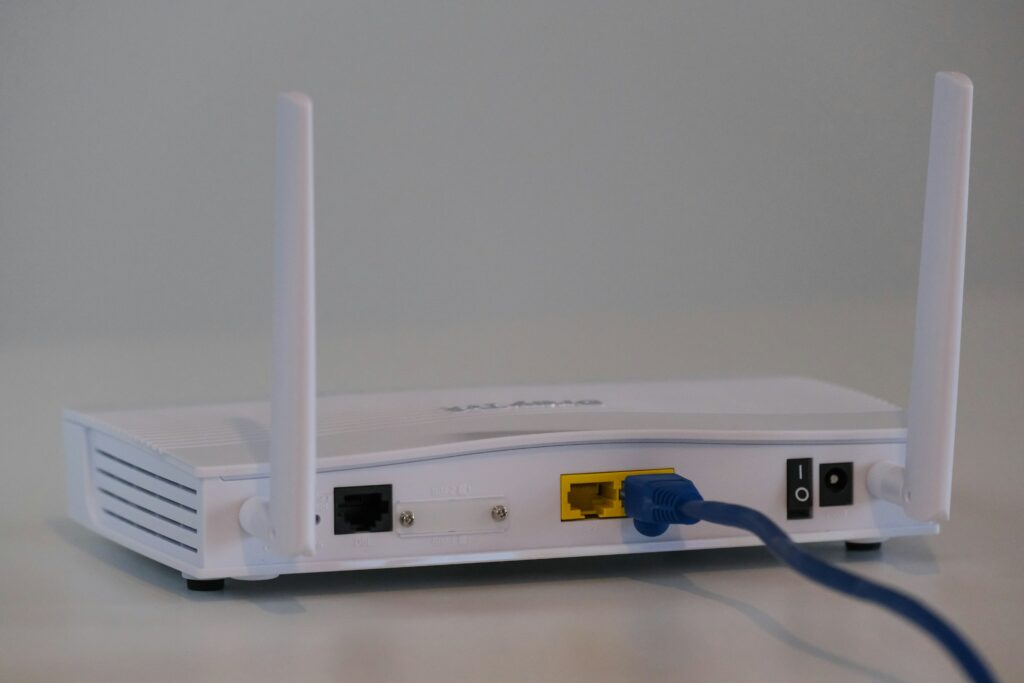
Despite the rapid growth of full fibre broadband and the widespread use of mobile phones, many UK households still rely on a home phone number. Whether it’s to stay in touch with family, run a home business, or simply because it’s the number everyone has known for years, keeping a landline remains important for millions of people.
The good news is that landlines aren’t disappearing—they’re evolving. The UK’s traditional copper telephone network, known as the Public Switched Telephone Network (PSTN), is being retired and replaced with digital phone services that use your broadband connection. This nationwide switchover is due to be completed by 31 January 2027, meaning traditional analogue landlines will no longer be available. Instead, providers now offer services such as Digital Voice or VoIP (Voice over Internet Protocol), allowing you to make and receive calls over the internet while keeping your existing phone number.
However, not every broadband provider still includes a home phone service. Some continue to offer digital landlines alongside their broadband packages, while others have moved to broadband-only services, meaning customers need to find an alternative if they want to keep a home phone number.
In this guide, we’ll look at which broadband providers still offer landline services, which providers have dropped them, and why separating your phone number from your broadband could give you greater flexibility, access to better broadband deals, and make switching providers far simpler in the future.
For many people, the word “landline” still brings to mind a phone plugged into the wall using the traditional telephone socket. While the phone number may stay the same, the technology behind it has changed significantly.
Historically, landline calls were carried over the UK’s copper telephone network, known as the Public Switched Telephone Network (PSTN). This dedicated network powered your home phone independently of your broadband connection and had been in use for decades. However, as the PSTN is being retired, providers are moving customers to Digital Voice services.
Digital Voice works using Voice over Internet Protocol (VoIP), which means your calls are transmitted over your broadband connection instead of the old copper phone network. From a user’s perspective, very little changes. You can still make and receive calls using your existing home phone number, and in many cases you can continue using your current handset with a compatible adapter or a provider-supplied hub.
One noticeable difference is how your phone connects. Rather than plugging into the traditional telephone wall socket, your phone is usually connected directly to your broadband router or a dedicated adapter supplied by your broadband provider. The router handles your internet connection and your phone service at the same time.
For most households, the transition is straightforward, and call quality is often just as good—if not better—than a traditional landline. The biggest change is happening behind the scenes, as the UK’s ageing telephone network is replaced with a modern, internet-based service designed to support the country’s future communications infrastructure.
If you still want a home phone, you’re not out of options. While traditional analogue landlines are being phased out, several major UK broadband providers continue to offer a digital home phone service alongside their broadband packages. In most cases, you’ll be able to keep your existing number and continue using your home phone, although the service now runs over your broadband connection rather than the old copper telephone network.
Here’s a look at some of the main providers that still offer digital home phone services.
| Provider | Home phone available? | Digital Voice | Keep your number? |
|---|---|---|---|
| BT | Yes | Yes | Yes |
| EE | Yes | Yes | Yes |
| Sky | Yes | Yes | Yes |
| TalkTalk | Yes | Yes | Yes |
| Vodafone | Yes | Yes | Yes |
| Zen Internet | Selected packages | Yes | Yes |
Package availability changes regularly, so it’s always worth checking the latest offers before signing up.
BT continues to offer one of the UK’s best-known home phone services through Digital Voice. Available with many of its broadband packages, Digital Voice replaces the traditional landline while allowing customers to keep their existing home phone number. Existing handsets can usually still be used, either by plugging them into the Smart Hub or by using a Digital Voice adapter where required.
BT also offers optional calling plans for customers who regularly make UK or international calls, making it a good choice for households that still rely on their home phone. As the UK’s PSTN switch-off continues, all new phone services are now delivered digitally.
Following its integration with BT’s consumer broadband services, EE also offers Digital Voice with many broadband packages. The technology is largely the same as BT’s, with calls made over your broadband connection rather than the old phone network.
Customers can usually transfer their existing landline number when joining EE, and a range of call plans are available depending on how often the phone is used. EE has become BT Group’s primary consumer broadband brand, particularly for new customers looking for full fibre broadband combined with a home phone service.
Sky continues to provide a home phone service with many of its broadband packages through Sky Talk. Like other providers, the service has moved away from the traditional landline network and now operates digitally over your broadband connection.
Customers can generally keep their existing phone number when switching to Sky, and optional call packages are available for anyone who makes regular landline or international calls. Sky remains one of the largest providers offering broadband and home phone bundles in the UK.
TalkTalk continues to offer Digital Voice alongside many of its full fibre broadband packages. Existing customers are gradually being migrated from analogue landlines to digital phone services as part of the nationwide switchover.
As with other providers, calls are made over your broadband connection, and most customers can retain their existing landline number. If you’re moving to TalkTalk from another provider, the company will usually handle the number transfer as part of the switching process.
Vodafone also offers Digital Voice with selected fibre broadband packages. Instead of using the old copper phone network, calls are delivered over Vodafone’s broadband service using VoIP technology.
Customers can usually port their existing home phone number when they switch, making the transition relatively straightforward. Vodafone’s digital phone service is designed to provide the same familiar experience as a traditional landline while taking advantage of modern broadband infrastructure.
Zen Internet offers Digital Voice alongside selected residential broadband packages, with particularly strong options for customers who want a standalone digital phone service or business-grade reliability. Like the other providers listed here, Zen’s service allows you to keep your existing landline number while making calls over your broadband connection.
Zen has been one of the earlier providers to embrace digital voice and offers a range of call plans and features that appeal to both home users and small businesses.
Until recently, Plusnet offered traditional home phone services alongside its broadband packages. However, Plusnet is not introducing its own Digital Voice service. Instead, existing customers who want to keep a home phone are being migrated to EE or encouraged to move to another digital voice provider as the PSTN network is switched off. New Plusnet broadband customers should therefore expect a broadband-only service.
While getting your home phone and broadband from the same provider can seem convenient, it can also make switching broadband providers more complicated than it needs to be.
One of the biggest frustrations is that your phone number becomes tied to your broadband account. Every time you decide to switch providers, you need to make sure your number is transferred correctly. Although number porting usually works well, delays and administrative errors can happen, particularly if services are cancelled in the wrong order or if there’s a mismatch in account details. In the worst cases, customers risk losing a phone number they’ve had for years.
Keeping your landline linked to your broadband can also reduce your flexibility. When comparing broadband deals, you may find that the cheapest or fastest package doesn’t include a home phone service at all. This can leave you choosing between paying more for a bundled package or giving up your landline altogether.
Another consideration is cost. Many broadband providers now treat home phone services as an optional extra, with monthly charges for Digital Voice and additional fees for inclusive call plans. These costs can add up over the length of a contract and are often higher than using an independent VoIP provider, which may offer the same ability to keep your number for a fraction of the price.
Because your phone service is tied to your broadband contract, switching providers also becomes something you have to plan carefully. Rather than simply choosing the best broadband deal available, you need to consider number transfers, installation dates and whether your new provider supports digital voice.
For people who value their home phone number, this can make changing broadband feel more stressful than it should be. Separating your phone number from your broadband removes much of this complexity, allowing you to choose the broadband provider that offers the best price, speed or service—without worrying about moving your number every time you switch.
If your home phone number is important to you, there’s another option that many people don’t realise exists. Instead of keeping your number tied to your broadband provider, you can port it to Plexatalk and keep it independently of your internet service.
Think of it as taking ownership of your number. Rather than moving it every time you switch broadband providers, your number stays with Plexatalk while you simply change your broadband whenever you find a better deal.
This approach offers much greater flexibility. Because your phone number is no longer linked to your internet provider, you’re free to choose broadband based on what matters most—whether that’s price, speed, customer service or availability. You won’t need to worry about whether your new provider offers a home phone service or whether they’ll be able to transfer your number correctly.
Plexatalk plans start from just £4 per month, making it an affordable alternative to many provider-branded digital phone services. Once your number has been ported, you can continue receiving calls on the same familiar number without having to repeat the porting process every time your broadband contract ends.
There are several key benefits to separating your phone number from your broadband:
As more broadband providers move towards broadband-only packages, separating your phone service makes increasing sense. Instead of letting your broadband provider control your number, Plexatalk gives you the freedom to choose the broadband that’s right for you, while your phone number remains exactly where it belongs.
It’s a simple change that can save time, reduce the hassle of switching providers and potentially lower your monthly costs. Best of all, once your number is with Plexatalk, you only need to port it once. After that, changing broadband becomes much simpler, because your phone number stays with you—not with your ISP.
If you’re planning to switch broadband, the biggest question is whether you want your phone number to move with you every time—or stay put.
With the traditional approach, your broadband and home phone are bundled together. While this can seem convenient, it means your landline number is tied to your broadband provider. Every time you switch to a better deal, your number usually needs to be transferred as well. Although the One Touch Switch process has made changing broadband easier, moving a phone number can still involve extra administration, careful timing and the potential for delays. It can also limit your choice, as not every provider offers a home phone service on all of its packages.
By contrast, separating your number from your broadband gives you much more freedom. By porting your number to Plexatalk, your landline stays in one place while your broadband becomes completely independent. You can switch internet providers whenever your contract ends, take advantage of broadband-only deals, and choose the package that offers the best combination of price, speed and service—without worrying about your phone number.
For anyone who plans to switch broadband more than once, wants to keep a long-standing home number, or simply wants greater flexibility, separating your phone service from your broadband is often the smarter long-term solution. It means your number belongs to you, not your broadband provider, making every future switch simpler, quicker and potentially more cost-effective.
Yes. In most cases, you can keep your existing landline number whether you’re moving to a digital phone service with your broadband provider or porting it to an independent VoIP provider such as Plexatalk. As long as the number is eligible for transfer and the porting process is completed correctly, you shouldn’t need to change the number you’ve had for years.
No. It’s the technology that’s changing, not the concept of a landline. The UK’s old copper telephone network is being switched off by January 2027, but home phone services will continue using digital technology (VoIP or Digital Voice). You’ll still be able to make and receive calls using your existing number.
Usually, yes. Most digital phone services allow you to continue using your current cordless or corded telephone. Instead of plugging it into the traditional wall socket, you’ll typically connect it to your broadband router or a compatible telephone adapter supplied by your provider.
Unlike traditional analogue landlines, digital phone services rely on both your broadband connection and electrical power. If there’s a power cut, your phone service may stop working unless you have a battery backup or an alternative way to make calls, such as a mobile phone. Some providers offer additional support for vulnerable customers who rely on a home phone.
In many cases, yes. If your number is held with an independent VoIP provider such as Plexatalk, moving home is much simpler because your phone number isn’t tied to a physical telephone line. As long as you have a broadband connection, you can continue using the same number from your new address.
Separating your phone number from your broadband gives you greater flexibility and control. You only need to port your number once, after which you can switch broadband providers whenever you like without having to move your number again. It also gives you access to a wider choice of broadband-only deals, can reduce your monthly costs, and makes future switches much simpler. For anyone who wants to keep their landline without being tied to a single broadband provider, it’s an increasingly popular and future-proof solution.
If having a home phone number is important to you, there’s no need to give it up. Several UK broadband providers still offer home phone services, but these are now almost always delivered as Digital Voice or VoIP over your broadband connection rather than through the old analogue telephone network.
However, as more providers move towards broadband-only packages and the UK continues its transition away from traditional landlines, it’s worth thinking about whether your phone number really needs to stay tied to your broadband provider.
If you regularly switch broadband to take advantage of better prices, faster speeds or improved customer service, keeping your number attached to your ISP can create unnecessary complications. Every switch may involve another number transfer, additional administration and the risk of delays.
By porting your number to Plexatalk from just £4 per month, you only need to move it once. After that, your phone number stays with you while you’re free to choose the broadband provider that offers the best deal, without worrying about transferring your number every time your contract ends.
It’s a simple, future-proof way to keep the number you know and trust, while enjoying the freedom to shop around for the best broadband whenever you choose.