

Vodafone is one of the UK’s biggest broadband providers, but more and more households are looking beyond the major names in search of faster speeds, better value, and more flexible service. The broadband market is changing fast, and today there are plenty of alternatives offering full-fibre connections, contract-free options, and more localised customer support.
Across the country, independent full-fibre networks (Alt-Nets) are expanding at pace, bringing ultrafast broadband to areas that were once overlooked by the larger providers. At the same time, established brands like Plusnet and EE are launching new broadband-only packages designed for homes that no longer rely on a traditional landline. These newer services often focus purely on connectivity, dropping the home phone altogether. Today we’ll go through what we believe are the top 5 broadband alternatives to Vodafone
However, while broadband continues to evolve, many people still want — or need — to keep a reliable home phone setup. Whether it’s for staying in touch with family, for security systems, or for business use, the home phone remains important for millions of households. That’s where Plexatalk comes in.
With Plexatalk, you can add digital voice (VoIP) to any broadband connection, including those from the providers listed in this guide. Our service starts from just £4 per month, making it one of the most affordable and flexible ways to keep your home number active — without being tied to a single broadband company.
So if you’re thinking about moving away from Vodafone, you’ll find several great broadband alternatives below. And with Plexatalk, you can take your home phone with you wherever you go — easy, affordable, and future-proof.
Vodafone has long been one of the UK’s biggest names in broadband — but being a household name doesn’t always mean being the best fit for every home. Many customers are now exploring other options due to rising prices, lengthy contracts, and bundled packages that include services they don’t necessarily need. For those who want a simple, reliable, and good-value broadband connection, smaller and more flexible providers are becoming increasingly attractive.
Another big change on the horizon is the UK’s PSTN switch-off, which will see traditional landlines phased out by the end of 2025. Vodafone, like all major providers, is moving customers onto digital voice (VoIP) systems — but often this comes tied to their own broadband packages, limiting flexibility. If you want to separate your broadband from your home phone service, that can be difficult with the big providers.
By switching to an Alt-Net or independent broadband provider, you can often enjoy better value, faster full-fibre speeds, and clearer pricing — without paying for extras you don’t need. Many of these newer networks specialise in pure fibre connections, offering consistent performance and lower latency compared to older copper-based lines.
Reliability is another key factor. Broadband downtime can cause major disruption at home, whether you’re working remotely, streaming, or gaming. Smaller full-fibre providers often have more responsive support and resilient local infrastructure, helping you stay connected when it matters most.
And with Plexatalk, you can easily keep your home phone active — no matter which broadband provider you choose. Our affordable VoIP plans from just £4 per month mean you’re free to pick the best broadband deal for you, while still enjoying crystal-clear digital voice service.
(in no particular order)
If you’re thinking about moving away from Vodafone, there are plenty of strong alternatives offering fast, reliable, and great-value broadband. Here are five providers worth considering — each with their own strengths and flexible options to suit different homes.
Cuckoo has built its reputation on simple contracts and transparent pricing, avoiding the confusion of long-term deals and hidden extras. Running on the Giganet full-fibre network, it delivers excellent speed and reliability across much of the UK. Perfect for customers who value flexibility and a straightforward, no-nonsense service.
Trooli is an independent full-fibre provider rapidly expanding across towns and rural areas. It offers ultrafast speeds up to 900 Mbps and prides itself on UK-based customer support. With a focus on smaller communities and dependable performance, it’s an ideal option for households seeking a true fibre connection beyond the big national brands.
As one of the UK’s largest independent fibre network builders, CityFibre underpins broadband services from well-known names such as Zen, IDNet, and several smaller ISPs. Competing directly with Openreach, CityFibre’s network provides exceptional speed and reliability, helping create real choice for consumers who want premium performance.
Operating mainly across the South of England, Toob delivers gigabit speeds at a fixed, low monthly price. Its simple pricing structure and growing reputation for customer satisfaction make it a strong contender for anyone wanting full-fibre broadband without complicated packages.
Backed by BT but run as a standalone brand, Plusnet offers reliable broadband-only plans with clear, honest pricing and UK-based support. It’s a great option for households that want a trusted name and solid performance without paying for extras they don’t need.
Remember — whichever broadband provider you choose, Plexatalk lets you easily keep your home phone active via digital voice (VoIP) from just £4 per month, so you can switch broadband freely without losing your number.
As broadband technology moves forward, most Alt-Nets and even major brands like Plusnet no longer include a traditional phone line. These newer broadband services are designed to deliver pure internet connections — fast, reliable, and future-ready — but without the old copper line that used to carry your home phone.
For many households, that raises an important question: what happens to your landline number?
Vodafone’s own Digital Voice system is their version of an internet-based phone service, but it’s tied directly to their broadband packages. That means if you leave Vodafone, you risk losing your phone service or your long-held number.
With Plexatalk, you can easily avoid that problem. Our internet-based home phone (VoIP) service works with any broadband provider, so you can switch to faster, better-value broadband without giving up your home phone. You can even bring your existing number with you, making the transition completely seamless.
Plexatalk Home starts at just £4 per month, with flexible plans, clear pricing, and no unnecessary extras. Whether you still use your home phone every day or just want to keep it for peace of mind, Plexatalk makes it simple, affordable, and fully future-proof.
So, as the UK moves beyond traditional landlines, you don’t need to give yours up — you just need a smarter way to keep it.
One of the biggest advantages of switching from Vodafone is the potential to save money without sacrificing quality. Many Alt-Nets — such as Cuckoo, Trooli, Toob, and CityFibre-based providers — focus purely on delivering fast, reliable broadband, often at a lower monthly cost than the major brands.
By pairing one of these broadband-only plans with Plexatalk Home, you can build your own custom package that’s cheaper and more flexible than Vodafone’s combined broadband and phone bundles.
For example:
Trooli 300 Mbps + Plexatalk Home costs less than Vodafone’s Superfast 2 plan with Digital Voice — while giving you faster full-fibre speeds, no line rental charges, and complete control over your services.
Because Plexatalk runs over the internet, you don’t need to pay for a separate landline connection. That means no hidden line rental, no bundled extras, and no long-term contracts tying you to one provider. You simply choose the broadband that suits your home best, then add Plexatalk for crystal-clear digital calls at a fraction of the cost.
With transparent billing and plans starting from just £4 per month, Plexatalk makes it easy to stay connected while keeping your monthly bills under control. It’s a smarter, more modern way to manage your home communications — giving you the freedom to switch broadband whenever you like, while keeping your phone number and your costs low.
Yes! With Plexatalk, you can port your existing landline number quickly and easily. This means you can move your broadband to a new provider without losing the number friends, family, or customers already know.
Not at all. You can use a standard home phone with a simple VoIP adapter, or use a VoIP client app on your smartphone, tablet, or computer. Setup is quick and doesn’t require an engineer visit.
Yes, Plexatalk works with any broadband connection, including full-fibre, FTTC, or even mobile broadband. You’re free to choose whichever internet service offers the best speed and value in your area.
Our Plexatalk Home plans start from just £4 per month, with flexible options depending on your calling needs. There are no hidden fees and no line rental charges, so you only pay for what you actually use.
Absolutely. In addition to home phone services, Plexatalk offers flexible business VoIP solutions with advanced features like call forwarding, voicemail to email, and multi-user support — ideal for small teams or remote workers.
Whether you’re drawn to Alt-Nets like Cuckoo, Trooli, CityFibre, or Toob, or prefer an Openreach-based provider like Plusnet, today’s broadband market offers more choice than ever. These modern alternatives to Vodafone deliver faster full-fibre connections, simpler contracts, and landline-free flexibility — all designed for the way we connect now.
As the UK moves towards a fully digital network, it’s the perfect time to explore your local broadband options and build a setup that truly suits your household. And with Plexatalk, you don’t have to give up your home phone to make the switch.
Starting from just £4 per month, Plexatalk lets you keep your number, enjoy crystal-clear digital voice, and stay connected — no matter which broadband provider you choose.
Get started with Plexatalk’s Home VoIP Service Today

Vodafone’s Digital Voice service is part of the UK’s nationwide move from traditional copper phone lines to a fully digital network. Instead of using the old analogue system, Vodafone’s Digital Landline connects your home phone through your broadband router. This technology, often called VoIP (Voice over Internet Protocol), lets you make and receive calls over the internet while still using your familiar landline handset.
The change is part of the national copper landline shutdown, due to complete by 2027, when all UK phone providers will move to digital-only services. This upgrade is designed to make phone networks more reliable and future-proof, but it also means that anyone still using an analogue landline will eventually need to switch to a Digital Voice or VoIP setup.
If you’re considering leaving Vodafone, you might worry about what happens to your landline and phone number. The good news is you can keep your landline when switching from Vodafone — you don’t have to lose your number or give up having a home phone altogether. With the right provider, your Digital Landline can move with you, so you can enjoy the same service (and even the same phone) without interruption. Understanding how Vodafone’s Digital Voice system works helps you plan ahead and make the switch smoothly.
If you’re a Vodafone home phone customer, chances are you’re already using Digital Voice — Vodafone’s Digital Landline service that works through your broadband connection rather than the old copper network. Instead of plugging your phone into a wall socket, your handset connects directly to your router. Calls are carried over the internet using VoIP (Voice over Internet Protocol) technology, giving you clear, reliable voice quality through your broadband line.
This setup is part of the UK’s nationwide switch to digital telephony, ahead of the 2027 copper landline shutdown. Vodafone has already moved many broadband customers to Digital Voice, especially new sign-ups and anyone upgrading their package. Some households are still on traditional copper lines during this transition phase, but all will eventually move to digital.
There are a few important differences to be aware of. Because Digital Voice depends on your broadband connection and mains power, your phone won’t work during a power cut unless you have a backup battery or mobile signal. Some older devices — such as medical alarms, fax machines, or wired extension phones — may not be compatible with VoIP setups and could need an update or replacement.
Despite these changes, Vodafone still advertises “landline included” within many of its broadband plans. That means you don’t lose your home phone — it simply works in a more modern way. So when you keep your landline when switching from Vodafone, you’re really just taking your Digital Landline service (and your number) with you, ensuring a smooth move into the all-digital future.
If you’ve been upgraded to Vodafone’s Digital Voice service, your home phone number is now linked to your Vodafone broadband connection rather than a copper landline. This means that your Digital Landline operates entirely through VoIP (Voice over Internet Protocol) technology — your calls are routed over the internet instead of the traditional phone network.
When you decide to switch broadband providers, your Digital Voice number is tied to Vodafone’s system. If you cancel your broadband before arranging a transfer, Vodafone may automatically disconnect your digital phone line — and with it, your phone number. This is why many customers worry about losing their long-held home number when moving to a new service.
The good news is that you can still keep your landline when switching from Vodafone. UK telecom regulations give you a legal right to port your number to another provider, even if you’re currently using a Digital Voice or VoIP setup. The key is timing: your new provider must initiate the number port before Vodafone closes your account. Once the number is cancelled, it can’t always be recovered.
Some users have reported confusion about whether numbers already migrated to Vodafone Digital Voice can be ported easily. While the process can take a little longer for digital lines, it is still possible — and protected by Ofcom’s number portability rules. So if you plan ahead and let your new provider handle the switch, you can keep your landline when switching from Vodafone without losing your number or connection.
People choose to switch from Vodafone for a variety of reasons — often related to cost, performance, or flexibility. While Vodafone’s Digital Voice and Digital Landline services offer reliable calling through broadband, some customers find that other providers offer faster speeds, better pricing, or more flexible bundles that suit their needs and bettter uptime. Such as the most recent downtime.
In some cases, households have experienced issues such as router compatibility or a lack of clarity about how VoIP services work during the transition from copper lines. Others simply prefer a provider that offers clearer guidance on how to keep your landline when switching from Vodafone, or easier ways to manage both broadband and home phone in one place.
As the UK approaches the 2027 copper switch-off, more people are reviewing their digital phone options and comparing packages. Switching provider doesn’t mean you have to lose your phone number or home phone service — with the right setup, you can take your Digital Landline with you. Knowing your options helps ensure you keep your landline when switching from Vodafone and stay connected on your terms.
If you want to keep your landline when switching from Vodafone, one of the most flexible options is to move your number to an independent VoIP provider such as PlexaTalk. These services let you port your existing Vodafone number and use it over any broadband connection — meaning your phone number is no longer tied to a specific internet provider or physical line.
VoIP (Voice over Internet Protocol) works much like Vodafone’s Digital Voice system. Instead of relying on the old copper network, calls are made and received over your broadband. You can plug a standard phone into a VoIP adapter, use a VoIP-enabled handset, or even take calls on your computer or mobile app. In essence, it’s the same Digital Landline technology Vodafone uses, just provided independently — giving you far more control.
By moving your Vodafone number to a standalone VoIP service, you can stay connected no matter what broadband provider you use. If you change internet suppliers, move home, or even work remotely, your phone number stays with you. That’s something you can’t always guarantee if your number remains tied to Vodafone’s own Digital Voice platform.
The advantages go beyond portability. Independent VoIP services like PlexaTalk often include extra features such as voicemail-to-email, call forwarding, and the ability to manage calls through an online dashboard. Many users also find call quality clearer and setup simpler than expected.
So whether you’re upgrading your broadband, relocating, or simply looking for more freedom, a VoIP provider can make it easy to keep your landline when switching from Vodafone — ensuring your number, calls, and connections move with you wherever you go.
Start by confirming your Vodafone number can be ported. Nearly all UK geographic numbers are portable (it’s your legal right), including those already on Digital Voice/Digital Landline. Gather your latest Vodafone bill, the exact account holder name, service address, and the number(s) to port.
Sign up with Plexatalk (or another independent VoIP provider) and submit a porting request before cancelling Vodafone. Provide the details above and pick a preferred port date. This is the key to keep your landline when switching from Vodafone—your new provider coordinates the transfer so the number doesn’t get disconnected.
Decide how you’ll connect:
On the scheduled date, inbound calls move to your VoIP provider (the cutover window is typically minutes). Power-cycle your ATA/handset after you receive the port-complete notice. Verify inbound/outbound calls and voicemail.
Once the number is working on VoIP, contact Vodafone to cease the phone service (and broadband only if you’re switching that too). This sequencing ensures you keep your landline when switching from Vodafone and enjoy a portable, feature-rich Digital Landline over any broadband.
Choosing an independent VoIP provider instead of staying with Vodafone’s Digital Voice gives you far greater flexibility and control over your home phone service. When you keep your landline when switching from Vodafone by porting your number to a third-party VoIP service, you’re no longer tied to one broadband provider or their equipment. Your number becomes completely portable — you can move home, change internet suppliers, or upgrade your router without losing your Digital Landline.
Independent VoIP services often include a richer feature set than standard broadband phone plans. You can enjoy extras like voicemail-to-email, custom call forwarding, call recording, virtual numbers, or mobile app access — features rarely included with Vodafone’s built-in Digital Voice system. Many providers, such as Plexatalk, also offer competitive pricing, meaning you could save money while gaining more advanced functionality.
Another major benefit is hardware freedom. Vodafone’s Digital Voice requires specific routers or adapters to connect your home phone, but with a third-party VoIP setup, you can use almost any compatible device — from standard phones with an ATA adapter to dedicated VoIP handsets or softphone apps.
Finally, switching to an independent VoIP provider is a smart move for the future. As the UK’s copper network shutdown approaches in 2027, having a fully digital, broadband-based solution keeps you ahead of the curve. You’ll already be set up with a system designed for the all-digital future — one that you control, not your broadband company.
By taking this route, you can keep your landline when switching from Vodafone, maintain ownership of your number, and enjoy a more flexible, future-proof Digital Landline that works wherever you do.
Once your Vodafone line is cancelled, the number is usually lost – there is a 30 day period after cancellation but there’s no guarantee all providers are sticking to this. To keep your landline when switching from Vodafone, your new VoIP provider must submit the porting request before Vodafone closes your account. Number porting is your legal right in the UK, but it only applies to active numbers.
If you’ve been moved to Vodafone’s Digital Voice or Digital Landline, you can still port your number to another VoIP service, such as PlexaTalk. The process is similar but may take slightly longer since the number is digital rather than copper-based.
Porting typically causes only a few minutes of downtime while your number switches to the new VoIP system. Keeping both services active until you receive confirmation ensures a smooth transition.
Vodafone’s Digital Voice and all VoIP services rely on your broadband connection and electricity. During power outages, your home phone won’t work unless you have a backup battery or mobile alternative for emergencies.
Some older analogue devices may not function correctly with digital or VoIP lines. You may need to upgrade to compatible models or use specialist adapters. Your Digital Landline provider can advise on suitable replacements or connection options.
The UK’s move to digital phone services doesn’t mean you have to lose your home number or give up having a landline. By planning ahead and choosing the right VoIP solution, you can keep your landline when switching from Vodafone and enjoy greater flexibility, lower costs, and more control over your home phone setup.
Independent providers like PlexaTalk make it easy to port your Vodafone number, set up a reliable Digital Landline, and future-proof your phone service long before the 2027 copper switch-off. You’ll stay connected wherever you go — whether you’re changing broadband providers, moving home, or simply looking for a better deal.
Don’t risk losing your number or service by cancelling first. Take control of your connection today and discover how simple it is to keep your landline when switching from Vodafone with a modern, flexible VoIP provider that works on your terms.
Get started with Plexatalk for home today.
Get in touch to see what we can do for your business.

For many UK households, Onestream has been a reliable choice for broadband and landline services. Its packages have long combined internet connectivity with traditional copper-based phone lines — the standard setup for years. But as the UK approaches the 2027 copper switch-off, the way we connect our landlines is changing for good. This nationwide shift marks the end of the old copper telephone network and the beginning of a digital voice future.
Understandably, many Onestream customers are concerned. When you switch provider or upgrade your broadband, will your landline still work? Can you keep your landline when switching from onestream? These are common worries, especially for people who depend on their home phone for everyday communication, security systems, or emergency calls.
The good news is that keeping your landline doesn’t mean holding on to old technology. With digital landline and VoIP (Voice over Internet Protocol) solutions, your home phone can continue to function — but through your broadband connection instead of copper wiring. This upgrade ensures clearer call quality, greater reliability, and compatibility with the UK’s all-digital future.
That’s where Plexatalk comes in. Designed as a future-proof digital voice service, Plexatalk allows former Onestream users to keep their landline number, make and receive calls as normal, and stay connected even after the copper switch-off. It’s a simple, seamless way to move forward without giving up the traditional features you rely on.
Even in a world dominated by smartphones and messaging apps, many people still see real value in having a landline at home. For some, it’s more than just a phone — it’s part of their identity. It’s the number they’ve had for years, the one family and friends recognise instantly. For others, it represents stability and reliability — a direct line that works even when mobile networks drop out or battery levels run low.
When customers switch from Onestream, one of the biggest concerns is whether they’ll lose that connection. It’s not just a phone number; it’s a point of contact for doctors, banks, schools, and essential services. For older users in particular, the landline offers comfort and familiarity — an easy-to-use, always-available way to stay in touch.
Home-based workers and small businesses also rely heavily on having a dependable landline. It provides a professional contact point, ensures clear call quality, and avoids the patchiness that mobile reception can bring. The thought of losing it during a broadband change can be stressful, especially if you’ve had the same number for years.
Fortunately, keeping your landline when switching from Onestream doesn’t mean holding onto outdated copper connections. With digital voice technology and VoIP solutions like Plexatalk, you can keep your landline when switching from Onestream while upgrading to a more modern, reliable system. It’s the perfect balance between tradition and innovation — keeping what matters most while moving confidently into the UK’s digital future.
When you leave Onestream, it’s important to understand what happens behind the scenes with your landline. Onestream’s phone service now uses Digital Voice, which runs over its full fibre (FTTP) broadband network — not the old copper telephone lines. Your landline is tied directly to your broadband account, meaning your Digital Voice service only works while you remain an Onestream customer. Once your broadband is cancelled, the Digital Voice line is automatically disconnected, and your number can be lost unless you take steps to move it first.
Many customers are caught off guard by this. They assume their landline number will stay active when they change broadband providers, but that’s not the case. Unless you arrange to port your number to another digital voice or VoIP provider before your Onestream account closes, your landline number may be permanently deleted — and once it’s gone, it can’t be recovered.
That’s why careful planning is essential if you’re thinking about switching broadband. To switch from Onestream and keep digital voice, you’ll need to transfer your number to a new, independent VoIP provider before cancelling your Onestream service. This ensures continuity and protects your contact details from being lost.
With a provider like Plexatalk, the process is quick and seamless. You can port your number easily, keep using your home phone, and enjoy all the benefits of a flexible digital voice service — clearer calls, lower costs, and complete freedom to use any broadband provider — without losing the landline you depend on.
Onestream is now a full fibre (FTTP) broadband provider, meaning its connections run entirely over fibre optic cables instead of the old copper phone network. This technology offers faster speeds, lower latency, and far greater reliability — but it also changes how landline phone services work.
Traditional landlines relied on copper wires carrying analogue signals between your home and the local exchange. With FTTP, there’s no copper involved and no way to transmit analogue voice — fibre is purely digital. That means there’s no plug-in wall socket for a standard phone anymore. Instead, calls must be delivered as digital voice (also known as VoIP, or Voice over Internet Protocol), using your broadband connection to carry conversations.
To manage this shift, Onestream includes Digital Voice with its broadband, allowing customers to keep using a home phone by connecting it to their router or an adaptor. It’s a modern, fully digital replacement for the old copper-based landline.
However, many other FTTP providers — particularly smaller alternative networks like Trooli, Cuckoo, and others — don’t include any VoIP or digital landline option. If you switch from Onestream to one of these broadband services, your Onestream Digital Voice line will be disconnected, and your number could be lost unless you port it elsewhere first.
That’s where Plexatalk comes in. Our digital voice service works with any fibre broadband connection, letting you switch from Onestream and keep digital voice without interruption. You can retain your existing number, use your preferred handset, and stay connected — no matter which full fibre provider you choose next.
As the UK moves away from traditional copper phone lines, the future of home calling is something called VoIP — short for Voice over Internet Protocol. You might also hear it referred to as digital voice. In simple terms, it’s a modern way to make and receive calls using your broadband connection instead of the old analogue copper network.
Here’s how it works: when you make a call using VoIP, your voice is converted into tiny data packets that travel securely over the internet to the person you’re calling. The technology is fast, reliable, and delivers crystal-clear sound quality. All you need is a broadband connection, a compatible phone, and a VoIP service provider.
The benefits are immediate. You can keep your existing number, enjoy lower call costs, and connect your phone in flexible ways — through a router, an adapter, or even an app on your mobile or laptop. Because calls run entirely over broadband, you’re no longer tied to a specific physical location or old wiring.
While many broadband companies (including Onestream) offer their own digital voice service, these are usually locked to their routers and networks. That means if you change broadband providers, you may lose access to that service — and possibly your phone number too.
A dedicated VoIP provider like Plexatalk gives you far more freedom. You can keep digital voice after switching from Onestream, use your own equipment, and move your service to any internet connection, anywhere. Plexatalk lets you stay connected independently of your broadband provider — keeping your landline number, enjoying professional call features, and staying ready for the UK’s fully digital future.
Moving your phone service from Onestream to Plexatalk is quick, easy, and designed to ensure you don’t lose your number or connection. Here’s how to switch from Onestream and keep your landline number in just three simple steps.
Start by selecting the Plexatalk VoIP plan that matches your needs — whether you want simple home calling, unlimited minutes, or business-grade features. Our flexible digital voice plans work with any broadband connection, so you’re free to choose whichever FTTP provider gives you the best deal for your internet. You can see our home plans here – business customers should get in touch for more details on plans and pricing.
Before cancelling your Onestream service, let Plexatalk handle your number porting. This process transfers your existing phone number to your new Plexatalk account so you don’t lose it when Onestream disconnects your line. We’ll manage the handover seamlessly — usually within a few working days — so there’s no downtime or missed calls.
Once your number is ported, simply plug your home phone into a VoIP adapter or router, or use our app to start making and receiving calls right away. You’ll enjoy clearer call quality, lower costs, and total flexibility — all without being tied to a specific broadband provider or router.
Switching to Plexatalk means continuity, affordability, and freedom. You can switch from Onestream and keep your landline number — while upgrading to a truly modern, independent digital voice service that’s ready for the future.
Switching your landline to Plexatalk gives you far more than just a replacement for your old phone line — it gives you control, flexibility, and features that most broadband providers simply don’t offer. As a VoIP alternative to Onestream phone service, Plexatalk delivers all the reliability of a traditional landline with the power of modern digital technology.
With Plexatalk, you can enjoy advanced calling features designed for convenience and peace of mind. Voicemail-to-email automatically sends your messages straight to your inbox, so you’ll never miss an important call again. Call blocking helps you stop unwanted or nuisance calls, and call forwarding lets you redirect calls to your mobile or another number when you’re away — keeping you connected wherever you are.
Because Plexatalk runs entirely over broadband, it works with any internet provider — including BT, Virgin Media, Sky, Cuckoo, Toob, Trooli, and many others. You’re not locked into a specific router or tied to a single network. If you switch broadband providers in the future, your Plexatalk service and phone number move with you, with no disruption and no complicated setup.
Plexatalk also keeps things affordable. Plans start from just £4 per month, offering excellent value compared to standard digital voice add-ons from broadband companies. You get crystal-clear call quality, powerful features, and full compatibility with the UK’s fibre-based phone system — all at a fraction of the cost of a traditional landline.
For anyone looking for a VoIP alternative to Onestream phone service, Plexatalk is the smart, future-ready way to stay connected, protect your number, and enjoy a modern calling experience built for the digital age.
Yes! With Plexatalk, you can easily port your Onestream number to our digital voice service. Just make sure you start the transfer before cancelling your Onestream account — we’ll handle the process for you so there’s no risk of losing your number.
No. Plexatalk works with any broadband provider — including BT, Virgin, Sky, Cuckoo, Toob, and many more. You don’t need to stay with Onestream to keep using your phone; our VoIP service runs completely independently of your internet provider.
No, or at most just a brief moment when the number ports over. We time your switch carefully so you stay connected throughout.
If your Onestream account is cancelled before the porting process begins, your number could be lost permanently. Always let Plexatalk start the transfer first — it’s the safest way to switch from Onestream and keep your landline number.
Because VoIP services rely on broadband and electricity, your phone won’t work during a power cut. However, you can still receive calls on your mobile using Plexatalk’s app or call-forwarding features — so you’ll never miss an important call.
If you’re with Onestream, your landline is already ready for the UK’s digital future — Onestream’s Digital Voice service means you’re protected beyond the 2027 copper switch-off. But if you’re thinking of changing broadband provider, it’s important to plan ahead. Many FTTP providers — especially smaller “altnets” — don’t include any VoIP or digital voice service at all. That means you could lose your landline and number when you leave Onestream.
With Plexatalk, you can keep your landline when switching from Onestream. Our flexible digital voice service works with any broadband connection, so you can move to a new provider without sacrificing your home phone or number. You’ll enjoy crystal-clear call quality, great value plans, and powerful features like voicemail-to-email, call forwarding, and call blocking — all without being tied to a specific router or internet company.
Don’t risk losing the number and reliability you rely on. Make the switch now and stay connected on your terms.
Get started with Plexatalk VoIP for Home today — the simple way to stay in control of your landline when moving away from Onestream.
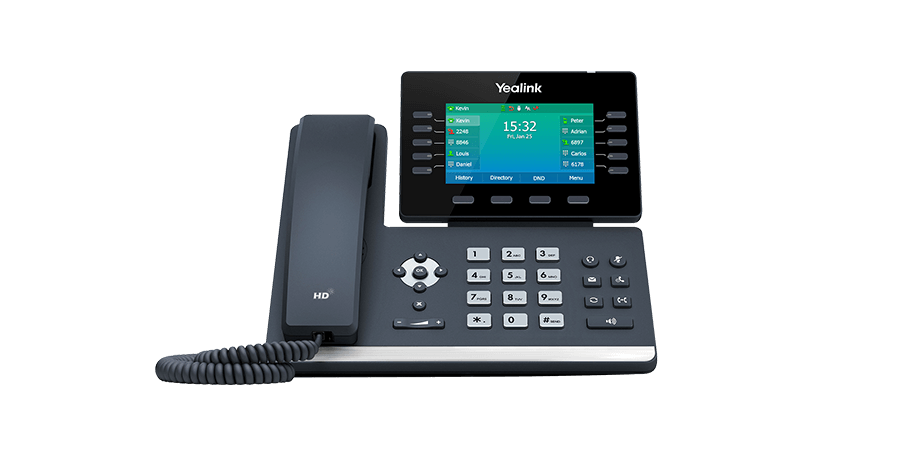
An auto attendant is an automated phone system that greets callers and directs them to the right department or extension without requiring a live receptionist. Sometimes called an IVR (Interactive Voice Response), this technology allows businesses to efficiently manage incoming calls, ensuring every caller reaches the correct person or resource quickly.
In today’s fast-paced business environment, companies of all sizes are increasingly relying on automated phone systems to streamline communication, reduce missed calls, and improve customer experience. An auto attendant doesn’t just answer calls—it organizes them, filters them based on caller needs, and delivers a professional first impression.
Using an auto attendant can save time, reduce operational costs, and enhance efficiency, freeing staff to focus on tasks that truly require a human touch. In this post, we’ll explore the practical benefits of implementing an auto attendant, including cost savings, reliability, improved efficiency, and creating a polished, professional image for your business. By the end, you’ll have a clear understanding of why an automated phone system is more than just a convenience—it’s a strategic tool for growth.
An auto attendant is an automated phone menu that answers incoming calls and directs them to the appropriate department, extension, or resource without requiring a live receptionist. Essentially, it acts as a call routing system, handling routine inquiries and ensuring that callers reach the right person quickly and efficiently.
Most auto attendants rely on Interactive Voice Response (IVR) technology. IVR allows callers to interact with the phone system using voice commands or keypad selections. For example, a caller might press “1” for sales, “2” for support, or speak their choice aloud, and the system routes the call accordingly. This interaction not only improves caller experience but also reduces wait times and missed calls.
Unlike traditional receptionists, who manually answer and transfer every call, auto attendants operate 24/7, providing consistent service even outside of business hours. Compared to virtual assistants or call answering services, auto attendants are fully automated, making them a cost-effective and scalable solution for businesses of any size.
Auto attendants come in various forms. A basic menu offers simple options like extensions or department selections. In contrast, an advanced IVR system can recognize spoken responses, provide self-service options (such as account balances or appointment scheduling), and integrate with other business systems for seamless call handling.
By understanding the types and capabilities of auto attendants, businesses can choose a system that fits their size, needs, and customer expectations, ensuring every caller receives a professional and efficient experience.
An auto attendant is a powerful tool that automates how incoming calls are handled, ensuring each caller reaches the right person or resource without delay. Understanding how these systems work helps businesses make the most of their phone system automation.
At its core, an auto attendant relies on call routing to direct callers. Here’s a typical workflow:
Example Scenario: Imagine a small business with three main departments: Sales, Support, and Billing. When a customer calls, the auto attendant greets them with a simple menu. The caller selects “2” for Support, and the system automatically connects them to the available support agent. If no one is available, the caller is sent to the Support voicemail, which can later be accessed by the team for follow-up.
Key features that make auto attendants effective include customizable menu options, direct extension routing, voicemail integration, and, in more advanced systems, speech recognition. By automating these tasks, businesses can ensure calls are handled efficiently, reduce wait times, and maintain a professional image—all without needing a full-time receptionist.
Implementing an auto attendant can transform the way your business handles calls. From improving customer interactions to streamlining internal operations, these systems offer a wide range of advantages for companies of all sizes.
One of the primary benefits of an auto attendant is a better experience for callers. By providing a quick and organized menu, callers can reach the right department or individual without unnecessary waiting. This reduces frustration and ensures that every inquiry is addressed efficiently. With a consistent greeting and clear options, your business delivers a professional impression from the very first interaction.
An auto attendant handles routine call routing automatically, freeing employees from constantly answering and transferring calls. This allows staff to focus on higher-value tasks, such as supporting clients, closing deals, or completing projects. By minimizing disruptions, your team becomes more productive and can dedicate attention to activities that drive growth.
Hiring additional receptionists to manage incoming calls can be expensive. An auto attendant provides a cost-effective solution, automating call management 24/7 without increasing payroll. Additionally, by reducing missed calls, businesses can capture more opportunities and prevent potential revenue loss, making the system a smart investment for long-term savings.
Every interaction with a caller reflects your brand. An auto attendant ensures that every caller receives a polished, consistent greeting, reinforcing your company’s voice and professionalism. Even during busy periods or outside business hours, callers feel attended to, which enhances trust and credibility.
As your business evolves, so do your communication needs. Auto attendants are highly flexible, allowing you to update menus, messages, and call routing quickly. Whether you’re adding new departments, expanding locations, or introducing new services, your system can adapt seamlessly, supporting growth without requiring major infrastructure changes.
In summary, an auto attendant improves call management, enhances efficiency, saves costs, strengthens your professional image, and scales with your business. By integrating this automated phone solution, companies create a more organized, responsive, and customer-focused communication system.
While auto attendants offer numerous advantages, businesses should be aware of potential pitfalls that can impact the caller experience. Recognizing these auto attendant cons and addressing them proactively ensures your system works efficiently without frustrating customers.
One of the most common issues is a menu with too many options or layers. Long or confusing menus can overwhelm callers, leading to misrouted calls or hang-ups. To avoid this, keep menus simple and intuitive, limiting choices to the most essential options and using clear, concise language.
Callers sometimes prefer speaking directly to a person, especially for complex questions or urgent issues. Failing to offer a human override can cause frustration and damage customer perception. Always provide an option to reach a live representative, either immediately or after navigating the menu.
The quality and tone of the recorded greeting can significantly affect caller experience. Low-quality audio, monotone delivery, or unclear instructions can confuse or annoy callers. Invest in professional recordings, or ensure recordings are clear, friendly, and easy to understand.
By addressing these challenges thoughtfully, businesses can implement an auto attendant that enhances IVR workflow without causing customer frustration, striking the perfect balance between automation and personal service.
Implementing an auto attendant is more than just recording a greeting—it requires careful planning to ensure a smooth call routing experience for your callers. Following these call routing best practices helps businesses maximize efficiency and maintain a professional image.
Start by organizing your phone system logically. Group related options together and avoid overly complex menus. For example, departments like Sales, Support, and Billing should each have clear, distinct options. Keep menu levels shallow to prevent callers from getting lost or frustrated. A well-structured hierarchy ensures calls are routed quickly and accurately.
The scripts for your IVR system should be short, straightforward, and easy to understand. Use simple language, avoid jargon, and clearly state what each option does. For instance: “Press 1 for Sales, Press 2 for Support.” Clear prompts minimize confusion and improve caller satisfaction. Friendly, professional tone in recordings also reinforces your brand’s image.
An effective auto attendant can differentiate between office hours and after-hours. Calls received during business hours can be routed directly to departments or employees, while calls outside office hours can be directed to voicemail, after-hours support, or an emergency line. Time-based routing ensures that calls are always managed appropriately, even when staff are unavailable.
Once your system is set up, test it from a caller’s perspective. Make sample calls to confirm that menus, routing, and voicemails work as intended. Collect feedback from employees and actual callers, then refine scripts, menu options, and prompts as needed. Regular reviews and updates help keep the auto attendant aligned with evolving business needs.
By carefully planning your auto attendant setup, writing clear scripts, implementing time-based routing, and continuously testing the system, you can provide a seamless caller experience that enhances efficiency, reduces missed calls, and strengthens your business’s professional image.
When deciding how to handle incoming calls, businesses have several options beyond an auto attendant, each with its own advantages and drawbacks. Understanding these alternatives helps determine the best solution for your needs.
A live front desk receptionist provides a personal touch, handling complex questions, building relationships, and offering flexible call management. However, this option can be expensive, requires ongoing training, and is limited by office hours. Unlike an auto attendant, a human receptionist cannot work 24/7 without additional staffing costs.
A virtual receptionist or answering service offers a compromise: calls are answered by remote professionals who can take messages, transfer calls, and handle basic inquiries. This solution is more cost-effective than hiring full-time staff, but it still involves recurring fees and may lack deep knowledge of your business. Response quality can vary depending on the service provider.
An auto attendant provides consistent, 24/7 call handling at a fraction of the cost. It efficiently routes calls, reduces wait times, and maintains a professional image. While it lacks the human touch, advanced IVR systems can offer self-service options and time-based routing to cover many scenarios.
Choosing the right approach depends on your business size, call volume, and customer expectations. Many companies find a hybrid approach—combining an auto attendant with limited human support—strikes the ideal balance between cost-efficiency and customer satisfaction.
To help businesses make informed decisions about automated phone systems, here are answers to some common IVR questions:
An auto attendant is a type of automated phone system that greets callers and routes them to the correct department or extension. IVR (Interactive Voice Response) refers to the broader technology that allows callers to interact with the system using keypad entries or voice commands. In short, all auto attendants use IVR, but IVR can support more advanced self-service features.
Yes. Advanced auto attendants can manage multi-level menus, time-based routing, and even integration with customer databases. However, extremely complex scenarios may benefit from combining an auto attendant with a live receptionist or virtual assistant for the best results.
Costs vary based on features, call volume, and whether the system is cloud-based or on-premises. Many businesses find cloud-based auto attendants are affordable and scalable, offering a strong ROI compared to hiring additional staff.
If poorly designed, auto attendants can cause frustration. However, following best practices—simple menus, clear prompts, and options to reach a human representative—can minimize frustration and even improve the caller experience.
Absolutely. Small businesses benefit from an auto attendant by projecting a professional image, routing calls efficiently, and freeing up employees to focus on core business tasks without the cost of additional reception staff.
Implementing an auto attendant can transform your business phone system, delivering numerous benefits, from improved customer service and faster call routing to cost savings and a polished, professional image. By automating routine call handling, businesses can ensure every caller reaches the right person quickly while allowing employees to focus on higher-value work.
If your business struggles with missed calls, long wait times, or inconsistent call experiences, now is the perfect time to evaluate your call management needs. An auto attendant offers a scalable, flexible solution that grows with your business and enhances every caller interaction.
Take the next step toward better communication: explore Plexatalk’s auto attendant solutions and see how our system can streamline your calls, improve customer satisfaction, and free your team to focus on what matters most. Get in touch with us today to discuss how an automated phone system can work for your business.
Smart Numbers, also known as Smart Comms, has long provided business phone systems in the UK. While the company trades under the Smart Comms brand, many customers still encounter it through the smart-numbers.net website.
As the UK moves closer to the PSTN switch-off in 2027, many small and medium-sized companies are beginning to review their options. For some, this means looking at Smart Numbers alternatives or Smart Comms alternatives. Concerns often centre on factors such as pricing structures, feature sets, or independence from investment partners and acquisitions. Publicly available reviews and complaints also influence these decisions, even if experiences vary from business to business.
That’s where Plexatalk comes in. As an independent provider of VoIP phone systems in the UK, Plexatalk is focused solely on modern, cloud-based communications. With transparent pricing, flexible features, and a commitment to straightforward support, Plexatalk aims to provide a safer move for organisations seeking clarity and control. By keeping its focus on VoIP technology rather than multiple business brands, Plexatalk offers a fresh option for companies considering the switch.
Smart Numbers, also trading as Smart Comms, has been a part of the UK telecoms landscape since its founding in 2005 by entrepreneur Scott Woolaway. The business began by supplying non-geographic business phone numbers and later expanded into wider communications services. Today, the company markets a mix of solutions including Smart Numbers phone systems, VoIP, broadband, website design, hosting, and online marketing.
In February 2024, Smart Numbers underwent a significant change when YFM Equity Partners backed a management buyout (MBO). As part of the deal, founder Scott Woolaway moved into the role of Vice Chair, while Richard Last, former Chair of Gamma Communications, was appointed as Non-Executive Chair. The move signalled an increased focus on scaling the company, supported by private equity investment.
Smart Numbers has historically been based in Dibden Purlieu, near Southampton, but company records now list Eastleigh as its primary office location. This shift is reflected in recent documents and communications, though the smart-numbers.net website remains a key point of contact for prospective customers.
Positioning itself as more than just a VoIP provider, Smart Numbers / Smart Comms presents a broad portfolio for businesses. However, this wider service offering – spanning from telecoms to websites – is one reason why some UK companies compare Smart Numbers vs Plexatalk, particularly if they are looking for a specialist VoIP phone system provider.
For many UK organisations, the decision to switch from Smart Numbers or switch from Smart Comms isn’t taken lightly. Businesses typically review their options when specific triggers arise – whether that’s the cost of handsets, the length of contracts, the level of support responsiveness, or a growing need for deeper integrations with tools like CRMs, collaboration platforms, or call analytics.
In some cases, these reviews are driven by the upcoming PSTN switch-off in 2027, as companies look to ensure their systems are future-ready and aligned with the latest VoIP technology. For those evaluating Smart Numbers alternatives, one of the main considerations is whether their current provider offers the transparency and flexibility needed in a fast-changing communications market.
An early 2025 example illustrates this point. A business approached Plexatalk after being quoted by Smart Numbers for six phones. On a like-for-like basis, Plexatalk was able to provide a solution at around half the cost, while maintaining comparable features. The customer valued the savings as well as the independence Plexatalk offered as an independent VoIP provider in the UK.
It’s important to note that this outcome may not apply to every situation. Pricing can vary, and this case may have been a one-off where Plexatalk was able to offer a particularly competitive proposal from the outset. Still, it highlights why some businesses explore their options.
Both providers offer VoIP solutions designed for modern communications. Smart Numbers / Smart Comms has a broader service portfolio, including broadband, websites, and marketing services. Plexatalk, by contrast, focuses exclusively on hosted VoIP in the UK, positioning itself as a specialist in cloud phone systems UK. This narrower focus often appeals to businesses that want a dedicated provider for their telephony needs. That being said we do offer websites through our sister company Plexaweb and we are able to offer Broadband and WiFi.
When comparing Smart Numbers vs Plexatalk or Smart Comms vs Plexatalk, one key difference lies in how the businesses are owned and operated. This ownership model can influence pricing, long-term strategy, and customer experience.
In 2024, Smart Numbers / Smart Comms completed a management buyout backed by YFM Equity Partners. This type of private equity involvement often brings additional capital, enabling faster expansion and investment in new services. The advantage for customers is that the company may have more resources to scale quickly. On the other hand, equity-backed firms are ultimately accountable to investors. That can sometimes mean a stronger focus on financial returns, which may influence pricing structures, contract terms, or strategic direction.
By contrast, Plexatalk is an independent, founder-led provider. Independence brings a different set of advantages: agility, closer alignment with customer needs, and direct access to decision-makers. Pricing tends to remain more stable because there are no external shareholders demanding returns. Customers often appreciate being able to speak directly with UK-based engineers and support staff rather than navigating multiple layers of management. The trade-off is that Plexatalk operates at a smaller scale compared to equity-backed competitors, which may have larger marketing budgets or broader product portfolios.
Ultimately, the right choice depends on what a business values most: the resources of a larger, investor-backed organisation or the personalised service of an independent provider. Many of our customers value dealing with an independent provider where decisions are made locally and support is always UK-based.
Alongside telecoms, Smart Comms has also positioned itself as a provider of wider business services, including website design, hosting, and online marketing. For some organisations, this “all-in-one” approach can be appealing, as it allows them to source both their communications and digital services from a single supplier.
At Plexatalk, a similar joined-up approach is possible through our sister company, Plexaweb. Founded in 2016, Plexaweb provides websites, hosting, SEO, and digital marketing services to businesses across the UK. The close relationship between Plexaweb and Plexatalk creates opportunities for integration, where a company’s VoIP phone system can be aligned with its website and marketing tools for a more seamless experience.
In fact, Plexatalk was born out of Plexaweb’s own needs. Back in 2016, while building and hosting websites, the team at Plexaweb searched for an affordable, feature-rich phone system that could meet their requirements. Finding the market lacking, they developed what became Plexatalk — an independent, cloud phone system UK businesses can trust.
This origin story means Plexatalk is closely tied to the day-to-day needs of small and medium businesses. By working with one supplier for websites, hosting, and VoIP, organisations benefit from a joined-up service that covers both digital presence and communication systems — without the complexity of managing multiple vendors.
For many businesses, the idea of moving from one phone system to another can feel daunting. That’s why Plexatalk has developed a straightforward migration plan to make the switch from Smart Numbers or Smart Comms as smooth as possible. Our process is designed to minimise disruption and ensure continuity at every step.
We begin with a review of your current setup, including handsets, numbers, and features. This allows us to understand your requirements and design a solution that fits your business.
Next, we configure your new VoIP phone system within our platform. Features, call flows, and integrations are all set up in advance, so your system is ready to go from day one.
We arrange the transfer of your existing numbers using regulated number porting in the UK, ensuring your business keeps the numbers your customers already know.
Finally, we test and validate the system, making sure every line and feature works as expected before you fully switch over.
Where possible, migrations are scheduled as weekend cutovers, with our zero-lost-calls guarantee providing peace of mind. This means you can arrive on Monday with your new system live, confident that no calls were missed in the transition.
Yes — through regulated number porting in the UK, we transfer your existing business numbers so your customers can keep dialling the same lines.
In many cases, yes. If your existing phones are SIP-compatible, they can be reconfigured for Plexatalk. If not, we can recommend affordable, compatible handsets.
Absolutely. We can replicate your existing menus, call queues, and voicemail setup — or improve them with new features if you prefer.
Yes. Plexatalk supports integrations with popular CRMs – speak to us to find out more.
Yes, through our sister company Plexaweb, we offer website hosting, design, SEO, and digital marketing, creating a joined-up service with your phone system.
Talk to Plexatalk for a transparent, independent alternative with fair pricing, flexible features, and UK-based support.
👉 Get in touch with Plexatalk today
Our sister company Plexaweb can design, build, and host your site — with seamless integration into your VoIP phone system for a joined-up service.
This article is provided for comparison and educational purposes only. It is based on publicly available information and our own customer experience at the time of writing. Ownership, branding, pricing and service details may change without notice. All trademarks, service marks and company names are the property of their respective owners.
Any pricing examples or savings described are illustrative and relate to a single customer scenario from early 2025; your costs and outcomes may vary. Nothing here constitutes financial, legal or contractual advice. If you represent one of the companies mentioned and believe a detail is inaccurate, please contact us and we will review and update promptly.
Last updated: 27 September 2025 (UK)
Note: Third-party websites may update content and URLs over time. Where possible, we have used official or primary sources.

Over the past few years, searches for virtual landlines have skyrocketed. Many small businesses and startups are drawn to them as a quick and affordable way to project a professional image without investing in a full business phone system UK. But what exactly is a virtual landline—and how does it compare to a complete VoIP phone system UK? We’ll find out today in Virtual Landline vs VoIP guide.
At first glance, both options seem similar: they allow you to make and receive calls without relying on traditional copper lines. However, the difference lies in the level of functionality, scalability, and flexibility they provide. For some businesses, a simple virtual landline might be enough to get started. For others, especially those looking to future-proof their communications, a VoIP system is the smarter long-term choice.
So, which one is right for you—virtual landline or VoIP phone system? In this post, we’ll break down the pros and cons of each, and help you decide which type of business phone system UK best fits your needs.
A virtual landline UK is essentially a regular-looking landline number that forwards incoming calls to your mobile phone or an app. Instead of being tied to a physical line, it operates in the cloud. This means you can advertise a professional contact number—often with a local area code or even a freephone option—without needing expensive hardware or installation.
For many sole traders and startups, a virtual business phone number UK is the ideal first step. Setup is quick and affordable, often taking just minutes, and costs are far lower than a traditional phone system. You can separate work and personal calls while still using your mobile, giving your business a more professional image.
That said, virtual landlines do come with limitations. Most are single-line solutions, meaning only one person can answer at a time. They lack the advanced features of a full phone system—like call queues, extensions, or advanced reporting—and they aren’t easy to scale as your business grows.
If you’re just starting out and want the best virtual landline UK option, they can be a simple and effective solution. But if you need something more robust, a VoIP system may be a better fit.
A VoIP phone system UK (Voice over Internet Protocol) is a modern, cloud-based alternative to traditional telephony. Instead of using copper wires, calls are made and received over your internet connection. This approach allows businesses to enjoy a flexible, cost-effective solution that goes far beyond the capabilities of a standard landline.
Unlike a basic virtual number, cloud phone systems UK are designed with teams in mind. They provide advanced features such as call queues, extensions, voicemail-to-email, auto-attendants, and even integration with popular CRM platforms. This means your staff can manage calls more efficiently, while customers benefit from a professional, streamlined experience.
Scalability is another major advantage. With a hosted VoIP UK system, you can easily add new users, locations, or devices as your business grows—without worrying about physical lines or expensive hardware upgrades. Whether your team works in the office, remotely, or on the move, VoIP keeps everyone connected using the same system.
For businesses planning long-term growth, VoIP is more than just a phone service—it’s a complete communications platform. It supports not only voice calls, but also video, messaging, and collaboration tools, giving your company the flexibility it needs in today’s digital-first environment.
When deciding between a virtual landline vs VoIP, it helps to look at how the two options compare side by side. While both allow you to move away from traditional phone lines, the underlying infrastructure, features, and scalability are very different.
Below is a quick comparison:
| Feature | Virtual Landline | VoIP Phone System |
|---|---|---|
| Infrastructure | Call forwarding service that redirects to your mobile or an app. | Full cloud PBX (**cloud phone system UK**) hosted online, replacing traditional lines. |
| Features | Basic call forwarding and voicemail. | Rich features: call queues, extensions, voicemail-to-email, auto-attendants, call recording, CRM integration. |
| Scalability | Best for 1–2 users (sole traders/startups). | Built for teams of 5–500+; add users, devices, and sites easily. |
| Costs | Low monthly fee, usually a flat rate for the number. | Per-user pricing with more value through advanced features and analytics. |
| Professionalism | More professional than a personal mobile, but limited. | Enterprise-grade, reliable customer experience and branding. |
In short, a virtual landline is an excellent entry-level solution if all you need is a professional number to publish on your website, business cards, or ads. It’s simple, cheap, and easy to set up. However, it has limitations that become apparent as soon as you want multiple users or advanced call management.
A business VoIP UK system, on the other hand, is built for long-term growth. It offers robust tools that improve customer experience and streamline team communication, while being flexible enough to adapt as your business changes.
Choosing between a virtual landline and a VoIP phone system really comes down to the size of your business and how you plan to grow.
For freelancers, sole traders, or very small businesses such as local takeaway shops, a virtual landline is often the most practical first step. It gives you a professional contact number without the cost or complexity of a full phone system. Customers see a local or national number rather than your personal mobile, which instantly boosts credibility. For many new ventures, that’s all that’s needed at the beginning.
However, a virtual landline is best viewed as an entry point. Because it’s essentially just a forwarding service, you’ll quickly hit limits when your business expands. Only one call can be taken at a time, and features like call menus, multiple extensions, and call reporting aren’t available. As soon as you add staff or need more professional call handling, those gaps become a real obstacle.
That’s where a VoIP phone system makes the difference. For SMEs, pubs, restaurants, and office-based teams, VoIP offers everything you need to run communications smoothly. You can add or remove users instantly, manage calls through queues and menus, and connect the system to CRM or booking platforms. Whether you’re running a growing sales team or need a reliable setup for a busy bar or restaurant, VoIP gives you the scalability and professionalism that customers expect.
In short, a virtual landline works well as a starter solution. But for most businesses, it’s just a stepping stone. If you want your communications to grow with your company, a VoIP phone system is the long-term answer.
One important factor in the virtual landline vs VoIP debate is the PSTN switch off 2027 UK. By the end of 2027, all traditional PSTN and ISDN services will be permanently withdrawn. This means every business still relying on copper lines will need to migrate to an ISDN replacement UK—and that replacement is digital, IP-based telephony.
The good news is that both virtual landlines and VoIP are already all-IP solutions, which means they’re compliant with the coming change. A digital landline or a simple virtual number can serve as a quick fix for small businesses that just need a number on their website or signage. It keeps you connected without worrying about legacy systems going offline.
However, if your business depends on reliable communications and needs room to grow, hosted VoIP is the safer long-term bet. Not only does it future-proof you against the switch-off, it also delivers a full suite of features such as call routing, team extensions, and integrations with software you already use. Combined with its scalability and reliability, a hosted VoIP system offers a smoother transition into the all-digital era.
In other words, while both options will keep you compliant, only VoIP gives you the tools and flexibility to thrive beyond the PSTN switch off 2027 UK.
When weighing up a virtual landline against a VoIP phone system, the decision often comes down to your stage of growth. If you’re a freelancer, sole trader, or just starting out, a virtual landline is a quick win. It gives you a professional number, separates business from personal calls, and is affordable to run.
But as your business grows, you’ll almost certainly outgrow the limitations of a virtual line. That’s where VoIP comes into its own. With advanced features, scalability, and integration options, it’s widely considered the best phone system for small business UK owners who want to scale and modernise their communications. Whether you’re running a small office, a busy restaurant, or a growing sales team, VoIP is the future-proof option.
Talk to Plexatalk about the best option for your business, whether that’s starting with a simple virtual number or moving straight to a full VoIP phone system UK. Alternatively you can setup a Virtual Landline here.
A virtual landline is usually just a phone number that forwards calls to your mobile or an app. A VoIP phone system is a full cloud-based solution that provides extensions, call queues, voicemail-to-email, and other advanced features.
Not exactly. Virtual landlines use VoIP technology in the background, but they only give you a number that forwards calls. A VoIP phone system gives you the complete set of business telephony features.
Virtual landlines are best for freelancers, sole traders, and very small businesses that only need one line and a professional-looking number. They’re quick to set up and low cost.
VoIP systems are ideal for growing businesses, pubs, restaurants, offices, and multi-site organisations. They support multiple users, advanced call features, and remote working.
Yes. Both virtual landlines and VoIP systems run over the internet, not the copper PSTN/ISDN network. However, VoIP systems are more future-proof because they support scalability and integrations.
Yes. Whether you start with a virtual landline or move straight to a VoIP phone system, you can port your existing business number to the new service.
Usually yes, but it comes with fewer features. A virtual landline is low cost and simple, while a VoIP system costs more per user but provides far greater value and flexibility.

For decades, PRI (ISDN30e) has been the backbone of business telephony in the UK, offering reliable fixed-line connectivity for voice services. But with BT set to retire the ISDN network entirely by 2027, organisations now face a critical turning point: whether to continue investing in outdated infrastructure or move towards the flexibility of SIP trunking.
This isn’t just a question of SIP trunking vs PRI on technical grounds. The reality is that PRI will soon no longer be available, meaning every business that still relies on ISDN must plan a PRI to SIP migration or risk losing vital communications capability. For many, this shift isn’t about if they will move but how and when they will do it. – See more about the switch off on BT’s website.
Fortunately, SIP trunks provide a natural ISDN30 replacement in the UK, combining lower costs with greater scalability, resilience, and future-proofing. As more organisations embrace cloud and hosted VoIP solutions, SIP has become the obvious path forward—ensuring that business communication remains agile, reliable, and ready for what comes next.
Before the rise of internet-based telephony, many UK businesses relied on ISDN30 PRI (Primary Rate Interface) lines to power their phone systems. A PRI circuit delivered up to 30 individual channels over a single digital line, making it a robust and scalable option for companies with heavy call volumes or on-site PBX systems. For years, PRI lines in the UK set the standard for enterprise-grade communications, offering predictable performance, high reliability, and consistent call quality.
In its time, ISDN30e was seen as cutting-edge, enabling larger organisations to consolidate their voice traffic while maintaining control over their phone networks. However, technology has moved on, and so has the way businesses communicate. With cloud platforms, remote working, and mobile-first strategies becoming the norm, ISDN-based services now look increasingly outdated.
That’s why BT has confirmed that all ISDN and PSTN services will be switched off in January 2027, leaving PRI customers with no choice but to migrate. The good news is that modern solutions like SIP trunking offer a direct ISDN30 replacement in the UK, providing more flexibility, cost savings, and future-ready connectivity.
SIP trunks are the modern digital equivalent of traditional PRI lines, but instead of relying on physical ISDN circuits, they use the internet to deliver voice connectivity. In practical terms, SIP (Session Initiation Protocol) allows businesses to make and receive calls over their broadband or leased line connection, providing the same core functionality as ISDN—only with far more flexibility.
One of the key advantages is compatibility. Businesses that have invested heavily in on-site PBX systems don’t need to rip and replace. With a SIP-enabled PBX or a suitable gateway, existing phone systems can be connected directly to SIP trunks, making the shift from PRI to SIP migration smooth and cost-effective.
Scalability is another major benefit. While PRI lines in the UK were fixed in 30-channel blocks, SIP trunks can be scaled up or down instantly to match business needs—whether you need five channels or fifty. This flexibility makes it easier to support seasonal demand, business growth, or even a move to hybrid working without the expense and delay of ordering new circuits.
Crucially, SIP trunks are often significantly cheaper than maintaining legacy ISDN services. With lower call charges, reduced line rental, and simplified infrastructure, many organisations find SIP a natural step towards modernisation. For companies weighing up SIP trunking vs PRI, SIP delivers a future-proof, cost-efficient, and resilient ISDN30 replacement in the UK.
When weighing up SIP vs PRI, it helps to see the differences side by side. Both technologies were designed to deliver reliable business voice services, but their underlying infrastructure and capabilities couldn’t be more different. PRI (ISDN30) was built for an era of fixed office lines, while SIP trunking benefits from the flexibility of internet-based delivery.
Below is a simple comparison of the two approaches:
| Feature | PRI (ISDN30) | SIP Trunking |
|---|---|---|
| Infrastructure | Runs over physical copper ISDN circuits, tied to a single location. | Delivered over the internet or dedicated IP connections; not bound to one site. |
| Scalability | Fixed in 30-channel blocks; growth is inflexible and costly. | Add or remove channels instantly to match demand. |
| Costs | Line rental and on-site hardware; typically higher call charges. | IP-based pricing with lower setup, rental, and call costs. |
| Reliability | Dependent on copper; single faults can impact an entire site. | Supports redundancy/failover across multiple links and locations. |
| Flexibility | Restricted to the premises where lines are installed. | Works from any location with a reliable internet connection. |
This table highlights why so many organisations are already planning their PRI to SIP migration. SIP not only removes the limitations of physical infrastructure but also introduces cost savings, agility, and future-proof resilience.
In short, SIP trunking benefits businesses by delivering scalable, flexible, and cost-effective communication compared to the rigid structure of PRI. So on paper, SIP is the clear successor to PRI — but the market is moving even further.
While SIP trunks are often positioned as the natural upgrade path from ISDN, they are not without limitations. At their core, SIP trunks still connect into an on-premises PBX, meaning your business remains tied to local hardware. This setup can be perfectly adequate in the short term, but it does come with ongoing responsibilities.
Maintaining a PBX requires regular upgrades, patches, and technical expertise. If the hardware fails or your office suffers an outage, resilience is limited to whatever redundancy you’ve built into your own infrastructure. Unlike cloud-based services, SIP trunks don’t automatically provide geo-redundancy or disaster recovery — those protections are only as strong as the systems you put in place locally.
For many organisations, SIP is a good transitional step in a PRI to SIP migration strategy, extending the life of existing PBX investments while reducing the costs associated with ISDN. However, it’s not truly “future-proof.” Businesses still shoulder the burden of hardware maintenance, and scaling across multiple sites or remote workers can quickly become complex and expensive.
This is why an increasing number of companies are choosing to bypass SIP trunks altogether and move straight to hosted VoIP. With no on-premises equipment to maintain, hosted services offer greater flexibility, built-in resilience, and a communications platform designed for the cloud era.
As businesses plan how to migrate from ISDN to VoIP, one solution is standing out as the clear long-term winner: Hosted VoIP. Also known as a cloud PBX or hosted PBX, this model removes the need for on-premises telephone hardware altogether. Instead, all call handling, routing, and management are delivered via secure data centres in the cloud, with users connecting through desk phones, mobiles, or softphone apps.
The benefits are immediate. With hosted VoIP in the UK, there’s no PBX to maintain, no hardware upgrades to schedule, and no risk of local equipment failure disrupting your business. For companies embracing hybrid or remote working, a hosted system is particularly compelling: employees can make and receive calls anywhere with an internet connection, while managers retain centralised visibility and control.
Hosted solutions also integrate seamlessly with modern business tools. From CRM platforms to Microsoft Teams and collaboration apps, cloud PBX UK services ensure telephony is no longer an isolated system but part of a unified communication strategy. Scalability is effortless too. Instead of adding physical channels, you simply add or remove users as needed — an ideal fit for growing teams, seasonal demand, or distributed offices.
Cost is another driver. Without the burden of on-site PBX hardware and its associated upkeep, many organisations find hosted VoIP delivers a lower total cost of ownership over time. You pay only for what you need, with predictable subscription pricing and no surprise maintenance bills.
When comparing hosted VoIP vs SIP trunks, the difference becomes clear. SIP trunks are an evolutionary step — extending the life of legacy PBXs and easing the transition away from ISDN. Hosted VoIP, however, is revolutionary. It eliminates the PBX entirely, replacing outdated infrastructure with a cloud-native model built for agility, resilience, and long-term scalability.
With the UK rapidly moving to an all-IP future, hosted VoIP isn’t just another option on the table — it’s the natural end-point for business communications. For organisations still weighing up whether to move from PRI to SIP migration or go further, the message is simple: SIP can buy you time, but hosted VoIP is where the journey ultimately leads.
With the UK’s ISDN and PSTN switch-off looming in 2027, the real decision for businesses is no longer PRI vs SIP, but SIP trunks vs Hosted VoIP. Each has its place, and the right choice depends on your current infrastructure and long-term goals.
If your organisation has recently invested in a modern PBX system, SIP trunks may provide the best short- to medium-term option. They allow you to sweat that asset for a few more years while still gaining many of the cost and scalability advantages of IP-based communications. For some businesses, this is a sensible way to protect past investment while bridging the gap from legacy technology.
However, if your priority is to future-proof communications, cut costs, and support hybrid or remote teams, then Hosted VoIP is the smarter long-term move. By removing the PBX entirely, you gain a system that scales instantly, integrates with cloud apps, and delivers resilience without on-site maintenance. It’s a platform designed for today’s all-IP, mobile-first workplace.
What’s certain is that PRI is disappearing. Waiting until the final months before the 2027 deadline risks rushed decisions, limited availability of migration services, and potential downtime. The safest strategy is to start evaluating your options now, map out your migration path, and make the transition in good time.
Whether you take an interim step with SIP trunks or move directly to a hosted solution, one thing is clear: the sooner you act, the better positioned your business will be.
The message for UK businesses is clear: PRI is reaching its end of life. By January 2027, ISDN30 and all legacy PSTN services will be switched off, and organisations that haven’t migrated will be left without a working phone system. The question is no longer if you should move, but how.
For some, SIP trunks will provide a practical bridge — especially if you’ve recently invested in a PBX and want to extend its lifespan for a few more years. But ultimately, the market is moving toward Hosted VoIP, the cloud-first solution that removes on-site hardware, reduces costs, and supports the modern way we all work: mobile, remote, and connected.
The smartest move right now is to audit your current setup, explore the options for SIP or hosted VoIP, and plan your migration well before the 2027 deadline. Acting early avoids last-minute disruption and ensures your business communications are ready for the all-IP future.
Talk to Plexatalk about future-proofing your phone system today.
ISDN30, also known as PRI (Primary Rate Interface), is a digital telephony service that provides up to 30 voice channels over a single circuit. It has traditionally been used by larger businesses to connect PBX phone systems.
BT will retire all ISDN and PSTN services — including ISDN30 — in January 2027. After this date, PRI lines will no longer work.
ISDN runs on copper networks that are costly to maintain and not suited to modern digital communication. The UK is moving to an all-IP infrastructure, making ISDN services obsolete.
Businesses must migrate to IP-based solutions. The two main options are SIP trunks, which connect existing PBXs to the internet, and Hosted VoIP (cloud PBX), which removes on-premises hardware entirely.
Yes. During a PRI to SIP migration or a move to hosted VoIP, you can usually port your existing business numbers to the new system.
If you have a recent PBX investment, SIP trunks may make sense as a short-term step. For long-term cost savings, flexibility, and future-proofing, Hosted VoIP is the better choice.

The way UK businesses connect is about to change forever. BT has confirmed that both the PSTN (Public Switched Telephone Network) and ISDN (Integrated Services Digital Network) will be permanently retired. Originally scheduled for December 2025, the final deadline for the BT ISDN switch off has now been extended to January 2027 – but the impact remains the same.
This isn’t just a technical upgrade. The PSTN switch off UK 2027 affects every organisation still relying on analogue or digital ISDN lines, whether for voice calls, fax, payment terminals, alarms, or broadband access. In other words, if your business hasn’t yet prepared for the ISDN end of life UK, time is running out.
The legacy networks that powered business communications for decades are no longer fit for the demands of a digital-first economy. To stay connected, organisations must start planning their migration to modern IP-based solutions like VoIP, SIP, and hosted services. Those who delay risk service disruption, increased costs, and a rushed transition when the cut-off finally arrives.
In this guide, we’ll explain what the switch-off means for UK businesses, the risks of waiting, and the practical steps to ensure a smooth migration before 2027.
The UK’s communications infrastructure is undergoing its biggest change in decades. BT has announced that all legacy voice services running over the copper network — known as Wholesale Line Rental (WLR) — are being withdrawn. This includes the PSTN and a range of services built on top of it, such as ISDN2e, ISDN30e/PRI, and Centrex/Featureline.
The Public Switched Telephone Network (PSTN) is the analogue phone system that has underpinned UK business and residential telephony for generations. On top of this, ISDN (Integrated Services Digital Network) introduced digital lines, offering clearer voice calls and the ability to handle multiple connections. Smaller firms often used ISDN2e (two digital channels), while larger organisations deployed ISDN30e/PRI (up to 30 channels) for switchboards and call centres. Meanwhile, BT’s Centrex and Featureline services provided hosted telephony features delivered directly from the network.
All of these technologies, however, rely on copper wiring and hardware that is expensive to maintain and increasingly out of step with modern digital communications. That’s why BT has set a firm timeline for change. A nationwide stop-sell came into effect in September 2023, which means no new orders, line transfers, or feature changes are allowed on PSTN or ISDN services. The complete switch-off — the official BT ISDN switch off date — is scheduled for January 2027.
From that point forward, ISDN lines are being retired entirely, and businesses must adopt an ISDN replacement UK solution such as VoIP, SIP trunking, or hosted telephony. The transition is not optional: every organisation still running on PSTN or ISDN needs to plan its migration now to avoid disruption when the cutover arrives.
The retirement of ISDN and PSTN is not just a business decision by BT — it’s a technological necessity. The copper-based infrastructure that underpins these services is decades old, costly to maintain, and increasingly unreliable. As usage declines and digital demand grows, continuing to invest in legacy systems makes little sense.
Instead, the UK is moving to an all-IP communications environment, where voice is delivered over the internet using modern, flexible services. Businesses can now replace legacy PRI (ISDN30e) circuits with SIP trunks, or adopt fully hosted solutions such as cloud PBXs and hosted VoIP UK platforms. These alternatives offer the same functionality as traditional lines — often far more — but without the physical limitations of copper wiring.
The benefits of VoIP migration UK go beyond cost savings. IP-based systems are highly scalable, allowing businesses to add or remove users in minutes. They’re also designed for mobility, supporting remote workforces and hybrid teams without additional infrastructure. Perhaps most importantly, they integrate with wider business applications — from CRM and collaboration tools to contact centre platforms — delivering a unified communications experience that ISDN and PSTN simply cannot provide.
In short, the shift from SIP vs PRI is less about losing old services and more about gaining access to faster, smarter, and more flexible communications. The switch-off represents a chance for businesses to modernise and future-proof their communications before 2027.
The PSTN switch-off will impact far more than just traditional phone lines. Any service that relies on the old copper network will be withdrawn by January 2027, meaning organisations must plan their PSTN replacement for business now.
For voice, this includes standard analogue lines used by small offices and legacy systems, along with ISDN2e and ISDN30e/PRI connections that provide multiple channels for larger businesses, switchboards, and call centres. BT’s hosted telephony products, such as Centrex and Featureline, are also being retired, making it essential for organisations still using them to evaluate a suitable BT Featureline replacement.
But the changes go beyond voice services. Many critical business functions still depend on analogue connectivity. Fax machines, alarm systems, payment terminals (PDQ machines), lift emergency lines, and door entry systems all use PSTN or ISDN in some form. Without a clear migration plan, these devices will stop working once the copper network is decommissioned. For example, companies using card machines will need to adopt IP-enabled payment solutions as their PDQ machines PSTN replacement, while security and alarm systems will require digital-ready alternatives.
Another major consideration is telephony hardware. Many businesses still operate legacy PBX systems that are designed to work only with ISDN connections. Once those ISDN circuits are withdrawn, these PBXs will no longer function unless they are adapted with SIP gateways or migrated entirely to an IP-based system such as hosted VoIP or cloud PBX. Organisations that delay may face rushed, costly upgrades if they fail to address this before the deadline.
In short, the move from analogue phone lines to digital will affect almost every aspect of business communications. Understanding which services are at risk now gives organisations the time to plan their transition, ensuring continuity across voice, payments, safety systems, and beyond.
With the ISDN and PSTN switch-off drawing closer, UK organisations cannot afford to wait until the last minute. Every business must prepare for the transition to digital communications. The following steps provide a clear framework for action.
The first step is understanding what you have today. Many companies still don’t realise they are running services on legacy connections. Check if your organisation uses ISDN2e, ISDN30e/PRI, Centrex, Featureline, or analogue PSTN lines. Don’t forget to include supporting services such as fax machines, PDQ payment terminals, lift phones, and alarm lines.
Once you know what’s in place, you can explore ISDN alternatives for business:
Don’t overlook non-voice services. Fax, alarm lines, payment terminals, and lift lines all need to be adapted for IP. Most suppliers now provide digital-ready options, but early planning is key to avoid service disruption.
Organisations using BT Centrex or Featureline will need to act quickly. These hosted legacy services will cease alongside ISDN, meaning a move to modern hosted VoIP or cloud PBX is the only viable option.
Finally, businesses should engage with a telecoms partner (like Plexatalk) that understands the challenges of migration. An experienced provider can map out a timeline, recommend the right solution, and ensure a smooth transition without downtime.
No. Your existing numbers can be ported during the ISDN replacement UK process, whether you move to SIP trunks or a hosted solution. This ensures continuity for customers and suppliers. Number portability is standard practice in all UK VoIP migrations.
Yes, broadband is affected. ADSL and FTTC run on the PSTN copper network, which is being retired. As part of the PSTN migration to VoIP, businesses must upgrade to fibre-based services such as FTTP or SoGEA to maintain connectivity.
Migrating usually reduces costs long-term. While there may be upfront setup or hardware expenses, VoIP and hosted PBX replacement for Centrex services typically offer lower call charges, no line rental, and reduced maintenance. Most businesses see savings after migration.
Possibly. Legacy PBXs built for ISDN need either a SIP gateway or replacement with an IP-based system. Many organisations use the switch-off as an opportunity to upgrade to modern handsets, softphones, or cloud-based apps that work seamlessly with hosted VoIP platforms.
The BT ISDN switch off and PSTN switch off UK 2027 may feel distant, but waiting until the deadline is risky. Businesses that delay could face service disruption, limited supplier availability, and a rushed, more expensive transition. Acting now ensures a smoother and more strategic migration.
A simple action plan can keep you ahead of the curve:
The switch-off is not just about replacing old lines — it’s about upgrading to a communications platform that supports growth, remote working, and digital transformation. Don’t leave it until the last minute. Start planning today and future-proof your business.
The ISDN end of life UK marks a turning point for every organisation still relying on analogue or digital lines. With the PSTN switch off UK finalised for January 2027, businesses cannot afford to ignore the change. The risks of waiting are clear: potential downtime, higher costs, and last-minute migrations that leave no room for careful planning.
The good news is that alternatives are already proven and widely available. Whether you choose SIP trunking to extend the life of your existing PBX or decide to migrate from ISDN to VoIP with a hosted cloud solution, the move will unlock flexibility, scalability, and cost efficiency that legacy services simply cannot match.
Now is the time to audit your systems, explore your options, and start your migration journey with confidence. By acting early, you can turn a mandatory change into a strategic upgrade that benefits your business long before the final deadline.
Don’t wait until 2027. Start preparing today and ensure your communications are ready for the future.

Before deciding which type is right for your business, it’s important to understand the difference between local and national phone numbers and what they signal to your customers. Today in our Local vs National Phone Numbers post, we’ll delve into the depths of costs, how numbers are perceived and which numbers are best for different cases.
Local phone numbers are tied to a specific geographic area in the UK. For example, a London-based business might use an 020 number, while a Manchester company could have an 0161 number. These numbers create an immediate sense of location and community—customers instantly know where you’re based and may feel reassured that they’re dealing with a nearby business.
Unlike local numbers, national numbers aren’t tied to any one region. Instead, they’re classed as non-geographic.
Put simply: local numbers anchor your business to a place, while national numbers free you from location.
When choosing a business number, cost is one of the first things customers think about. Misunderstandings around “free” numbers can affect whether someone picks up the phone, so it’s important to get the facts straight.
No—0330 numbers are not free. However, they are charged at the same rate as standard UK landline numbers (01 or 02). For most callers, this means:
In other words, calling a 0330 number usually costs nothing extra for most customers.
See more on 0330 calling costs.
Yes—0800 numbers are free to call from both landlines and mobiles. That hasn’t always been the case: until 2015, some mobile networks charged for 0800 calls. Today, the rule is simple—whether you’re calling from a mobile or landline, you won’t be charged.
The caveat?
It’s not just callers who need to think about costs. If you’re setting up a business number, pricing works differently depending on whether you choose a local, national, or freephone number.
Local numbers (01 / 02) are a natural fit for businesses that want to emphasise their connection to a specific area. They carry clear benefits, but there are also trade-offs to consider.
In short: Local numbers are perfect if you want to emphasise trust and community, but may hold you back if your ambitions are national.
National numbers give your business a presence that isn’t tied to a single region. They’re especially useful for companies serving customers across the UK or those that want to project a more established, professional image.
In short: National numbers are great for scale, flexibility, and professionalism. But for smaller, locally rooted businesses, they may feel too corporate—or too costly in the case of 0800.
There’s no one-size-fits-all answer to the question of the best phone number for business in the UK—it depends on your size, goals, and the customers you serve. Here’s how to think about it by scenario:
Whether you want to keep things local with an 01/02 number, go nationwide with a 0330, or encourage more calls with a free 0800, Plexatalk makes it simple to set up the right option for your business.
With our cloud-based system, you can:
👉 Ready to get started? Talk to Plexatalk today
0330 numbers are not free, but they cost the same as calling a standard UK landline (01/02). They’re usually included in mobile and landline call bundles, so most people pay nothing extra when calling a 0330 number.
Yes, 0800 numbers are free to call from both landlines and mobiles in the UK. This has been the case since 2015. If you’re calling from abroad, however, charges may still apply depending on your provider.
Yes, many customers trust local numbers because they suggest a nearby, community-based business. A local code (01/02) can make advertising more effective in regional markets. National numbers (0330/0800) are better for businesses that want to project scale.
Yes, you can get a VoIP local number. Services like Plexatalk let you choose an 01/02 number that works over the internet, so you keep the local presence but gain flexibility to route calls anywhere.
Local phone numbers (01/02) are linked to a specific geographic area. National numbers (0330/0333/0800) are non-geographic, meaning they are not tied to one location and can be used by businesses serving customers nationwide.
Yes, calls to 0330 numbers are normally included in the free minutes provided in most mobile and landline packages. If you don’t have free minutes, you’ll just pay the standard landline rate.
Yes. When a customer calls an 0800 number, the business pays for the call instead of the caller. This makes 0800 numbers more expensive for businesses but can increase inbound calls since customers know they won’t be charged.
For a small local business, a geographic number (01/02) is usually best as it builds trust with local customers. If you’re aiming to grow beyond one area, a 0330 number is a cost-effective choice. For high call volumes or customer service, an 0800 works well.
BT, along with the wider UK telecoms industry, is retiring the old analogue Public Switched Telephone Network (PSTN) and moving customers to digital “landlines” delivered over broadband, often branded as Digital Voice. The national PSTN switch-off is scheduled for completion by January 2027. In practice, calls will still be made and received as usual, but instead of travelling over the copper voice network, they will run through an internet connection.
A major milestone in this transition has already taken place: the national stop-sell of legacy PSTN products such as Wholesale Line Rental (WLR) and ISDN. Since 5 September 2023, providers have been unable to order new traditional landlines or make certain changes to existing ones. This step is designed to accelerate migration and reduce reliance on ageing infrastructure that is becoming increasingly costly to maintain.
The core reason for the change is that the PSTN is reaching end of life. It has served the UK for decades, but running both analogue and digital networks side by side is expensive and inefficient. By moving all voice traffic to IP (internet protocol), telecoms providers can simplify the network, lower maintenance costs, and introduce modern features such as improved call quality, remote working support, and easier integration with cloud services.
In short, the copper landline is being phased out — not the concept of a landline itself. By 2027, BT expects the vast majority of homes and businesses to be using digital voice services over broadband. With the stop-sell already in effect, now is the time for households and SMEs to understand what this means, plan ahead, and explore the options available before the final switch-off.
The decision to phase out traditional landlines is rooted in the limitations of the copper network. The Public Switched Telephone Network (PSTN) was built decades ago, long before today’s digital demands, and while it has been remarkably reliable, it is now both outdated and costly to maintain. With millions of miles of copper cabling, constant upkeep is required to keep the service stable. As parts wear out, replacement parts and technical expertise are becoming harder to source, making the system increasingly unsustainable.
When the PSTN was designed, its purpose was straightforward: to carry voice calls. Internet access came much later, using copper lines for dial-up and later broadband. But internet over copper was essentially an afterthought, layered onto a network never intended to carry large volumes of digital data. Technologies like ADSL and VDSL squeezed more performance from the old infrastructure, but speeds were limited, and reliability often depended on how close a customer was to the local exchange.
Today, those limitations are clear. Streaming, video calls, cloud applications, and remote working have transformed the way both households and businesses use connectivity. Copper lines simply cannot keep up with the demand for speed, stability, and bandwidth. In contrast, full fibre (FTTP) provides ultra-fast, consistent connections, and when combined with VoIP (Voice over Internet Protocol), it offers a more modern, future-proof way to deliver landline services.
In short, BT is not getting rid of landlines as a concept, people will still be able to have a home or business phone. What’s changing is the underlying technology: the outdated copper PSTN is being retired in favour of digital voice over fibre, a solution built for the way we live and work today.
Traditional copper landlines aren’t disappearing without a replacement. Instead, they’re being upgraded to BT Digital Voice — a phone service that works over broadband rather than the old PSTN network. For existing BT customers, this means that once their copper line is switched off, they’ll make and receive calls through their BT broadband router instead.
At its core, Digital Voice is simply VoIP (Voice over Internet Protocol). VoIP technology has been around for years, and it allows voice calls to be carried over any internet connection. That means while BT’s version of Digital Voice is tied to BT broadband, the wider VoIP market offers much more flexibility.
For many households and SMEs, this flexibility is key. Not everyone wants or needs to stay with BT for their broadband. If full fibre (FTTP) isn’t available yet, VoIP still works perfectly well with alternatives like Starlink satellite broadband or 5G home broadband. And for those who want to save money or get faster speeds, pairing VoIP with newer fibre providers such as Cuckoo, Trooli, or Toob can be a great option.
The benefit of VoIP is that you can keep the concept of a “landline” — complete with your existing phone number — without being tied to outdated copper lines or locked into a single provider. Calls are clearer, the service is more resilient, and you’re free to choose the broadband supplier that best suits your budget and coverage.
In short, BT Digital Voice is the default replacement for BT customers, but it’s not the only path forward. With VoIP available from a wide range of providers, households and SMEs have more choice than ever in how they replace their old landlines.
While BT Digital Voice is the default replacement for traditional landlines, its rollout hasn’t been without criticism. For many customers, the biggest issue is that Digital Voice only works if you also have BT broadband. This ties households and SMEs into a single provider, limiting the freedom to shop around for cheaper or faster broadband packages. At a time when new full fibre providers are offering competitive deals, being locked into BT can feel restrictive.
Another problem is limited flexibility. BT’s model is based on bundles and contracts, which don’t always align with what smaller businesses or cost-conscious households need. Alternatives in the wider VoIP market often come with shorter commitments, clearer pricing, and the ability to integrate with other services — something that BT’s one-size-fits-all approach doesn’t always deliver.
Customer feedback also highlights practical challenges with BT Digital Voice. Some reviews mention difficulties during the setup process, such as needing new handsets or adapters that don’t always arrive on time. Others raise concerns about call reliability, particularly in areas with patchy broadband coverage. Unlike the old copper system, where a landline would work even during a power cut, Digital Voice depends entirely on your internet connection and electricity supply. Without backup options, this can be a major drawback for vulnerable customers, telecare systems, or businesses that rely on 24/7 phone access.
Finally, there are mixed reviews around customer support. Some users report smooth migrations, but others describe long wait times or a lack of clear guidance on what Digital Voice means for their existing setup. Combined, these factors show why many people are looking beyond BT and considering independent VoIP providers that offer greater choice, transparency, and flexibility.
The good news is that the end of traditional copper landlines doesn’t mean the end of having a reliable home or business phone. While BT Digital Voice is the default option for BT broadband customers, there are many alternatives to BT landlines that give households and SMEs greater freedom, flexibility, and control.
Independent VoIP providers like Plexatalk offer a simple way to move away from the restrictions of BT bundles. Because VoIP works over any broadband connection, you’re free to choose the internet provider that suits you best — whether that’s a big name like Virgin, a challenger like Cuckoo, or even Starlink or 5G broadband in harder-to-reach areas. This flexibility makes VoIP a more future-proof option, especially as more full fibre networks roll out across the UK.
Another advantage is that you can keep your existing landline number when switching to VoIP. Number porting ensures continuity, so your customers, clients, or relatives can still reach you without disruption. Unlike BT Digital Voice, which ties your phone service to BT broadband, independent VoIP gives you a landline number that moves with you, wherever you choose to take your internet service.
Independent VoIP providers also tend to offer clearer pricing and shorter contracts, along with advanced features such as voicemail-to-email, call recording, and mobile apps — often included as standard rather than as costly add-ons. For SMEs in particular, this can mean a better balance of affordability and functionality compared to being tied into BT’s model.
In short, you don’t have to accept being locked into BT broadband to keep a landline. By choosing a VoIP provider like Plexatalk, you can enjoy all the benefits of modern digital telephony while keeping your options open.
Moving away from traditional landlines — or from BT Digital Voice — to an independent VoIP provider is much simpler than many households and SMEs expect. The process is designed to keep your existing number active and minimise any disruption.
The key step is number porting. This allows you to transfer your current landline number from BT (or another provider) to your new VoIP service. Once ported, calls to your old number will automatically route through your new provider, meaning your customers, clients, or family can keep contacting you exactly as before. There’s no need to change business cards, signage, or marketing materials.
Because VoIP works over the internet, your phone service will run seamlessly alongside any broadband connection. That means you can choose whichever internet provider offers the best deal or coverage for your area — whether that’s BT, Virgin, or newer challengers like Trooli, Toob, or Cuckoo. Even alternative connections such as Starlink satellite or 5G broadband can support VoIP with ease. This flexibility ensures you’re never locked in to one supplier for both phone and broadband.
The switch itself is straightforward. Typically, you sign up with your chosen VoIP provider, request number porting, and connect either an adapter to your existing handset or use a VoIP-compatible phone or app. During the porting process, your line will continue to work, and once the switchover is complete, your calls will automatically move over to the new system.
In practice, switching can be as quick as a few days, with minimal downtime. For SMEs and households alike, it’s a hassle-free way to modernise your phone setup, reduce costs, and gain flexibility long before the 2027 landline switch-off deadline.
BT may be retiring the UK’s traditional copper landlines, but that doesn’t mean you have to lose the familiarity or reliability of having a home or business phone number. The PSTN switch-off is about replacing outdated infrastructure, not removing the option of a landline altogether. The good news is that modern VoIP services make it easy to keep your number, gain new features, and stay connected — without being tied into BT broadband.
Independent providers such as Plexatalk give households and SMEs the flexibility that many feel is missing from BT’s approach. With simple number porting, you can move your existing landline number onto a VoIP service that works over any internet connection — whether that’s fibre, 5G, or even satellite broadband. Unlike the copper network, which is costly and difficult to maintain, VoIP is designed for the future, offering clearer call quality, mobile apps, voicemail-to-email, and the freedom to choose the broadband provider that best suits your needs.
For SMEs, the benefits go even further: lower costs, transparent pricing, shorter contracts, and customer support that understands the importance of uptime and responsiveness.
So while BT may be getting rid of traditional landlines, you don’t have to lose your number or your independence. By making the switch now, you can get ahead of the 2027 deadline, avoid last-minute disruption, and modernise your communications on your own terms.
BT may be getting rid of traditional landlines, but you don’t have to lose your number. Plexatalk is a flexible alternative.
BT is getting rid of traditional copper landlines because the PSTN is outdated, costly to maintain, and unable to support modern internet speeds. By 2027, all calls will be delivered digitally over broadband.
The UK’s PSTN switch-off is scheduled for January 2027. From that point, all households and businesses will use digital services such as BT Digital Voice or independent VoIP providers.
BT landlines are being replaced by BT Digital Voice, which is a VoIP service that works over broadband. Independent VoIP alternatives, such as Plexatalk, also let you keep your landline number without being tied to BT broadband.
Yes, BT Digital Voice only works with BT broadband. If you want flexibility to choose another internet provider, you can use an independent VoIP service that works over any broadband, 5G, or satellite connection.
Yes. You can port your existing number to BT Digital Voice or to an independent VoIP provider. This ensures you don’t lose continuity with clients, customers, or family.
Alternatives include independent VoIP providers like Plexatalk. These services work with any broadband provider, offer clearer pricing, and provide features such as mobile apps and voicemail-to-email.
Unlike copper landlines, digital services need power and an internet connection. If a power cut happens, phones connected to VoIP may stop working unless you have a backup such as a battery unit or mobile phone.