
If you’re an EE or BT customer, you’ve probably heard about the big landline switch-off happening across the UK. BT is moving its home phone service over to EE broadband and mobile packages, but that doesn’t suit everyone — especially if you still want a reliable landline number you can count on.
The big question many people ask is: “How do you Keep Your Landline When Switching from EE?” Or even, “What happens to my landline when EE turns everything digital?”
That’s where Plexatalk comes in. We’re a UK VoIP provider that lets you switch from EE, keep your landline number, and connect it to any broadband provider — even those that don’t support a phone line. With our smart VoIP solutions, you’ll get crystal-clear calls, flexibility, and built-in safeguards so you never miss an important call again.
When BT announced its plans to migrate home phone customers over to EE broadband and digital voice services, many households felt they didn’t have much of a choice. But the reality is, plenty of people are now looking for alternatives — and here’s why:
By switching to a dedicated VoIP provider like Plexatalk, you can keep your landline number, choose any broadband provider, and avoid being locked into unnecessary bundles.
One of the biggest worries for people thinking about leaving EE is: “Can I keep my landline number?” The good news is yes — your number belongs to you, not to EE.
Under Ofcom rules, customers have the right to take their landline number with them when they switch providers. This process is called number porting, and it means you don’t have to lose the phone number you’ve had for years just because you’re changing broadband or landline providers.
Here’s where it gets a little confusing: EE’s Digital Voice service is tied directly to their broadband. That means if you cancel your EE broadband, you’ll lose access to their landline service too. Many households only discover this after it’s too late.
With Plexatalk, things work differently. We make it easy to port your existing number over to our VoIP system. Once it’s ported, your landline number is yours for life — no matter which broadband provider you choose. Want to move to Sky, Virgin, TalkTalk, Plusnet, or a smaller local ISP? No problem. Your landline number stays active and under your control.
By switching to Plexatalk, you can:
It’s the simplest way to make sure you stay connected, on your terms.
On the surface, EE’s Digital Voice and 4G packages might sound like convenient solutions for keeping your home phone when BT retires traditional landlines. But many households are finding that these services come with hidden risks and limitations.
First, EE’s Digital Voice is completely tied to their broadband connection or 4G router. That means if your internet goes down, your phone line goes down with it. We’ve heard countless stories of customers losing access to their home phone for hours — or even days — during broadband outages. For families who rely on their landline as a lifeline, this is a real concern.
Second, vulnerable households are at particular risk. In an emergency, you need to know you can pick up your landline and get help immediately. But with EE’s setup, a power cut or a broadband fault could leave you completely cut off, with no way to call for assistance.
Third, there’s the issue of lack of choice. With EE’s system, your landline is locked to their broadband. If you want to shop around for a better internet deal or switch to another provider, you’ll lose your EE landline service in the process.
By contrast, a dedicated VoIP provider like Plexatalk keeps your number safe, independent, and working across any internet provider in the UK — so you stay connected when it matters most.
Unlike EE’s Digital Voice, which locks you into their broadband, Plexatalk is an independent UK VoIP provider. That means our service works seamlessly with any internet provider — whether you’re with Sky, Virgin, TalkTalk, Plusnet, or a local fibre supplier. You’re free to shop around for the best broadband deals without ever worrying about losing your landline.
But reliability is where we really stand out. With EE, if your broadband goes down, so does your home phone. At Plexatalk, we’ve built safeguards so your calls keep reaching you, no matter what:
This means that even in a power cut or broadband outage, you won’t miss that all-important call from family, friends, or work.
We also keep things simple and transparent. No unnecessary bundles. No hidden costs. Just clear, reliable home phone service designed for modern households. Whether you’re leaving EE, preparing for the BT landline switch-off, or simply want more flexibility, Plexatalk gives you a safer, smarter way to keep your landline number for life.
Switching doesn’t have to be stressful. Here’s exactly how to switch from EE and keep your landline—with zero fuss and no loss of service.
1) Choose your broadband (or stay with EE).
Pick any internet provider you like—Sky, Virgin, TalkTalk, a local fibre ISP, or even stay on EE broadband. Plexatalk is an EE landline/digital voice/VoIP alternative that works over any connection, so you’re free to shop the best deal.
2) Tell us the number you want to keep.
Give Plexatalk your current EE landline number and account details. We’ll confirm it’s eligible and start the number port. (You keep using your phone as normal during this time.)
3) We handle the porting—no downtime.
Under Ofcom rules, you can keep your landline number when leaving EE. We coordinate the transfer for you and confirm a go-live date. Keep your EE service active until the port completes; then you’re safely on Plexatalk. No bundles, no surprises.
4) Plug in and call.
On switchover day:
5) Set your call safeguards.
Make your calls follow you: ring your home phone, ring the app on your mobile, or automatically forward to your mobile if broadband ever drops. That way you stay reachable—at home or on the go.
6) Cancel what you don’t need.
Once the number is live on Plexatalk, you can cancel any unneeded EE phone add-ons or switch broadband provider whenever you like. Your number stays with you for life.
Quick checklist: switch from EE, keep landline ✔ | choose any ISP ✔ | independent VoIP provider UK ✔ | flexible call routing ✔
Ready to switch from EE and keep your landline? Start your port with Plexatalk today.
No, you keep using your EE landline right up until the day your number ports to Plexatalk. The switch happens seamlessly, so there’s no downtime or risk of losing calls.
You can still port your landline number to Plexatalk, but you may need to keep your EE broadband running until the minimum term ends. Once your number is safely with us, you’re free to change internet providers whenever you like.
Yes — in most cases you can plug your existing landline phone into our simple VoIP adapter. Or, if you prefer, you can use a new VoIP phone or install our app on your mobile. Either way, you don’t need to give up the phone you’re used to.
Unlike EE’s Digital Voice, Plexatalk has safeguards. You can set calls to automatically forward to your mobile, or answer using a VoIP app. That way, even in a power cut, you won’t be cut off completely.
Not at all. In fact, Plexatalk often works out cheaper than EE’s landline or Digital Voice packages — with no unnecessary bundles, hidden fees, or tie-ins. You only pay for the service you actually need.
When Martin from Marchwood, Southampton switched from BT to EE’s 4G home package, he thought it would be a simple way to keep his broadband and landline together. But he quickly discovered the downsides of being tied to EE’s Digital Voice system.
One evening, his 4G router failed — and with it, his landline went silent. For two days, Martin couldn’t make or receive calls. “I rely on my landline for family and work,” he explained. “I didn’t expect to be completely cut off just because the internet went down.”
Looking for a safer option, Martin found Plexatalk. We ported his EE landline number across with no downtime, so he kept the same number he’d had for years. But what made the biggest difference was the flexibility:
Now Martin has the best of both worlds: a reliable landline number he can keep for life, and the freedom to pick the broadband service that suits him best. With Plexatalk, he knows he’ll never miss an important call again.
If you’re worried about the EE/BT landline switch-off, or frustrated with being tied to EE’s broadband or 4G packages, Plexatalk makes the move simple.
Switching from EE doesn’t have to mean losing your landline. With Plexatalk, you can keep the number you know and trust, enjoy more choice, and future-proof your home phone service.
👉 Get started today. We’ll check your number, talk you through the process, and help you make the switch with confidence.
If you’re moving house in the UK, you might be wondering how to keep your landline when moving home – especially with all the changes happening to traditional phone services. BT has announced that by the end of 2025, the old copper landline network will be switched off and replaced with digital technology. This means households will no longer be able to get a traditional copper landline, and anyone still using one will eventually need to move to an internet-based service.
Despite these changes, many people still want – or even need – a landline. For elderly relatives, a landline often feels more familiar and reliable. Some home security systems also depend on them, and for many families, having a fixed home number provides peace of mind and consistency when staying in touch.
That’s where Plexatalk comes in. As a VoIP (Voice over Internet Protocol) provider, we help customers keep their landline when moving house by switching them to a modern, internet-based phone service. This way, you can move home and keep your landline number without relying on outdated copper lines.

If you’re wondering how to move home and keep your landline number, the challenge today is that the traditional copper landline system is being phased out across the UK. For decades, moving house meant you could simply ask your phone provider to transfer your line to your new address. But with the copper switch-off underway, this is no longer the case.
When you move home with a copper landline, many providers will tell you they can’t simply “transfer” your existing number. Instead, they may suggest starting a brand-new service, often leaving you without the ability to keep your old number. This can be frustrating, especially if you’ve had the same landline number for years and rely on it for staying in touch with family, friends, or important contacts.
The reason for this shift is the rise of “Digital Voice” and VoIP technology. Instead of using copper wires, calls are now routed over your internet connection. This transition means that how to keep your landline when moving house is no longer about physical lines, but about choosing the right digital provider that allows you to keep your number while upgrading to modern, more reliable technology.
One of the biggest questions people ask is: can I keep my landline number when moving house? The good news is that, in most cases, the answer is yes — thanks to number portability rules set out by Ofcom, the UK’s telecoms regulator. These rules give customers the right to keep their phone number when switching providers, as long as you’re staying within the same geographic area (for example, the same town or dialling code).
That said, there are some circumstances where keeping your number may not be possible. If you’re moving to a different part of the country with a completely different area code, you may be required to take a new number. This is because traditional numbers are tied to geographic codes, and providers are not always able to move them across regions.
However, with VoIP services like Plexatalk, this limitation is much less of a problem. Because calls are delivered digitally over the internet rather than through copper lines, you can usually move home and keep your landline number without the same restrictions. And if you do need a new number, providers can set you up with a local one that matches your new address — while often allowing you to keep your old number running alongside it for a smoother transition.
So, how can you keep your landline when moving home if the copper network is shutting down? The answer is simple: switch to VoIP — often called a “digital landline.”
VoIP stands for Voice over Internet Protocol, but in plain English, it just means your phone calls travel over your broadband connection instead of old copper wires. For residential customers, it works almost the same as a traditional landline: you can still plug in a normal home phone, make and receive calls, and keep the same number people already know you by. The only difference is that your phone service runs through your internet router.
The benefits are clear:
With VoIP, you don’t have to worry about losing touch just because you’ve moved house. It’s the modern way to move home and keep your landline number while upgrading to a service that’s more flexible and future-proof.
If you’re moving and wondering how to keep your landline when moving home, the easiest way is to start the porting process with Plexatalk. Here’s how it works:
With Plexatalk, moving home and keeping your landline number is straightforward. You keep the number you’ve always had, while upgrading to a modern service that works wherever you have broadband.
Not necessarily. In most cases, you can keep using your existing home phone. All you’ll need is a small adapter that connects your handset to your broadband router. If you’d prefer, you can also upgrade to a VoIP-ready digital phone — but it isn’t required.
Unlike copper landlines, VoIP services rely on your broadband and electricity. This means that if the power goes out, your digital landline won’t work unless you have a backup. Many customers choose to use a battery backup unit for their router, or simply keep a charged mobile phone on hand for emergencies.
Traditional providers often tie your landline and broadband together, making it difficult to separate them. With Plexatalk, your landline service is independent. You can keep your existing broadband provider or shop around for the best deal, while still keeping your landline number with us.
When it comes to how to keep your landline when moving house, Plexatalk makes the process simple and stress-free. Here’s why customers across the UK choose us:
With Plexatalk, moving home doesn’t mean losing touch. You keep the number you know, enjoy lower costs, and benefit from a future-proof digital service.
If you’re worried about losing your landline when moving house, the good news is you don’t have to. While copper networks are being switched off, your number doesn’t need to disappear with them. With VoIP, you can move home and keep your landline number, while enjoying a modern, reliable service that works anywhere you have broadband.
VoIP isn’t just a replacement for copper lines — it’s the future of home phone services. It’s flexible, affordable, and ensures you stay connected without being tied to outdated infrastructure.
Contact Plexatalk today to keep your landline when you move and make the switch to a future-proof service that works for you. You can also see our residential pricing here.
Many UK households are moving away from Sky for broadband or TV.
But one question comes up time and again:
The good news is you don’t need to lose it. You can keep your existing number — you just need to move it over to a VoIP service.
It’s worth noting that some broadband providers like Cuckoo, Virgin Media, Trooli and Toob no longer offer a traditional landline or even a VoIP alternative. Those that do provide phone services have already switched entirely to VoIP.
That’s where Plexatalk comes in: a simple, affordable way to keep your landline when switching from Sky.

There are plenty of reasons people decide to move away from Sky:
But there’s one thing most people don’t want to give up: their landline number.
For many, it’s more than just a phone number. It’s the one they’ve had for years — the number friends and family recognise, the one tied to doctors, banks, and services, sometimes even business contacts. Losing it would mean a lot of hassle.
With the right VoIP provider, you don’t have to lose it at all.
By January 2027, the UK’s old PSTN and ISDN landline networks will be switched off for good.
That’s why providers like Sky, BT and others are already moving customers onto their own “Digital Voice” services.
But there’s a catch:
That’s where going independent makes sense.
With Plexatalk, your number is yours — not your ISP’s.
In short: Plexatalk gives you control, not your ISP.
One of the biggest surprises for people leaving Sky is discovering that not every broadband provider includes a landline option.
If you move to broadband-only providers such as Cuckoo, Toob, Trooli, or Virgin Media (on some packages), you’ll lose your Sky number unless you port it out first.
Many people only realise this after it’s too late.
With an independent VoIP provider like Plexatalk, you don’t have to worry. Your number is safe, portable, and completely separate from your broadband provider — so you won’t get caught out when switching.
Choosing an independent VoIP provider gives you freedom that Sky (or any ISP) can’t match. With Plexatalk, you get:
Plus, Plexatalk goes beyond the basics with features Sky and ISP “digital voice” lines usually don’t offer:
In short: Plexatalk keeps your number safe, makes switching broadband hassle-free, and gives you more control over how you use your landline.
Worried about losing your number when leaving Sky? With Plexatalk, the process is straightforward:
After that, you’re free to use your landline however you prefer:
With Plexatalk, you keep the number everyone knows — without being tied to Sky.
Timing matters when it comes to keeping your landline number.
If you cancel Sky before moving your number, you risk losing it permanently. Once Sky closes the line, recovery is often impossible.
By porting your number to Plexatalk first, you:
Moving early means peace of mind — and no nasty surprises after leaving Sky.
Keeping your number is just the start. With Plexatalk VoIP, you also enjoy everyday advantages that make landline calling more useful:
It’s not just about keeping your number — it’s about making it more flexible, reliable, and cost-effective than ever before.
Yes — but only if you port it to a VoIP service first. With Plexatalk, your number moves with you, even if you switch to full fibre (FTTP).
No. Once your number is with Plexatalk, you’re free to choose any broadband provider. Your phone service is completely independent.
Most likely, yes. Once Sky closes your line, your number is usually unrecoverable. That’s why it’s safer to port to Plexatalk before cancelling.
Not necessarily. You can keep your existing handsets by using a simple VoIP adapter. Or, you can use softphone apps on smartphones, tablets, and PCs.
Yes. With Plexatalk, your number isn’t tied to a physical line or location. You can take it with you wherever you move.
Absolutely. Plexatalk works over any stable internet connection — fibre, 5G, Starlink, or standard broadband.
You won’t miss calls. Plexatalk can forward them to your mobile or voicemail, so you stay connected even if your broadband has issues.
On average, number porting takes 7–10 working days. During the switchover, downtime is minimal, and Plexatalk keeps you updated throughout the process.
Pick the residential or business plan that fits your needs. You’ll keep your existing number and get VoIP features Sky’s digital voice typically doesn’t include.
Enter your Sky number and submit the simple port request. Plexatalk coordinates the transfer with Sky and confirms your port date. (Typical lead time: around 7–10 working days.)
Decide what suits you best—any or all of the below:
There may be a brief interruption (usually minutes). Once Plexatalk confirms the port is complete:
Your landline now runs on Plexatalk over any broadband (FTTP, 5G, Starlink, etc.). You’re free to change internet providers in future without moving your phone service again.
To avoid losing your number, wait until Plexatalk confirms the port is done—then cancel your Sky phone (and broadband, if you’re leaving).
Leaving Sky doesn’t have to mean losing your landline number. By moving to an independent VoIP provider, you take control — your number becomes yours, not your ISP’s.
With Plexatalk, you get:
Plusnet’s Full Fibre broadband brings ultra-reliable, high-speed internet directly into your home or business over the Openreach FTTP network. It’s a game-changer for people frustrated by slow copper lines, offering speeds up to 900 Mbps, lower latency, and no signal drop-outs caused by distance from the exchange.
But there’s one important change customers often overlook: Plusnet Full Fibre doesn’t come with a landline — not even a VoIP option.
If you’re used to having a home or business phone number and you switch without planning ahead, you risk losing it for good. But there is a way to keep your landline on Plusnet Full Fibre… VoIP.
When you order Plusnet Full Fibre, you get:
Your connection comes entirely over fibre optic cables. This means:
No. According to Plusnet (see their site here):
“Our Full Fibre packages don’t include a phone line, so you won’t be able to make or receive calls through a landline.”
This is because:
If you cancel your old broadband+phone package without first porting your number to a VoIP provider, the number will be lost — and reclaiming it later is usually impossible.
Even in 2025, many households and businesses keep a fixed phone number. Here’s why:
For households:
For businesses:
The UK’s copper-based phone network (PSTN) will be shut down in January 2027.
That means:
Plusnet Full Fibre customers are already ahead of the curve — they have no copper line to begin with. But that also means if you want to keep your landline number, you must act before cancelling your old service.
VoIP (Voice over Internet Protocol) lets you make and receive calls over your broadband connection instead of a copper wire. With Plexatalk VoIP:
Because Plusnet Full Fibre offers low latency and consistent speeds, it’s an ideal foundation for VoIP — delivering crystal-clear calls without the dropouts common on older copper lines.
ATA setup:
✅ Familiar operation
✅ No rewiring
✅ Low cost
Benefits:
Perfect for:
With Plexatalk SIP details, Zoiper lets you:
1. Home Office in Bristol
A Plusnet customer moving from copper to Full Fibre needed to keep their 0117 number. We ported it to Plexatalk, set up an ATA for the existing DECT phone, and added Zoiper to their mobile.
2. Small Salon in Leeds
Switched to Plusnet FTTP for faster card payments and streaming music. We installed a VoIP desk phone with voicemail-to-email and after-hours call routing to the owner’s mobile.
3. Rural Couple in Norfolk
Moved to Plusnet FTTP from an old BT line. Their telecare device required a phone socket — we provided an ATA and liaised with the telecare provider to confirm compatibility.
No — it’s broadband-only.
Yes — port it to Plexatalk before cancelling your old service.
Yes — with an ATA VoIP adapter.
Yes — with Zoiper or another SIP app.
Yes — FTTP is one of the best platforms for VoIP.
Your Plexatalk VoIP number works with any broadband provider.
Don’t lose your number when you upgrade to Plusnet Full Fibre.
With Plexatalk, you can:
📞 Call us on 0330 057 6699
📧 Email support@plexatalk.co.uk
Browse our Residential VoIP Packages or Business VoIP Solutions to get started.
Starlink is transforming broadband access for rural and hard-to-reach areas in the UK. Operated by SpaceX, this low Earth orbit satellite network delivers high-speed internet to homes and businesses where traditional copper or even fibre broadband either doesn’t exist or underperforms.
With speeds typically between 50–250 Mbps download, 10–40 Mbps upload, and latency around 20–50 ms, Starlink supports video calls, online gaming, cloud work, and streaming without the long waits or dropouts that plagued older satellite services.

But here’s the surprise many people get when they switch: Starlink doesn’t come with a landline. So you may be wondering how you can keep your landline when switching to Starlink?
If you rely on your landline number — whether for personal calls, customer enquiries, or important connected devices — you’ll need an alternative. That’s where VoIP (Voice over Internet Protocol) and Plexatalk come in.
No. Starlink is a broadband-only service.
When you sign up, you receive:
Your internet comes entirely via satellite. There’s no copper line, no BT-style wall socket, and no integrated phone number.
If you cancel your old broadband + phone package without first porting your number, your number will be disconnected — and in many cases, cannot be recovered.
Even in the mobile era, landlines offer benefits for both households and businesses.
The UK’s Public Switched Telephone Network (PSTN) — the traditional copper-based phone system — is scheduled to shut down in January 2027.
It’s already been delayed a couple of times, and while there’s always a chance it could move again, the outcome is inevitable:
For Starlink users, the takeaway is simple: since Starlink never offered a copper line to begin with, VoIP is the only way forward — and you may as well set it up in a way that’s independent of your broadband provider.
VoIP (Voice over Internet Protocol) is a technology that allows you to make and receive phone calls using your internet connection instead of a physical telephone exchange.
With Plexatalk VoIP for Starlink, you can:
Once your number is on VoIP, it’s provider-independent. Whether you stick with Starlink for years or switch to fibre, 5G, or another service later, your phone service and number come with you — no reprints, no downtime, no lost customers.
An ATA (Analogue Telephone Adapter) lets you keep your current phone:
✅ No new learning curve
✅ No rewiring required
✅ Cost-effective
If you want a purpose-built VoIP phone, our models offer:
Perfect for:
While Plexatalk doesn’t have its own branded app, our SIP accounts work perfectly in third-party apps like Zoiper.
This means you can:
1. Rural Vet in Devon
Needed to keep their main number after switching to Starlink. We set up a VoIP desk phone at reception and a Zoiper connection on the vet’s mobile for out-of-hours emergencies.
2. Farm Shop in Cumbria
Kept their BT number via an ATA, ensuring all existing DECT handsets worked just like before.
3. Retired Couple in the Scottish Highlands
Ported their number to Plexatalk, installed a UPS for resilience, and enabled call forwarding to their son’s mobile during outages.
No — it’s internet-only.
Yes — port it to Plexatalk before cancelling your old service.
Yes — with an ATA.
Yes — log into your SIP account using a VoIP app like Zoiper.
Yes — with a well-positioned dish and stable signal.
Your VoIP number stays with Plexatalk and works over any internet.
Many do — check with your device provider or ask us to test compatibility.
Typical BT-style landline: £15–£20/month in rental alone
Plexatalk VoIP: Lower monthly fees, no line rental, cheaper calls
Don’t lose your number in the switch to Starlink.
With Plexatalk, you can:
📞 Call us on 0330 057 6699
📧 Email: support@plexatalk.co.uk
Browse our Residential VoIP Packages or Business VoIP Solutions to get started.
Switching to Hyperoptic is an exciting upgrade. With ultrafast full-fibre broadband reaching speeds up to 1 Gbps, symmetrical uploads and downloads, and competitive pricing, it’s easy to see why thousands of homes and businesses across the UK are making the change.
But here’s the part many people don’t think about until late in the process: Hyperoptic doesn’t offer a traditional copper landline. Instead, they now provide an optional VoIP phone service.
That means if you still need a home or business number—whether for family, clients, or devices like alarm systems—you have two main choices:
Keep your number independent by moving to a third-party VoIP provider like Plexatalk
Take Hyperoptic’s own VoIP add-on

Not in the traditional sense. Hyperoptic’s packages are broadband-only—no copper phone line, no BT-style socket, and no separate line rental.
If you want a phone service, you can:
For some people, going mobile-only is fine. For others, losing a landline could cause:
Issues with alarm systems, intercoms, or emergency devices that use a phone line
Disruption for friends, family, or clients who have your number saved
Problems for elderly relatives or medical services that call your landline
Yes—whether you choose Hyperoptic VoIP or a service like Plexatalk, your number can be retained if it’s ported before your old account is closed.
The key difference:
Plexatalk VoIP – works with any broadband, so you keep the same number even if you switch providers later
Hyperoptic VoIP – stays with them; you’d need to change if you leave
VoIP (Voice over Internet Protocol) lets you make and receive calls using your internet connection instead of copper lines.
With Plexatalk VoIP, you can:
Once your number is on VoIP, it’s no longer locked to one broadband provider—ideal for future flexibility.
Even with blazing-fast internet, a landline number still offers advantages:
Here’s the step-by-step process to make sure you don’t lose your number when upgrading to Hyperoptic:
Many people switching to Hyperoptic worry they’ll have to buy all-new phones. Thankfully, that’s not the case.
With a VoIP adapter (ATA):
✅ No new tech to learn
✅ No extra wiring needed
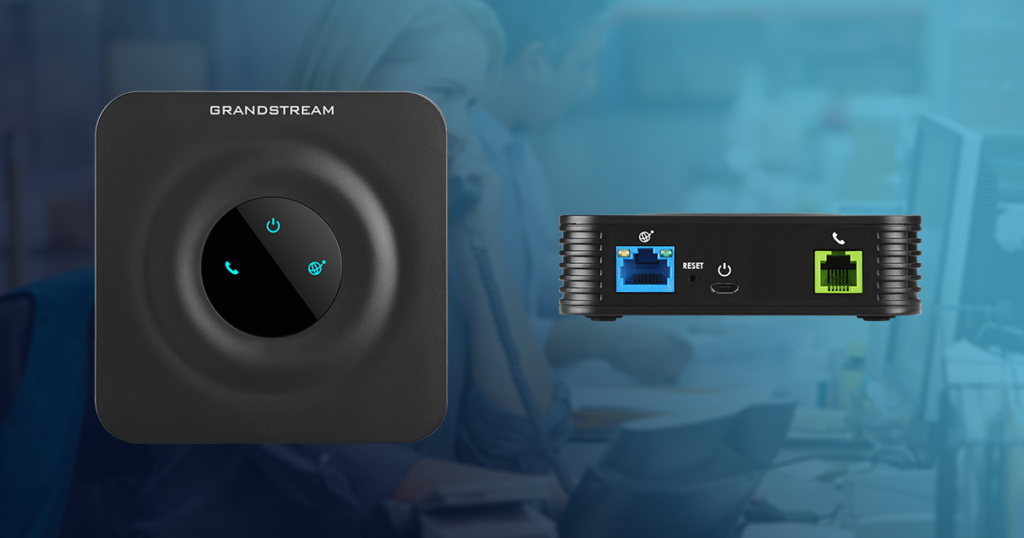
Adapter supplied may be a different model to above.
✅ Cheaper than replacing handsets
If you’d like to make the most of Hyperoptic’s full-fibre speeds and low latency, we also offer dedicated VoIP desk phones with features such as:
Perfect for:
If you don’t really need a physical handset anymore, we can simply forward all calls to your mobile. This way you:
You can even set conditional forwarding, such as:
By 2025, the UK is moving towards the Public Switched Telephone Network (PSTN) switch-off. That means traditional copper-based phone services are being phased out nationwide.
VoIP is the replacement technology—and with Hyperoptic, you already have the perfect broadband for it:
Switching now means you’ll be ready for the future—and you’ll never need to pay for line rental again.
David from Birmingham had been with Sky for years but jumped to Hyperoptic for faster speeds and better value. The only problem? His landline number was tied to his business and printed on hundreds of leaflets.
Here’s what happened:
David now enjoys ultrafast Hyperoptic broadband and crystal-clear VoIP calls—without losing a single customer.
No traditional copper landline. Hyperoptic offers its own VoIP add-on, or you can keep your number independent by using a third-party VoIP provider like Plexatalk.
Yes—port it to Hyperoptic VoIP or Plexatalk before cancelling your old provider.
Yes—with a VoIP adapter, almost any phone will work just like before.
Absolutely. With 3rd party VoIP apps, you can make and receive calls from your landline number on your smartphone.
Usually 7–10 working days, but we can coordinate it around your Hyperoptic installation date to minimise downtime.
Only if you want a physical handset—then you’ll need an ATA adapter or a VoIP phone. If you’re mobile-only, you don’t need extra hardware.
If you cancel your old broadband/phone service without porting your number to a VoIP provider first, your landline number will be disconnected and may not be recoverable.
Yes. If you use a VoIP adapter (ATA), your existing cordless or corded phones can work exactly as they did before.
No. You can keep your current phone with an adapter. But if you want advanced features and HD audio, you can upgrade to a dedicated VoIP handset.
Yes. Hyperoptic’s full-fibre network is perfect for VoIP, with low latency and symmetrical upload/download speeds that deliver crystal-clear calls.
Yes. With VoIP, you can have multiple numbers on the same internet connection—ideal for home offices or businesses.
Yes. Because VoIP is internet-based, your number stays the same even if you change address—just connect to your new Hyperoptic line.
Nothing changes. Your VoIP number is independent of your broadband provider, so it will continue to work over any new internet connection.
Yes. VoIP voicemail works just like traditional voicemail, and you can also have voicemails sent to your email inbox as audio files.
Some older devices require a traditional phone line, but many can work over VoIP. Check with your device provider, or we can help assess compatibility.
Yes. VoIP services have no line rental fees and call costs are often lower, especially for long-distance or international calls.
No. VoIP setup is simple—often just plugging in an adapter or phone, or installing an app. Most customers are up and running in minutes.
Porting your number out will usually cancel the entire service, so be sure to coordinate with your new Hyperoptic install date to avoid losing internet before your new service starts.
Don’t let a broadband upgrade mean losing your number. With Plexatalk, you can:
📞 Call us on 0330 057 6699
📧 Email: support@plexatalk.co.uk
Browse our Residential VoIP Packages or Business VoIP Solutions to find your perfect setup and make your move to Hyperoptic completely seamless.
We can keep your landline hosted as long as you have internet. We port numbers for people and businesses moving to all different providers, including Three, Toob, Trooli, CityFibre and Virgin Media.
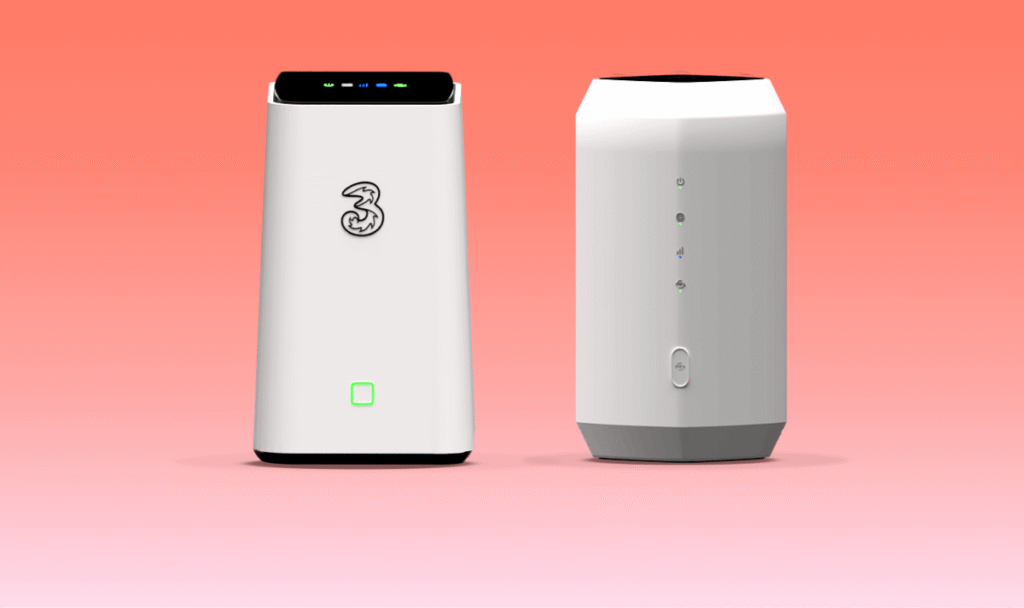
Switching to Three’s 5G Broadband offers a modern, flexible alternative to traditional wired broadband connections. With no need for phone sockets, engineer visits, or long installation waits, Three’s plug-and-play 5G router delivers fast wireless internet straight to your home. While it provides impressive speeds and simplicity, one feature many customers notice, and one we often get asked about is how to keep your landline when switching to Three 5G broadband? Three’s 5G internet doesn’t come with a traditional landline but there is a way.
If you’re used to having a landline number—whether for personal use, family contact, or business visibility—you may wonder how to maintain that connection without a traditional phone line. The answer is VoIP: Voice over Internet Protocol. With Plexatalk, you can not only keep your existing number but also enjoy a more flexible and modern way to handle calls at home or on the go.
Despite the rise of mobile phones, landlines continue to play an important role for many UK households and small businesses. Here are a few reasons why you might not want to give yours up:
While Three’s 5G broadband offers great data performance, it doesn’t include voice service or a landline replacement. That’s where Plexatalk’s VoIP service comes in.
VoIP allows you to make and receive calls using your internet connection instead of a traditional copper telephone line. It works seamlessly over Three’s 5G network and gives you the ability to:
Your phone number becomes flexible—you can use it anywhere, on any internet connection.
We’ve rigorously tested the Plexatalk platform with Three’s most commonly used home broadband routers, including older 5G and 4G models. Our systems have been proven to work with:
Even older DECT cordless handsets work fine using a standard ATA (Analogue Telephone Adapter). We recommend a minimum internet speed of 25 Mbps download and 5 Mbps upload for the best experience. However, the most critical factor isn’t just speed—it’s connection stability. If your Three 5G router has a strong and consistent signal, your calls will sound as clear as any fixed-line phone.
One of the biggest advantages of using VoIP is that your phone service becomes provider-independent. If you ever switch from Three to another broadband provider—like full-fibre, Starlink satellite, or even another 5G provider—your VoIP setup continues to work.
All you need to do is:
Your number stays active, and you won’t need to notify contacts or change how people reach you.
Transferring your landline number to Plexatalk is quick and straightforward:
We also provide number porting support if you’re mid-contract or need to schedule the transfer for after your Three 5G broadband goes live.
Whether you’re at home or running a small business, we have a VoIP setup that suits you:
Home Users:
Small Businesses:
All services are available without line rental fees, and our platform scales with your needs.
Ben, a customer in Leeds, switched to Three 5G broadband after experiencing long delays in getting full-fibre installed. His main concern was losing the landline number tied to his family and work contacts. We helped Ben:
Now Ben has ultrafast wireless broadband and his trusted phone number—no disruption, no missed calls.
No. Three’s home broadband plans are data-only. You’ll need a VoIP solution to replace your landline.
Yes. You can port your number to Plexatalk before cancelling your existing service.
Yes. With a VoIP adapter, almost any home phone can be used just like before.
Yes. Our Plexatalk Phone System lets you make and receive calls from your landline number on your mobile with third party apps.
Yes, provided you have a stable 5G connection. Speed matters less than stability for VoIP.
Absolutely. Our system works over any internet connection in the UK.
Usually 7–10 working days, but we’ll guide you through the process and schedule it to minimise downtime.
If you’re moving to Three 5G and want to keep your landline number, we make the switch easy.
Contact our team today to get started:
Phone: 0330 057 6699
Email: support@plexatalk.co.uk
Browse our Residential VoIP Packages or Business VoIP Solutions to find the right fit.
If you’re looking at how to keep your landline when switching to CityFibre’s Full Fibre FTTP services, you’ve come to the right place!
Switching to CityFibre’s full fibre broadband is a smart move—bringing you ultrafast speeds, future-proof connectivity, and better value for money. Whether you’re using CityFibre through Vodafone, Zen, TalkTalk, or another provider on their network, one thing’s certain: you’re upgrading to a modern, full fibre connection.
But there’s one thing you might not have realised:
CityFibre doesn’t include a traditional landline.
So if you’re wondering:
You’re not alone—and the good news is, Plexatalk has the solution.
We help you keep your landline number even when your broadband provider doesn’t offer one.

CityFibre is one of the UK’s leading FTTP (Fibre to the Premises) networks. It delivers fibre directly into your home or business—no copper lines, no slowdowns.
Benefits of CityFibre full fibre broadband:
But with no copper, there’s no phone line—and that means no landline service.
If you need to keep your landline, you’ll need to switch it to a VoIP provider like Plexatalk.
Landlines still matter to millions of homes and businesses across the UK.
Residential reasons:
Business reasons:
No—CityFibre is a broadband-only network. If your broadband is delivered over CityFibre infrastructure (via providers like Vodafone, Zen, IDNet, etc.), it typically won’t include a landline.
To keep your number, you’ll need to port it to a VoIP (Voice over Internet Protocol) service like Plexatalk.
Plexatalk helps you move your landline number to VoIP, so you can enjoy the benefits of CityFibre broadband without losing your number.
With Plexatalk, you can:
✅ Keep your existing phone number (from BT, Virgin, Sky, etc.)
✅ Use your current phones with a VoIP adapter (ATA)
✅ Forward calls to your mobile if you don’t want a physical phone
✅ Upgrade to VoIP desk phones with modern features and HD audio
1️⃣ You contact us – Let us know your current landline number, provider, and when you’re switching to CityFibre.
2️⃣ We send a CLoA form – You e-sign our Customer Letter of Authority so we can begin the porting process.
3️⃣ We port your number – We coordinate the transfer from your old provider. You won’t lose your number.
4️⃣ We get you set up – We add you to our system, send out your VoIP adapter or phone, or provide config details for your own equipment.
5️⃣ You go live – Enjoy ultrafast broadband with CityFibre, and keep your landline working with Plexatalk.
Whether it’s a home or business setup—we tailor it to fit your needs.
✔ Keep your landline number
✔ No more line rental
✔ Flexible options – phones, adapters, mobile forwarding
✔ Fast, friendly UK-based support
✔ Future-proof VoIP platform
✔ Works with all broadband providers—not just CityFibre
Derek in York was switching to Vodafone (powered by CityFibre) and realised he wouldn’t have a landline anymore. His home phone number was the main way his elderly mother contacted him.
Plexatalk helped by:
Now Derek has fast CityFibre broadband and his number still works—on the same phone he’s always used.
Lisa runs a small salon in Milton Keynes and was switching to Zen on CityFibre for faster broadband. But her shop’s landline number had been on every appointment card and Facebook ad for years.
We:
Her new system is more professional—and works perfectly with her new CityFibre connection.
No. CityFibre is a broadband-only network. Most providers on their network don’t include phone service.
Yes! Port your number to Plexatalk VoIP before cancelling your old service. We handle the transition.
Yes—with a VoIP adapter, you can use your existing handsets as normal.
Not necessarily. You can use a VoIP adapter, mobile call forwarding, or VoIP apps on your devices.
Usually 7–10 working days, but we’ll guide you every step of the way.
We support that too. Multi-line and business VoIP setups are available.
Yes! Our service works with any broadband provider in the UK. If you later move to a different provider the phone will keep ringing – providing you have an internet connection.
CityFibre gives you amazing internet. Plexatalk makes sure you don’t lose your landline in the process.
✅ Keep your number
✅ Enjoy VoIP flexibility
✅ Make the most of your CityFibre upgrade
Ready to switch?
📞 0330 057 6699
📧 support@plexatalk.co.uk
Or view our residential VoIP packages and business VoIP solutions today.
Switching to Trooli full fibre broadband (FTTP) is one of the best decisions you can make for faster, more reliable internet. Trooli offers ultrafast speeds, no mid-contract price hikes, and a future-proof network that leaves outdated copper lines behind. But how to keep your landline when switching to Trooli you may ask?
Trooli does not include a landline.
There’s no phone socket on the router, no call plans, and no option to keep your existing home phone number through Trooli alone.
So if you’re asking:
✅ How can I keep my landline when switching to Trooli?
✅ Does Trooli offer landlines?
✅ What’s the best way to keep my landline number with Trooli?
You’re in exactly the right place.
At Plexatalk, we make it simple to keep your landline number when switching to Trooli by moving your phone service to VoIP (Voice over Internet Protocol).

Trooli is a true FTTP (Fibre to the Premises) broadband provider. That means the fibre connection runs all the way to your home or business—not just to the street cabinet like older FTTC services.
But because FTTP doesn’t use copper, there’s no built-in landline service. If you want to keep your landline number, you’ll need a VoIP solution.
For some people, losing the landline isn’t a big deal. But for many homes and businesses, that number is still essential.
If you switch to Trooli without porting your number first, your landline number could be lost permanently.
No—Trooli broadband is broadband-only by design. There is no landline option and no phone socket on the Trooli router.
But don’t worry—you can still keep your landline number when switching to Trooli. The solution is to port your number to Plexatalk VoIP.
At Plexatalk, we help both residential and business customers move their phone number to VoIP so they can enjoy ultrafast Trooli broadband without losing their landline.
With our service, you can:
✅ Port your number from BT, Sky, TalkTalk, or Virgin
✅ Use your existing phones with a VoIP adapter
✅ Upgrade to a modern VoIP desk phone with HD audio and features
✅ Forward calls to your mobile—no physical phone required
Whether you’re at home or running a business, Plexatalk works with Trooli and any other broadband provider in the UK.
Here’s exactly what happens when you choose Plexatalk:
1️⃣ You contact us – Let us know your landline number, current provider, and when you’re switching to Trooli.
2️⃣ We send you a CLoA form – A simple e-sign form that authorises us to port your number.
3️⃣ We initiate the port – We handle the entire process with your old provider. No hassle for you.
4️⃣ We set you up – You’ll be added to our system, and we’ll send:
5️⃣ You go live! – Ultrafast Trooli broadband + your trusted landline number = best of both worlds.
✔ Keep your number – No need to tell friends, family, or customers you’ve changed numbers
✔ No line rental – VoIP runs over your broadband, so there’s no copper line charge
✔ Flexible setup – Phones, adapters, mobile forwarding… it’s up to you
✔ Works with any ISP – If you move away from Trooli later, your number stays with you. We can also port your number in you’re looking to move to Virgin, Toob and other providers.
✔ UK-based support – Real people ready to help
Sarah in Kent upgraded to Trooli’s 900 Mbps fibre service. She didn’t realise Trooli didn’t include a landline, but she’d had her number for 22 years.
We helped her by:
Within a week, Sarah had blazing-fast internet AND her same home phone number.
Mark runs a small plumbing business in Sussex. His number is on all his vans, website, and leaflets. Losing it wasn’t an option.
We:
Mark now enjoys fast Trooli broadband and a flexible phone system that grows with his business.
No—Trooli broadband is broadband-only. There is no landline or call plan.
Port your number to Plexatalk VoIP before cancelling your old service. We’ll handle the process so you don’t lose your number.
Usually 7–10 working days. We’ll keep you updated throughout.
No—you’ll keep your old service until the port completes. We aim for a seamless transition.
Yes! With a VoIP adapter (ATA), you can plug in your current phones and use them as normal.
We can simply forward calls to your mobile, or you can use a VoIP app on your smartphone or laptop.
We support both! Residential setups are simple and affordable, while business packages can include multiple lines, call menus, and remote working features.
No—your Plexatalk VoIP number works with any broadband provider. If you move, your number moves with you.
We send your adapter (if needed), configure your account, and support you to get everything running smoothly.
With Plexatalk, you get the best of both worlds:
🚀 Ultrafast Trooli full fibre broadband
📞 Your same trusted landline number
Contact us today:
📞 0330 057 6699
📧 support@plexatalk.co.uk
See our VoIP packages and find out how easy it is to keep your landline when switching to Trooli.
Toob broadband doesn’t include a landline service, but you don’t have to lose your number. With VoIP from Plexatalk, you can port your landline, keep using your existing phones (with a simple adapter), or forward calls straight to your mobile.
👉 For home users: View VoIP for Home plans & sign up online
👉 For businesses: Check our business pricing or get in touch with us to get started.
If you’re looking for the best way to keep your landline when switching to Toob broadband… you’re in exactly the right place.
Switching to a faster, full fibre broadband provider like Toob is an exciting upgrade. Blazing-fast speeds, great value, and no mid-contract price hikes are just some of the reasons thousands of homes across Southampton and the South are making the switch.
But there’s one thing many people aren’t told upfront:
Toob doesn’t offer a landline or home phone service.
So if you’re currently with BT, Sky, or Virgin and want to keep your home phone number—or continue using your landline in any form—you’ll need to take an extra step. That’s where Plexatalk can help.

Toob’s packages are broadband-only by design. There’s no landline option, no call plans, and no phone socket on the router. That might be fine for some—but for many households, the home phone is still important.
Maybe it’s:
Whatever the reason, if you don’t make plans to keep your number before switching to Toob, it could be lost permanently.
Once you switch to Toob, you typically face two choices:
If keeping your landline number matters to you—option two is the way forward.
At Plexatalk, we help people keep their landline number, even when their broadband provider doesn’t offer phone services. We specialize in VoIP (Voice over Internet Protocol)—a future-proof phone system that uses your internet connection instead of old copper lines.
All you need is your new Toob internet connection—we take care of the rest.
Toob gives you a reliable, high-speed full fibre connection. Plexatalk turns that connection into a home phone service using VoIP technology.
Here’s how:
Love your current cordless phones? Don’t want to learn something new? No problem.
Plexatalk can supply you with a VoIP adapter (also called an ATA) that connects to your Toob router and lets you keep using your existing phones—just like before.
✅ No new tech to learn
✅ No need to buy new handsets
✅ Works just like your old landline
Setup is simple:
If you’re ready for an upgrade, we also offer dedicated VoIP phones with:
These are perfect for:
If you rarely use a landline phone anymore, we can simply forward all calls to your mobile. That way, you keep your number, avoid new hardware, and stay reachable.
Ideal if:
You can even set up conditional call forwarding, like “ring mobile if unanswered in 10 seconds.”
✔ Keep your number—don’t lose years of identity
✔ No landline fees—ditch BT-style line rental forever
✔ Works with any ISP—not tied to Toob or any provider
✔ Flexible setup—phones, adapters, mobile forwarding
✔ Great call quality—often better than copper lines
✔ Local support—UK-based team ready to help
Did you know, we can also switch when people sign up with other providers? Such as Virgin Media
Nope. When we port your number to Plexatalk, your old provider typically cancels the landline automatically. Just double-check if it’s part of a bundle.
Absolutely. Whether you’re with Toob today or someone else tomorrow, Plexatalk stays with you.
Usually 7–10 working days. We’ll keep you updated throughout.
Only if you want to keep a physical landline phone. We can supply a VoIP adapter or phone—or you can forward to mobile with no hardware at all.
John in Bitterne was thrilled to get Toob’s 900 Mbps fibre service—but surprised when he realised there was no phone socket and no option to keep his landline number.
He called Plexatalk, and here’s what we did:
Within a week, John was up and running—full fibre broadband with Toob, and his trusted home phone number working like nothing changed.
Toob is a brilliant broadband provider. But when it comes to landlines, you’re on your own.
With Plexatalk, you can stay in control:
👉 For home users: View VoIP for Home plans & sign up online
👉 For businesses: Check our business pricing or get in touch with us to get started.